Starlink Mini now live across Kenya! | High-speed internet from Ksh1,300/mo
24/7/365 Support +254100720022

Category: STARLINK

STARLINK

  • Starlink In George Town : A New Era of
  Connectivity

    What Is Starlink Roam**

    Starlink Roam is a service plan from Starlink that enables on land travel with a Starlink dish. There are two options for Starlink Roam: Regional Roam, and Global Roam. Starlink Roam is Starlink’s portable service product line, and it is the new name for Starlink RV. Starlink satellites cover nearly all land on Earth, but the service is still available based on regulatory approval. You can check for up-to-date coverage information on the Starlink availability map.

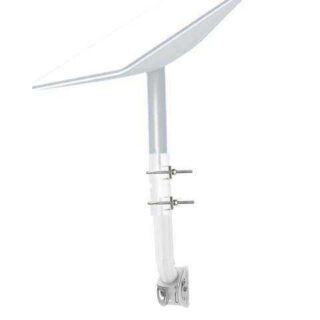
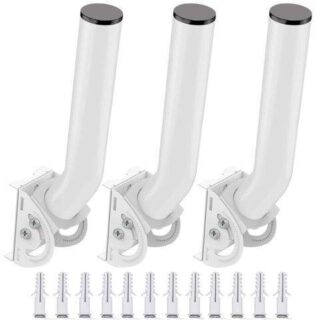
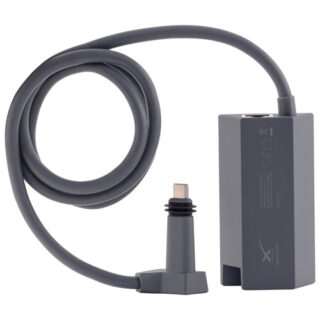
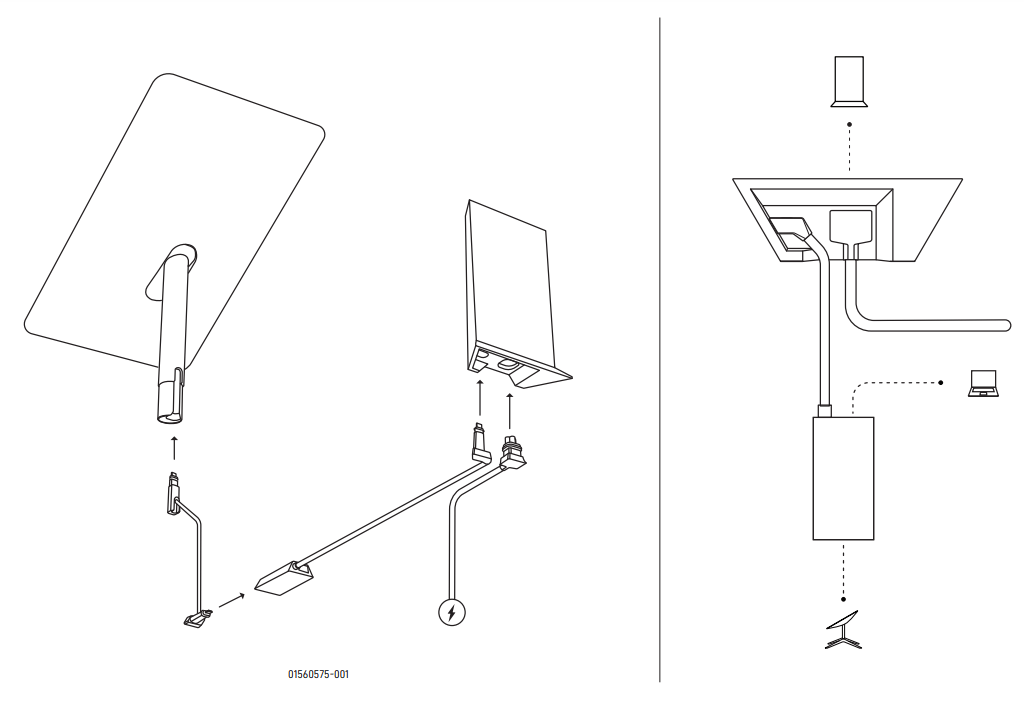
    Both Roam services come with a Standard Starlink hardware kit. Regional Roam has an option to upgrade to the Flat High Performance hardware for in-motion use. The Standard equipment is identical to the equipment sold with Residential. Contents of the kit include the Starlink dish, stand, router, and cables. Find out more about what comes with a Starlink kit here.

    Starlink Roam Cost

    The hardware kit for Global Roam costs $599, and you will pay $200 per month for the service. Global Roam can be paused so that you aren’t billed when it’s not in use. There are no contracts required, and customers can return the kit within 30 days for a full refund if they are not satisfied. Regional Roam (formerly Starlink RV) costs $150/month, with the hardware kit starting at $599.

    You can also transfer previously used Starlink equipment into a new Global Roam or Regional Roam account. For details on this process, check out our guide on transferring and activating service for a used dish.

    How Does Global Roaming Work**

    The technology that allows global roaming to work is the inter-satellite links that have been going into service on the newer generations of Starlink satellites. Also known as the ‘space lasers’, these inter-satellite laser links allow for incredibly fast satellite to satellite communication. Global connectivity is achieved by reducing the amount of ground stations required to send data to the internet.

    Before the space lasers, data was sent to the internet only via Starlink ground stations. Since there aren’t ground stations in every country, some areas of the globe were simply too far away from ground stations to be reliably serviced. The laser links allow data to be sent from satellite to satellite, through the Starlink constellation, and then to the optimal ground station. This enables low latency, high speed internet virtually anywhere on Earth.

    Who Is It For**

    At $200/month, Global Roam isn’t exactly cheap compared to most internet plans. In my opinion, Global Roaming will be best for international travelers or organizations who require Starlink service on multiple continents. Starlink Regional Roam is still available for $50/month cheaper, and will appeal to people who don’t need to travel between continents.

    If connectivity is important to you on land, across the globe, Global Roam is a great value. There aren’t any other providers that offer global coverage with low latency and high speeds. My guess is that a lot of non-profits, businesses, and other organizations who operate in many different locations around the world will be the first to utilize this new service.

    Regular domestic travelers, which includes most RV’ers, overlanders, campers, etc., will still find the best value with Regional Roam. With Regional Roam, you still have the ability to travel within an entire continent, you just can’t cross into another one.

    Regional Roaming vs Global Roaming

    You may be wondering, what’s the difference between Regional and Global Roaming** The first major difference is that Global Roam doesn’t have travel restrictions like the Regional plan. Starlink Regional Roam is limited to use within the same continent as the customers shipping address. Global Roam doesn’t have that restriction, so it can be used globally on virtually any continent.

    The other difference is cost. Starlink Regional Roam costs $150/month, while Global Roam costs $200/month. The equipment cost for both services is the same at $599.

    Finally, the last important distinction between Regional and Global Roam is that the in-motion, Flat High Performance hardware is not available for Global Roaming. The in-motion Starlink hardware can only be purchased on the Regional Roam plan.

    What Speeds Do I Get With Starlink Roam**

    Both Starlink Roam plans (Regional and Global) are deprioritized on the Starlink network. That means in times of network congestion, performance may suffer compared to Residential and Business Starlink customers in the area. That said, Starlink says Roam customers will get between 5-50 mbps download speeds, and 2-10 mbps upload speeds.

    It’s also important to note that the Starlink satellite constellation isn’t yet finished. Starlink says that Global Roam customers should expect higher latency and regular service interruptions. Global roaming, as of right now, is a best effort kind of service. As more laser links come online, reliability and performance will improve. Regional Roam customers, who are typically in areas with existing Starlink ground stations, will have less of an issue with interruptions and reliability.

    Does Roam Have Unlimited Data**

    Starlink Roam plans come with unlimited data, there are no caps or limits. Roam traffic is deprioritized on the Starlink network, so your speeds may be reduced or throttled in times on network congestion.

    How Do I Order**

    You will find the Roam service on the Starlink.com website, under the Roam menu. From there, enter your shipping address. Then, pick whether you want the standard Portable or the Mobile hardware (Mobile is not available with Global Roam). Finally, select Regional or Global Roam.

    Finish filling out your information, and place the order. Billing starts 14 days after your order ships. You have up to 30 days from delivery to return your Starlink kit for a full refund.

    How To Switch Between Global And Regional Roam

    Starlink makes it pretty easy to switch between the Global and Regional Roam plans. Let’s say you typically only travel with Starlink in the US, but you have an upcoming trip to South America. You can switch to Global Roam to be able to use your dish outside of North America, and then switch back to the cheaper Regional plan when you return.

    To switch between Global and Regional, log in to your Starlink.com account portal. Click Manage next to your Roam plan. Then click Change Service Plan. Choose between Regional, Global, and even the entry-level Maritime plan if you need to use Starlink at sea.

    Restrictions With Starlink Roam

    The two month restriction remains in place for both Starlink Roam plans. Starlink says that users who stay in one country for more than 2 months will need to update their registered address:

    3.3 Limitation and Requirements for Starlink Roaming Users. Starlink Roaming Services is a consumer product only and is not available for purchase or use by commercial, enterprise, or governmental users. If you use Starlink Roaming Services for more than two months in a country that is different than your shipping address, Starlink may require you to move your registered address to your new location. Starlink does not guarantee when or where Starlink Roaming Services will be available. Starlink Roaming Services are dependent on many factors, including obtaining or maintaining the necessary regulatory approvals which are subject to change. Find a list of authorized territories (marked “Available or Waitlist”) on Starlink map: www.starlink.com/map.

    Starlink Roaming Terms of Service

    According to Starlink, the ‘registered address’ mentioned above is only for tax and billing purposes. So if you originally ordered Roam in Mexico, but stay in Canada for more than 2 months, the address on your Starlink account could update to Canada for tax and billing purposes. If the new country has a higher subscription cost, you may see your monthly bill increase.

    Final Thoughts

    The branding from Starlink RV to Starlink Roam came as a surprise to me and most Starlink fans. But after digging through the details and writing this article, I already feel confident that it was a smart move. After all, customers are using the portable Starlink service for way more than just RV’s. I feel that the new Roam name reflects the possibilities of the service even better than before.

    The global roaming feature available with Starlink Roam is going to be a hit for many international travelers and organizations. Now you won’t have to worry about where you buy the equipment. You just buy it once and go, without worrying about straying outside of the original continent you purchased it in.

    Do you find the features of Global Roam appealing for your situation** Is $200/month a reasonable price for this feature for the ability to travel globally** I would love to know your thoughts in the comments!

    Add to cart
  • Starlink In Cayman Islands : A New Era of
  Connectivity

    What Is Starlink Roam**

    Starlink Roam is a service plan from Starlink that enables on land travel with a Starlink dish. There are two options for Starlink Roam: Regional Roam, and Global Roam. Starlink Roam is Starlink’s portable service product line, and it is the new name for Starlink RV. Starlink satellites cover nearly all land on Earth, but the service is still available based on regulatory approval. You can check for up-to-date coverage information on the Starlink availability map.

    Both Roam services come with a Standard Starlink hardware kit. Regional Roam has an option to upgrade to the Flat High Performance hardware for in-motion use. The Standard equipment is identical to the equipment sold with Residential. Contents of the kit include the Starlink dish, stand, router, and cables. Find out more about what comes with a Starlink kit here.

    Starlink Roam Cost

    The hardware kit for Global Roam costs $599, and you will pay $200 per month for the service. Global Roam can be paused so that you aren’t billed when it’s not in use. There are no contracts required, and customers can return the kit within 30 days for a full refund if they are not satisfied. Regional Roam (formerly Starlink RV) costs $150/month, with the hardware kit starting at $599.

    You can also transfer previously used Starlink equipment into a new Global Roam or Regional Roam account. For details on this process, check out our guide on transferring and activating service for a used dish.

    How Does Global Roaming Work**

    The technology that allows global roaming to work is the inter-satellite links that have been going into service on the newer generations of Starlink satellites. Also known as the ‘space lasers’, these inter-satellite laser links allow for incredibly fast satellite to satellite communication. Global connectivity is achieved by reducing the amount of ground stations required to send data to the internet.

    Before the space lasers, data was sent to the internet only via Starlink ground stations. Since there aren’t ground stations in every country, some areas of the globe were simply too far away from ground stations to be reliably serviced. The laser links allow data to be sent from satellite to satellite, through the Starlink constellation, and then to the optimal ground station. This enables low latency, high speed internet virtually anywhere on Earth.

    Who Is It For**

    At $200/month, Global Roam isn’t exactly cheap compared to most internet plans. In my opinion, Global Roaming will be best for international travelers or organizations who require Starlink service on multiple continents. Starlink Regional Roam is still available for $50/month cheaper, and will appeal to people who don’t need to travel between continents.

    If connectivity is important to you on land, across the globe, Global Roam is a great value. There aren’t any other providers that offer global coverage with low latency and high speeds. My guess is that a lot of non-profits, businesses, and other organizations who operate in many different locations around the world will be the first to utilize this new service.

    Regular domestic travelers, which includes most RV’ers, overlanders, campers, etc., will still find the best value with Regional Roam. With Regional Roam, you still have the ability to travel within an entire continent, you just can’t cross into another one.

    Regional Roaming vs Global Roaming

    You may be wondering, what’s the difference between Regional and Global Roaming** The first major difference is that Global Roam doesn’t have travel restrictions like the Regional plan. Starlink Regional Roam is limited to use within the same continent as the customers shipping address. Global Roam doesn’t have that restriction, so it can be used globally on virtually any continent.

    The other difference is cost. Starlink Regional Roam costs $150/month, while Global Roam costs $200/month. The equipment cost for both services is the same at $599.

    Finally, the last important distinction between Regional and Global Roam is that the in-motion, Flat High Performance hardware is not available for Global Roaming. The in-motion Starlink hardware can only be purchased on the Regional Roam plan.

    What Speeds Do I Get With Starlink Roam**

    Both Starlink Roam plans (Regional and Global) are deprioritized on the Starlink network. That means in times of network congestion, performance may suffer compared to Residential and Business Starlink customers in the area. That said, Starlink says Roam customers will get between 5-50 mbps download speeds, and 2-10 mbps upload speeds.

    It’s also important to note that the Starlink satellite constellation isn’t yet finished. Starlink says that Global Roam customers should expect higher latency and regular service interruptions. Global roaming, as of right now, is a best effort kind of service. As more laser links come online, reliability and performance will improve. Regional Roam customers, who are typically in areas with existing Starlink ground stations, will have less of an issue with interruptions and reliability.

    Does Roam Have Unlimited Data**

    Starlink Roam plans come with unlimited data, there are no caps or limits. Roam traffic is deprioritized on the Starlink network, so your speeds may be reduced or throttled in times on network congestion.

    How Do I Order**

    You will find the Roam service on the Starlink.com website, under the Roam menu. From there, enter your shipping address. Then, pick whether you want the standard Portable or the Mobile hardware (Mobile is not available with Global Roam). Finally, select Regional or Global Roam.

    Finish filling out your information, and place the order. Billing starts 14 days after your order ships. You have up to 30 days from delivery to return your Starlink kit for a full refund.

    How To Switch Between Global And Regional Roam

    Starlink makes it pretty easy to switch between the Global and Regional Roam plans. Let’s say you typically only travel with Starlink in the US, but you have an upcoming trip to South America. You can switch to Global Roam to be able to use your dish outside of North America, and then switch back to the cheaper Regional plan when you return.

    To switch between Global and Regional, log in to your Starlink.com account portal. Click Manage next to your Roam plan. Then click Change Service Plan. Choose between Regional, Global, and even the entry-level Maritime plan if you need to use Starlink at sea.

    Restrictions With Starlink Roam

    The two month restriction remains in place for both Starlink Roam plans. Starlink says that users who stay in one country for more than 2 months will need to update their registered address:

    3.3 Limitation and Requirements for Starlink Roaming Users. Starlink Roaming Services is a consumer product only and is not available for purchase or use by commercial, enterprise, or governmental users. If you use Starlink Roaming Services for more than two months in a country that is different than your shipping address, Starlink may require you to move your registered address to your new location. Starlink does not guarantee when or where Starlink Roaming Services will be available. Starlink Roaming Services are dependent on many factors, including obtaining or maintaining the necessary regulatory approvals which are subject to change. Find a list of authorized territories (marked “Available or Waitlist”) on Starlink map: www.starlink.com/map.

    Starlink Roaming Terms of Service

    According to Starlink, the ‘registered address’ mentioned above is only for tax and billing purposes. So if you originally ordered Roam in Mexico, but stay in Canada for more than 2 months, the address on your Starlink account could update to Canada for tax and billing purposes. If the new country has a higher subscription cost, you may see your monthly bill increase.

    Final Thoughts

    The branding from Starlink RV to Starlink Roam came as a surprise to me and most Starlink fans. But after digging through the details and writing this article, I already feel confident that it was a smart move. After all, customers are using the portable Starlink service for way more than just RV’s. I feel that the new Roam name reflects the possibilities of the service even better than before.

    The global roaming feature available with Starlink Roam is going to be a hit for many international travelers and organizations. Now you won’t have to worry about where you buy the equipment. You just buy it once and go, without worrying about straying outside of the original continent you purchased it in.

    Do you find the features of Global Roam appealing for your situation** Is $200/month a reasonable price for this feature for the ability to travel globally** I would love to know your thoughts in the comments!

    Add to cart
  • Starlink In Georgetown : A New Era of
  Connectivity

    What Is Starlink Roam**

    Starlink Roam is a service plan from Starlink that enables on land travel with a Starlink dish. There are two options for Starlink Roam: Regional Roam, and Global Roam. Starlink Roam is Starlink’s portable service product line, and it is the new name for Starlink RV. Starlink satellites cover nearly all land on Earth, but the service is still available based on regulatory approval. You can check for up-to-date coverage information on the Starlink availability map.

    Both Roam services come with a Standard Starlink hardware kit. Regional Roam has an option to upgrade to the Flat High Performance hardware for in-motion use. The Standard equipment is identical to the equipment sold with Residential. Contents of the kit include the Starlink dish, stand, router, and cables. Find out more about what comes with a Starlink kit here.

    Starlink Roam Cost

    The hardware kit for Global Roam costs $599, and you will pay $200 per month for the service. Global Roam can be paused so that you aren’t billed when it’s not in use. There are no contracts required, and customers can return the kit within 30 days for a full refund if they are not satisfied. Regional Roam (formerly Starlink RV) costs $150/month, with the hardware kit starting at $599.

    You can also transfer previously used Starlink equipment into a new Global Roam or Regional Roam account. For details on this process, check out our guide on transferring and activating service for a used dish.

    How Does Global Roaming Work**

    The technology that allows global roaming to work is the inter-satellite links that have been going into service on the newer generations of Starlink satellites. Also known as the ‘space lasers’, these inter-satellite laser links allow for incredibly fast satellite to satellite communication. Global connectivity is achieved by reducing the amount of ground stations required to send data to the internet.

    Before the space lasers, data was sent to the internet only via Starlink ground stations. Since there aren’t ground stations in every country, some areas of the globe were simply too far away from ground stations to be reliably serviced. The laser links allow data to be sent from satellite to satellite, through the Starlink constellation, and then to the optimal ground station. This enables low latency, high speed internet virtually anywhere on Earth.

    Who Is It For**

    At $200/month, Global Roam isn’t exactly cheap compared to most internet plans. In my opinion, Global Roaming will be best for international travelers or organizations who require Starlink service on multiple continents. Starlink Regional Roam is still available for $50/month cheaper, and will appeal to people who don’t need to travel between continents.

    If connectivity is important to you on land, across the globe, Global Roam is a great value. There aren’t any other providers that offer global coverage with low latency and high speeds. My guess is that a lot of non-profits, businesses, and other organizations who operate in many different locations around the world will be the first to utilize this new service.

    Regular domestic travelers, which includes most RV’ers, overlanders, campers, etc., will still find the best value with Regional Roam. With Regional Roam, you still have the ability to travel within an entire continent, you just can’t cross into another one.

    Regional Roaming vs Global Roaming

    You may be wondering, what’s the difference between Regional and Global Roaming** The first major difference is that Global Roam doesn’t have travel restrictions like the Regional plan. Starlink Regional Roam is limited to use within the same continent as the customers shipping address. Global Roam doesn’t have that restriction, so it can be used globally on virtually any continent.

    The other difference is cost. Starlink Regional Roam costs $150/month, while Global Roam costs $200/month. The equipment cost for both services is the same at $599.

    Finally, the last important distinction between Regional and Global Roam is that the in-motion, Flat High Performance hardware is not available for Global Roaming. The in-motion Starlink hardware can only be purchased on the Regional Roam plan.

    What Speeds Do I Get With Starlink Roam**

    Both Starlink Roam plans (Regional and Global) are deprioritized on the Starlink network. That means in times of network congestion, performance may suffer compared to Residential and Business Starlink customers in the area. That said, Starlink says Roam customers will get between 5-50 mbps download speeds, and 2-10 mbps upload speeds.

    It’s also important to note that the Starlink satellite constellation isn’t yet finished. Starlink says that Global Roam customers should expect higher latency and regular service interruptions. Global roaming, as of right now, is a best effort kind of service. As more laser links come online, reliability and performance will improve. Regional Roam customers, who are typically in areas with existing Starlink ground stations, will have less of an issue with interruptions and reliability.

    Does Roam Have Unlimited Data**

    Starlink Roam plans come with unlimited data, there are no caps or limits. Roam traffic is deprioritized on the Starlink network, so your speeds may be reduced or throttled in times on network congestion.

    How Do I Order**

    You will find the Roam service on the Starlink.com website, under the Roam menu. From there, enter your shipping address. Then, pick whether you want the standard Portable or the Mobile hardware (Mobile is not available with Global Roam). Finally, select Regional or Global Roam.

    Finish filling out your information, and place the order. Billing starts 14 days after your order ships. You have up to 30 days from delivery to return your Starlink kit for a full refund.

    How To Switch Between Global And Regional Roam

    Starlink makes it pretty easy to switch between the Global and Regional Roam plans. Let’s say you typically only travel with Starlink in the US, but you have an upcoming trip to South America. You can switch to Global Roam to be able to use your dish outside of North America, and then switch back to the cheaper Regional plan when you return.

    To switch between Global and Regional, log in to your Starlink.com account portal. Click Manage next to your Roam plan. Then click Change Service Plan. Choose between Regional, Global, and even the entry-level Maritime plan if you need to use Starlink at sea.

    Restrictions With Starlink Roam

    The two month restriction remains in place for both Starlink Roam plans. Starlink says that users who stay in one country for more than 2 months will need to update their registered address:

    3.3 Limitation and Requirements for Starlink Roaming Users. Starlink Roaming Services is a consumer product only and is not available for purchase or use by commercial, enterprise, or governmental users. If you use Starlink Roaming Services for more than two months in a country that is different than your shipping address, Starlink may require you to move your registered address to your new location. Starlink does not guarantee when or where Starlink Roaming Services will be available. Starlink Roaming Services are dependent on many factors, including obtaining or maintaining the necessary regulatory approvals which are subject to change. Find a list of authorized territories (marked “Available or Waitlist”) on Starlink map: www.starlink.com/map.

    Starlink Roaming Terms of Service

    According to Starlink, the ‘registered address’ mentioned above is only for tax and billing purposes. So if you originally ordered Roam in Mexico, but stay in Canada for more than 2 months, the address on your Starlink account could update to Canada for tax and billing purposes. If the new country has a higher subscription cost, you may see your monthly bill increase.

    Final Thoughts

    The branding from Starlink RV to Starlink Roam came as a surprise to me and most Starlink fans. But after digging through the details and writing this article, I already feel confident that it was a smart move. After all, customers are using the portable Starlink service for way more than just RV’s. I feel that the new Roam name reflects the possibilities of the service even better than before.

    The global roaming feature available with Starlink Roam is going to be a hit for many international travelers and organizations. Now you won’t have to worry about where you buy the equipment. You just buy it once and go, without worrying about straying outside of the original continent you purchased it in.

    Do you find the features of Global Roam appealing for your situation** Is $200/month a reasonable price for this feature for the ability to travel globally** I would love to know your thoughts in the comments!

    Add to cart
  • Starlink In Guyana : A New Era of
  Connectivity

    What Is Starlink Roam**

    Starlink Roam is a service plan from Starlink that enables on land travel with a Starlink dish. There are two options for Starlink Roam: Regional Roam, and Global Roam. Starlink Roam is Starlink’s portable service product line, and it is the new name for Starlink RV. Starlink satellites cover nearly all land on Earth, but the service is still available based on regulatory approval. You can check for up-to-date coverage information on the Starlink availability map.

    Both Roam services come with a Standard Starlink hardware kit. Regional Roam has an option to upgrade to the Flat High Performance hardware for in-motion use. The Standard equipment is identical to the equipment sold with Residential. Contents of the kit include the Starlink dish, stand, router, and cables. Find out more about what comes with a Starlink kit here.

    Starlink Roam Cost

    The hardware kit for Global Roam costs $599, and you will pay $200 per month for the service. Global Roam can be paused so that you aren’t billed when it’s not in use. There are no contracts required, and customers can return the kit within 30 days for a full refund if they are not satisfied. Regional Roam (formerly Starlink RV) costs $150/month, with the hardware kit starting at $599.

    You can also transfer previously used Starlink equipment into a new Global Roam or Regional Roam account. For details on this process, check out our guide on transferring and activating service for a used dish.

    How Does Global Roaming Work**

    The technology that allows global roaming to work is the inter-satellite links that have been going into service on the newer generations of Starlink satellites. Also known as the ‘space lasers’, these inter-satellite laser links allow for incredibly fast satellite to satellite communication. Global connectivity is achieved by reducing the amount of ground stations required to send data to the internet.

    Before the space lasers, data was sent to the internet only via Starlink ground stations. Since there aren’t ground stations in every country, some areas of the globe were simply too far away from ground stations to be reliably serviced. The laser links allow data to be sent from satellite to satellite, through the Starlink constellation, and then to the optimal ground station. This enables low latency, high speed internet virtually anywhere on Earth.

    Who Is It For**

    At $200/month, Global Roam isn’t exactly cheap compared to most internet plans. In my opinion, Global Roaming will be best for international travelers or organizations who require Starlink service on multiple continents. Starlink Regional Roam is still available for $50/month cheaper, and will appeal to people who don’t need to travel between continents.

    If connectivity is important to you on land, across the globe, Global Roam is a great value. There aren’t any other providers that offer global coverage with low latency and high speeds. My guess is that a lot of non-profits, businesses, and other organizations who operate in many different locations around the world will be the first to utilize this new service.

    Regular domestic travelers, which includes most RV’ers, overlanders, campers, etc., will still find the best value with Regional Roam. With Regional Roam, you still have the ability to travel within an entire continent, you just can’t cross into another one.

    Regional Roaming vs Global Roaming

    You may be wondering, what’s the difference between Regional and Global Roaming** The first major difference is that Global Roam doesn’t have travel restrictions like the Regional plan. Starlink Regional Roam is limited to use within the same continent as the customers shipping address. Global Roam doesn’t have that restriction, so it can be used globally on virtually any continent.

    The other difference is cost. Starlink Regional Roam costs $150/month, while Global Roam costs $200/month. The equipment cost for both services is the same at $599.

    Finally, the last important distinction between Regional and Global Roam is that the in-motion, Flat High Performance hardware is not available for Global Roaming. The in-motion Starlink hardware can only be purchased on the Regional Roam plan.

    What Speeds Do I Get With Starlink Roam**

    Both Starlink Roam plans (Regional and Global) are deprioritized on the Starlink network. That means in times of network congestion, performance may suffer compared to Residential and Business Starlink customers in the area. That said, Starlink says Roam customers will get between 5-50 mbps download speeds, and 2-10 mbps upload speeds.

    It’s also important to note that the Starlink satellite constellation isn’t yet finished. Starlink says that Global Roam customers should expect higher latency and regular service interruptions. Global roaming, as of right now, is a best effort kind of service. As more laser links come online, reliability and performance will improve. Regional Roam customers, who are typically in areas with existing Starlink ground stations, will have less of an issue with interruptions and reliability.

    Does Roam Have Unlimited Data**

    Starlink Roam plans come with unlimited data, there are no caps or limits. Roam traffic is deprioritized on the Starlink network, so your speeds may be reduced or throttled in times on network congestion.

    How Do I Order**

    You will find the Roam service on the Starlink.com website, under the Roam menu. From there, enter your shipping address. Then, pick whether you want the standard Portable or the Mobile hardware (Mobile is not available with Global Roam). Finally, select Regional or Global Roam.

    Finish filling out your information, and place the order. Billing starts 14 days after your order ships. You have up to 30 days from delivery to return your Starlink kit for a full refund.

    How To Switch Between Global And Regional Roam

    Starlink makes it pretty easy to switch between the Global and Regional Roam plans. Let’s say you typically only travel with Starlink in the US, but you have an upcoming trip to South America. You can switch to Global Roam to be able to use your dish outside of North America, and then switch back to the cheaper Regional plan when you return.

    To switch between Global and Regional, log in to your Starlink.com account portal. Click Manage next to your Roam plan. Then click Change Service Plan. Choose between Regional, Global, and even the entry-level Maritime plan if you need to use Starlink at sea.

    Restrictions With Starlink Roam

    The two month restriction remains in place for both Starlink Roam plans. Starlink says that users who stay in one country for more than 2 months will need to update their registered address:

    3.3 Limitation and Requirements for Starlink Roaming Users. Starlink Roaming Services is a consumer product only and is not available for purchase or use by commercial, enterprise, or governmental users. If you use Starlink Roaming Services for more than two months in a country that is different than your shipping address, Starlink may require you to move your registered address to your new location. Starlink does not guarantee when or where Starlink Roaming Services will be available. Starlink Roaming Services are dependent on many factors, including obtaining or maintaining the necessary regulatory approvals which are subject to change. Find a list of authorized territories (marked “Available or Waitlist”) on Starlink map: www.starlink.com/map.

    Starlink Roaming Terms of Service

    According to Starlink, the ‘registered address’ mentioned above is only for tax and billing purposes. So if you originally ordered Roam in Mexico, but stay in Canada for more than 2 months, the address on your Starlink account could update to Canada for tax and billing purposes. If the new country has a higher subscription cost, you may see your monthly bill increase.

    Final Thoughts

    The branding from Starlink RV to Starlink Roam came as a surprise to me and most Starlink fans. But after digging through the details and writing this article, I already feel confident that it was a smart move. After all, customers are using the portable Starlink service for way more than just RV’s. I feel that the new Roam name reflects the possibilities of the service even better than before.

    The global roaming feature available with Starlink Roam is going to be a hit for many international travelers and organizations. Now you won’t have to worry about where you buy the equipment. You just buy it once and go, without worrying about straying outside of the original continent you purchased it in.

    Do you find the features of Global Roam appealing for your situation** Is $200/month a reasonable price for this feature for the ability to travel globally** I would love to know your thoughts in the comments!

    Add to cart
  • Starlink In Gustavia : A New Era of
  Connectivity

    What Is Starlink Roam**

    Starlink Roam is a service plan from Starlink that enables on land travel with a Starlink dish. There are two options for Starlink Roam: Regional Roam, and Global Roam. Starlink Roam is Starlink’s portable service product line, and it is the new name for Starlink RV. Starlink satellites cover nearly all land on Earth, but the service is still available based on regulatory approval. You can check for up-to-date coverage information on the Starlink availability map.

    Both Roam services come with a Standard Starlink hardware kit. Regional Roam has an option to upgrade to the Flat High Performance hardware for in-motion use. The Standard equipment is identical to the equipment sold with Residential. Contents of the kit include the Starlink dish, stand, router, and cables. Find out more about what comes with a Starlink kit here.

    Starlink Roam Cost

    The hardware kit for Global Roam costs $599, and you will pay $200 per month for the service. Global Roam can be paused so that you aren’t billed when it’s not in use. There are no contracts required, and customers can return the kit within 30 days for a full refund if they are not satisfied. Regional Roam (formerly Starlink RV) costs $150/month, with the hardware kit starting at $599.

    You can also transfer previously used Starlink equipment into a new Global Roam or Regional Roam account. For details on this process, check out our guide on transferring and activating service for a used dish.

    How Does Global Roaming Work**

    The technology that allows global roaming to work is the inter-satellite links that have been going into service on the newer generations of Starlink satellites. Also known as the ‘space lasers’, these inter-satellite laser links allow for incredibly fast satellite to satellite communication. Global connectivity is achieved by reducing the amount of ground stations required to send data to the internet.

    Before the space lasers, data was sent to the internet only via Starlink ground stations. Since there aren’t ground stations in every country, some areas of the globe were simply too far away from ground stations to be reliably serviced. The laser links allow data to be sent from satellite to satellite, through the Starlink constellation, and then to the optimal ground station. This enables low latency, high speed internet virtually anywhere on Earth.

    Who Is It For**

    At $200/month, Global Roam isn’t exactly cheap compared to most internet plans. In my opinion, Global Roaming will be best for international travelers or organizations who require Starlink service on multiple continents. Starlink Regional Roam is still available for $50/month cheaper, and will appeal to people who don’t need to travel between continents.

    If connectivity is important to you on land, across the globe, Global Roam is a great value. There aren’t any other providers that offer global coverage with low latency and high speeds. My guess is that a lot of non-profits, businesses, and other organizations who operate in many different locations around the world will be the first to utilize this new service.

    Regular domestic travelers, which includes most RV’ers, overlanders, campers, etc., will still find the best value with Regional Roam. With Regional Roam, you still have the ability to travel within an entire continent, you just can’t cross into another one.

    Regional Roaming vs Global Roaming

    You may be wondering, what’s the difference between Regional and Global Roaming** The first major difference is that Global Roam doesn’t have travel restrictions like the Regional plan. Starlink Regional Roam is limited to use within the same continent as the customers shipping address. Global Roam doesn’t have that restriction, so it can be used globally on virtually any continent.

    The other difference is cost. Starlink Regional Roam costs $150/month, while Global Roam costs $200/month. The equipment cost for both services is the same at $599.

    Finally, the last important distinction between Regional and Global Roam is that the in-motion, Flat High Performance hardware is not available for Global Roaming. The in-motion Starlink hardware can only be purchased on the Regional Roam plan.

    What Speeds Do I Get With Starlink Roam**

    Both Starlink Roam plans (Regional and Global) are deprioritized on the Starlink network. That means in times of network congestion, performance may suffer compared to Residential and Business Starlink customers in the area. That said, Starlink says Roam customers will get between 5-50 mbps download speeds, and 2-10 mbps upload speeds.

    It’s also important to note that the Starlink satellite constellation isn’t yet finished. Starlink says that Global Roam customers should expect higher latency and regular service interruptions. Global roaming, as of right now, is a best effort kind of service. As more laser links come online, reliability and performance will improve. Regional Roam customers, who are typically in areas with existing Starlink ground stations, will have less of an issue with interruptions and reliability.

    Does Roam Have Unlimited Data**

    Starlink Roam plans come with unlimited data, there are no caps or limits. Roam traffic is deprioritized on the Starlink network, so your speeds may be reduced or throttled in times on network congestion.

    How Do I Order**

    You will find the Roam service on the Starlink.com website, under the Roam menu. From there, enter your shipping address. Then, pick whether you want the standard Portable or the Mobile hardware (Mobile is not available with Global Roam). Finally, select Regional or Global Roam.

    Finish filling out your information, and place the order. Billing starts 14 days after your order ships. You have up to 30 days from delivery to return your Starlink kit for a full refund.

    How To Switch Between Global And Regional Roam

    Starlink makes it pretty easy to switch between the Global and Regional Roam plans. Let’s say you typically only travel with Starlink in the US, but you have an upcoming trip to South America. You can switch to Global Roam to be able to use your dish outside of North America, and then switch back to the cheaper Regional plan when you return.

    To switch between Global and Regional, log in to your Starlink.com account portal. Click Manage next to your Roam plan. Then click Change Service Plan. Choose between Regional, Global, and even the entry-level Maritime plan if you need to use Starlink at sea.

    Restrictions With Starlink Roam

    The two month restriction remains in place for both Starlink Roam plans. Starlink says that users who stay in one country for more than 2 months will need to update their registered address:

    3.3 Limitation and Requirements for Starlink Roaming Users. Starlink Roaming Services is a consumer product only and is not available for purchase or use by commercial, enterprise, or governmental users. If you use Starlink Roaming Services for more than two months in a country that is different than your shipping address, Starlink may require you to move your registered address to your new location. Starlink does not guarantee when or where Starlink Roaming Services will be available. Starlink Roaming Services are dependent on many factors, including obtaining or maintaining the necessary regulatory approvals which are subject to change. Find a list of authorized territories (marked “Available or Waitlist”) on Starlink map: www.starlink.com/map.

    Starlink Roaming Terms of Service

    According to Starlink, the ‘registered address’ mentioned above is only for tax and billing purposes. So if you originally ordered Roam in Mexico, but stay in Canada for more than 2 months, the address on your Starlink account could update to Canada for tax and billing purposes. If the new country has a higher subscription cost, you may see your monthly bill increase.

    Final Thoughts

    The branding from Starlink RV to Starlink Roam came as a surprise to me and most Starlink fans. But after digging through the details and writing this article, I already feel confident that it was a smart move. After all, customers are using the portable Starlink service for way more than just RV’s. I feel that the new Roam name reflects the possibilities of the service even better than before.

    The global roaming feature available with Starlink Roam is going to be a hit for many international travelers and organizations. Now you won’t have to worry about where you buy the equipment. You just buy it once and go, without worrying about straying outside of the original continent you purchased it in.

    Do you find the features of Global Roam appealing for your situation** Is $200/month a reasonable price for this feature for the ability to travel globally** I would love to know your thoughts in the comments!

    Add to cart
  • Starlink In Saint Barthélemy : A New Era
  of Connectivity

    What Is Starlink Roam**

    Starlink Roam is a service plan from Starlink that enables on land travel with a Starlink dish. There are two options for Starlink Roam: Regional Roam, and Global Roam. Starlink Roam is Starlink’s portable service product line, and it is the new name for Starlink RV. Starlink satellites cover nearly all land on Earth, but the service is still available based on regulatory approval. You can check for up-to-date coverage information on the Starlink availability map.

    Both Roam services come with a Standard Starlink hardware kit. Regional Roam has an option to upgrade to the Flat High Performance hardware for in-motion use. The Standard equipment is identical to the equipment sold with Residential. Contents of the kit include the Starlink dish, stand, router, and cables. Find out more about what comes with a Starlink kit here.

    Starlink Roam Cost

    The hardware kit for Global Roam costs $599, and you will pay $200 per month for the service. Global Roam can be paused so that you aren’t billed when it’s not in use. There are no contracts required, and customers can return the kit within 30 days for a full refund if they are not satisfied. Regional Roam (formerly Starlink RV) costs $150/month, with the hardware kit starting at $599.

    You can also transfer previously used Starlink equipment into a new Global Roam or Regional Roam account. For details on this process, check out our guide on transferring and activating service for a used dish.

    How Does Global Roaming Work**

    The technology that allows global roaming to work is the inter-satellite links that have been going into service on the newer generations of Starlink satellites. Also known as the ‘space lasers’, these inter-satellite laser links allow for incredibly fast satellite to satellite communication. Global connectivity is achieved by reducing the amount of ground stations required to send data to the internet.

    Before the space lasers, data was sent to the internet only via Starlink ground stations. Since there aren’t ground stations in every country, some areas of the globe were simply too far away from ground stations to be reliably serviced. The laser links allow data to be sent from satellite to satellite, through the Starlink constellation, and then to the optimal ground station. This enables low latency, high speed internet virtually anywhere on Earth.

    Who Is It For**

    At $200/month, Global Roam isn’t exactly cheap compared to most internet plans. In my opinion, Global Roaming will be best for international travelers or organizations who require Starlink service on multiple continents. Starlink Regional Roam is still available for $50/month cheaper, and will appeal to people who don’t need to travel between continents.

    If connectivity is important to you on land, across the globe, Global Roam is a great value. There aren’t any other providers that offer global coverage with low latency and high speeds. My guess is that a lot of non-profits, businesses, and other organizations who operate in many different locations around the world will be the first to utilize this new service.

    Regular domestic travelers, which includes most RV’ers, overlanders, campers, etc., will still find the best value with Regional Roam. With Regional Roam, you still have the ability to travel within an entire continent, you just can’t cross into another one.

    Regional Roaming vs Global Roaming

    You may be wondering, what’s the difference between Regional and Global Roaming** The first major difference is that Global Roam doesn’t have travel restrictions like the Regional plan. Starlink Regional Roam is limited to use within the same continent as the customers shipping address. Global Roam doesn’t have that restriction, so it can be used globally on virtually any continent.

    The other difference is cost. Starlink Regional Roam costs $150/month, while Global Roam costs $200/month. The equipment cost for both services is the same at $599.

    Finally, the last important distinction between Regional and Global Roam is that the in-motion, Flat High Performance hardware is not available for Global Roaming. The in-motion Starlink hardware can only be purchased on the Regional Roam plan.

    What Speeds Do I Get With Starlink Roam**

    Both Starlink Roam plans (Regional and Global) are deprioritized on the Starlink network. That means in times of network congestion, performance may suffer compared to Residential and Business Starlink customers in the area. That said, Starlink says Roam customers will get between 5-50 mbps download speeds, and 2-10 mbps upload speeds.

    It’s also important to note that the Starlink satellite constellation isn’t yet finished. Starlink says that Global Roam customers should expect higher latency and regular service interruptions. Global roaming, as of right now, is a best effort kind of service. As more laser links come online, reliability and performance will improve. Regional Roam customers, who are typically in areas with existing Starlink ground stations, will have less of an issue with interruptions and reliability.

    Does Roam Have Unlimited Data**

    Starlink Roam plans come with unlimited data, there are no caps or limits. Roam traffic is deprioritized on the Starlink network, so your speeds may be reduced or throttled in times on network congestion.

    How Do I Order**

    You will find the Roam service on the Starlink.com website, under the Roam menu. From there, enter your shipping address. Then, pick whether you want the standard Portable or the Mobile hardware (Mobile is not available with Global Roam). Finally, select Regional or Global Roam.

    Finish filling out your information, and place the order. Billing starts 14 days after your order ships. You have up to 30 days from delivery to return your Starlink kit for a full refund.

    How To Switch Between Global And Regional Roam

    Starlink makes it pretty easy to switch between the Global and Regional Roam plans. Let’s say you typically only travel with Starlink in the US, but you have an upcoming trip to South America. You can switch to Global Roam to be able to use your dish outside of North America, and then switch back to the cheaper Regional plan when you return.

    To switch between Global and Regional, log in to your Starlink.com account portal. Click Manage next to your Roam plan. Then click Change Service Plan. Choose between Regional, Global, and even the entry-level Maritime plan if you need to use Starlink at sea.

    Restrictions With Starlink Roam

    The two month restriction remains in place for both Starlink Roam plans. Starlink says that users who stay in one country for more than 2 months will need to update their registered address:

    3.3 Limitation and Requirements for Starlink Roaming Users. Starlink Roaming Services is a consumer product only and is not available for purchase or use by commercial, enterprise, or governmental users. If you use Starlink Roaming Services for more than two months in a country that is different than your shipping address, Starlink may require you to move your registered address to your new location. Starlink does not guarantee when or where Starlink Roaming Services will be available. Starlink Roaming Services are dependent on many factors, including obtaining or maintaining the necessary regulatory approvals which are subject to change. Find a list of authorized territories (marked “Available or Waitlist”) on Starlink map: www.starlink.com/map.

    Starlink Roaming Terms of Service

    According to Starlink, the ‘registered address’ mentioned above is only for tax and billing purposes. So if you originally ordered Roam in Mexico, but stay in Canada for more than 2 months, the address on your Starlink account could update to Canada for tax and billing purposes. If the new country has a higher subscription cost, you may see your monthly bill increase.

    Final Thoughts

    The branding from Starlink RV to Starlink Roam came as a surprise to me and most Starlink fans. But after digging through the details and writing this article, I already feel confident that it was a smart move. After all, customers are using the portable Starlink service for way more than just RV’s. I feel that the new Roam name reflects the possibilities of the service even better than before.

    The global roaming feature available with Starlink Roam is going to be a hit for many international travelers and organizations. Now you won’t have to worry about where you buy the equipment. You just buy it once and go, without worrying about straying outside of the original continent you purchased it in.

    Do you find the features of Global Roam appealing for your situation** Is $200/month a reasonable price for this feature for the ability to travel globally** I would love to know your thoughts in the comments!

    Add to cart
  • Starlink In Hamilton : A New Era of
  Connectivity

    What Is Starlink Roam**

    Starlink Roam is a service plan from Starlink that enables on land travel with a Starlink dish. There are two options for Starlink Roam: Regional Roam, and Global Roam. Starlink Roam is Starlink’s portable service product line, and it is the new name for Starlink RV. Starlink satellites cover nearly all land on Earth, but the service is still available based on regulatory approval. You can check for up-to-date coverage information on the Starlink availability map.

    Both Roam services come with a Standard Starlink hardware kit. Regional Roam has an option to upgrade to the Flat High Performance hardware for in-motion use. The Standard equipment is identical to the equipment sold with Residential. Contents of the kit include the Starlink dish, stand, router, and cables. Find out more about what comes with a Starlink kit here.

    Starlink Roam Cost

    The hardware kit for Global Roam costs $599, and you will pay $200 per month for the service. Global Roam can be paused so that you aren’t billed when it’s not in use. There are no contracts required, and customers can return the kit within 30 days for a full refund if they are not satisfied. Regional Roam (formerly Starlink RV) costs $150/month, with the hardware kit starting at $599.

    You can also transfer previously used Starlink equipment into a new Global Roam or Regional Roam account. For details on this process, check out our guide on transferring and activating service for a used dish.

    How Does Global Roaming Work**

    The technology that allows global roaming to work is the inter-satellite links that have been going into service on the newer generations of Starlink satellites. Also known as the ‘space lasers’, these inter-satellite laser links allow for incredibly fast satellite to satellite communication. Global connectivity is achieved by reducing the amount of ground stations required to send data to the internet.

    Before the space lasers, data was sent to the internet only via Starlink ground stations. Since there aren’t ground stations in every country, some areas of the globe were simply too far away from ground stations to be reliably serviced. The laser links allow data to be sent from satellite to satellite, through the Starlink constellation, and then to the optimal ground station. This enables low latency, high speed internet virtually anywhere on Earth.

    Who Is It For**

    At $200/month, Global Roam isn’t exactly cheap compared to most internet plans. In my opinion, Global Roaming will be best for international travelers or organizations who require Starlink service on multiple continents. Starlink Regional Roam is still available for $50/month cheaper, and will appeal to people who don’t need to travel between continents.

    If connectivity is important to you on land, across the globe, Global Roam is a great value. There aren’t any other providers that offer global coverage with low latency and high speeds. My guess is that a lot of non-profits, businesses, and other organizations who operate in many different locations around the world will be the first to utilize this new service.

    Regular domestic travelers, which includes most RV’ers, overlanders, campers, etc., will still find the best value with Regional Roam. With Regional Roam, you still have the ability to travel within an entire continent, you just can’t cross into another one.

    Regional Roaming vs Global Roaming

    You may be wondering, what’s the difference between Regional and Global Roaming** The first major difference is that Global Roam doesn’t have travel restrictions like the Regional plan. Starlink Regional Roam is limited to use within the same continent as the customers shipping address. Global Roam doesn’t have that restriction, so it can be used globally on virtually any continent.

    The other difference is cost. Starlink Regional Roam costs $150/month, while Global Roam costs $200/month. The equipment cost for both services is the same at $599.

    Finally, the last important distinction between Regional and Global Roam is that the in-motion, Flat High Performance hardware is not available for Global Roaming. The in-motion Starlink hardware can only be purchased on the Regional Roam plan.

    What Speeds Do I Get With Starlink Roam**

    Both Starlink Roam plans (Regional and Global) are deprioritized on the Starlink network. That means in times of network congestion, performance may suffer compared to Residential and Business Starlink customers in the area. That said, Starlink says Roam customers will get between 5-50 mbps download speeds, and 2-10 mbps upload speeds.

    It’s also important to note that the Starlink satellite constellation isn’t yet finished. Starlink says that Global Roam customers should expect higher latency and regular service interruptions. Global roaming, as of right now, is a best effort kind of service. As more laser links come online, reliability and performance will improve. Regional Roam customers, who are typically in areas with existing Starlink ground stations, will have less of an issue with interruptions and reliability.

    Does Roam Have Unlimited Data**

    Starlink Roam plans come with unlimited data, there are no caps or limits. Roam traffic is deprioritized on the Starlink network, so your speeds may be reduced or throttled in times on network congestion.

    How Do I Order**

    You will find the Roam service on the Starlink.com website, under the Roam menu. From there, enter your shipping address. Then, pick whether you want the standard Portable or the Mobile hardware (Mobile is not available with Global Roam). Finally, select Regional or Global Roam.

    Finish filling out your information, and place the order. Billing starts 14 days after your order ships. You have up to 30 days from delivery to return your Starlink kit for a full refund.

    How To Switch Between Global And Regional Roam

    Starlink makes it pretty easy to switch between the Global and Regional Roam plans. Let’s say you typically only travel with Starlink in the US, but you have an upcoming trip to South America. You can switch to Global Roam to be able to use your dish outside of North America, and then switch back to the cheaper Regional plan when you return.

    To switch between Global and Regional, log in to your Starlink.com account portal. Click Manage next to your Roam plan. Then click Change Service Plan. Choose between Regional, Global, and even the entry-level Maritime plan if you need to use Starlink at sea.

    Restrictions With Starlink Roam

    The two month restriction remains in place for both Starlink Roam plans. Starlink says that users who stay in one country for more than 2 months will need to update their registered address:

    3.3 Limitation and Requirements for Starlink Roaming Users. Starlink Roaming Services is a consumer product only and is not available for purchase or use by commercial, enterprise, or governmental users. If you use Starlink Roaming Services for more than two months in a country that is different than your shipping address, Starlink may require you to move your registered address to your new location. Starlink does not guarantee when or where Starlink Roaming Services will be available. Starlink Roaming Services are dependent on many factors, including obtaining or maintaining the necessary regulatory approvals which are subject to change. Find a list of authorized territories (marked “Available or Waitlist”) on Starlink map: www.starlink.com/map.

    Starlink Roaming Terms of Service

    According to Starlink, the ‘registered address’ mentioned above is only for tax and billing purposes. So if you originally ordered Roam in Mexico, but stay in Canada for more than 2 months, the address on your Starlink account could update to Canada for tax and billing purposes. If the new country has a higher subscription cost, you may see your monthly bill increase.

    Final Thoughts

    The branding from Starlink RV to Starlink Roam came as a surprise to me and most Starlink fans. But after digging through the details and writing this article, I already feel confident that it was a smart move. After all, customers are using the portable Starlink service for way more than just RV’s. I feel that the new Roam name reflects the possibilities of the service even better than before.

    The global roaming feature available with Starlink Roam is going to be a hit for many international travelers and organizations. Now you won’t have to worry about where you buy the equipment. You just buy it once and go, without worrying about straying outside of the original continent you purchased it in.

    Do you find the features of Global Roam appealing for your situation** Is $200/month a reasonable price for this feature for the ability to travel globally** I would love to know your thoughts in the comments!

    Add to cart
  • Starlink In Bermuda : A New Era of
  Connectivity

    What Is Starlink Roam**

    Starlink Roam is a service plan from Starlink that enables on land travel with a Starlink dish. There are two options for Starlink Roam: Regional Roam, and Global Roam. Starlink Roam is Starlink’s portable service product line, and it is the new name for Starlink RV. Starlink satellites cover nearly all land on Earth, but the service is still available based on regulatory approval. You can check for up-to-date coverage information on the Starlink availability map.

    Both Roam services come with a Standard Starlink hardware kit. Regional Roam has an option to upgrade to the Flat High Performance hardware for in-motion use. The Standard equipment is identical to the equipment sold with Residential. Contents of the kit include the Starlink dish, stand, router, and cables. Find out more about what comes with a Starlink kit here.

    Starlink Roam Cost

    The hardware kit for Global Roam costs $599, and you will pay $200 per month for the service. Global Roam can be paused so that you aren’t billed when it’s not in use. There are no contracts required, and customers can return the kit within 30 days for a full refund if they are not satisfied. Regional Roam (formerly Starlink RV) costs $150/month, with the hardware kit starting at $599.

    You can also transfer previously used Starlink equipment into a new Global Roam or Regional Roam account. For details on this process, check out our guide on transferring and activating service for a used dish.

    How Does Global Roaming Work**

    The technology that allows global roaming to work is the inter-satellite links that have been going into service on the newer generations of Starlink satellites. Also known as the ‘space lasers’, these inter-satellite laser links allow for incredibly fast satellite to satellite communication. Global connectivity is achieved by reducing the amount of ground stations required to send data to the internet.

    Before the space lasers, data was sent to the internet only via Starlink ground stations. Since there aren’t ground stations in every country, some areas of the globe were simply too far away from ground stations to be reliably serviced. The laser links allow data to be sent from satellite to satellite, through the Starlink constellation, and then to the optimal ground station. This enables low latency, high speed internet virtually anywhere on Earth.

    Who Is It For**

    At $200/month, Global Roam isn’t exactly cheap compared to most internet plans. In my opinion, Global Roaming will be best for international travelers or organizations who require Starlink service on multiple continents. Starlink Regional Roam is still available for $50/month cheaper, and will appeal to people who don’t need to travel between continents.

    If connectivity is important to you on land, across the globe, Global Roam is a great value. There aren’t any other providers that offer global coverage with low latency and high speeds. My guess is that a lot of non-profits, businesses, and other organizations who operate in many different locations around the world will be the first to utilize this new service.

    Regular domestic travelers, which includes most RV’ers, overlanders, campers, etc., will still find the best value with Regional Roam. With Regional Roam, you still have the ability to travel within an entire continent, you just can’t cross into another one.

    Regional Roaming vs Global Roaming

    You may be wondering, what’s the difference between Regional and Global Roaming** The first major difference is that Global Roam doesn’t have travel restrictions like the Regional plan. Starlink Regional Roam is limited to use within the same continent as the customers shipping address. Global Roam doesn’t have that restriction, so it can be used globally on virtually any continent.

    The other difference is cost. Starlink Regional Roam costs $150/month, while Global Roam costs $200/month. The equipment cost for both services is the same at $599.

    Finally, the last important distinction between Regional and Global Roam is that the in-motion, Flat High Performance hardware is not available for Global Roaming. The in-motion Starlink hardware can only be purchased on the Regional Roam plan.

    What Speeds Do I Get With Starlink Roam**

    Both Starlink Roam plans (Regional and Global) are deprioritized on the Starlink network. That means in times of network congestion, performance may suffer compared to Residential and Business Starlink customers in the area. That said, Starlink says Roam customers will get between 5-50 mbps download speeds, and 2-10 mbps upload speeds.

    It’s also important to note that the Starlink satellite constellation isn’t yet finished. Starlink says that Global Roam customers should expect higher latency and regular service interruptions. Global roaming, as of right now, is a best effort kind of service. As more laser links come online, reliability and performance will improve. Regional Roam customers, who are typically in areas with existing Starlink ground stations, will have less of an issue with interruptions and reliability.

    Does Roam Have Unlimited Data**

    Starlink Roam plans come with unlimited data, there are no caps or limits. Roam traffic is deprioritized on the Starlink network, so your speeds may be reduced or throttled in times on network congestion.

    How Do I Order**

    You will find the Roam service on the Starlink.com website, under the Roam menu. From there, enter your shipping address. Then, pick whether you want the standard Portable or the Mobile hardware (Mobile is not available with Global Roam). Finally, select Regional or Global Roam.

    Finish filling out your information, and place the order. Billing starts 14 days after your order ships. You have up to 30 days from delivery to return your Starlink kit for a full refund.

    How To Switch Between Global And Regional Roam

    Starlink makes it pretty easy to switch between the Global and Regional Roam plans. Let’s say you typically only travel with Starlink in the US, but you have an upcoming trip to South America. You can switch to Global Roam to be able to use your dish outside of North America, and then switch back to the cheaper Regional plan when you return.

    To switch between Global and Regional, log in to your Starlink.com account portal. Click Manage next to your Roam plan. Then click Change Service Plan. Choose between Regional, Global, and even the entry-level Maritime plan if you need to use Starlink at sea.

    Restrictions With Starlink Roam

    The two month restriction remains in place for both Starlink Roam plans. Starlink says that users who stay in one country for more than 2 months will need to update their registered address:

    3.3 Limitation and Requirements for Starlink Roaming Users. Starlink Roaming Services is a consumer product only and is not available for purchase or use by commercial, enterprise, or governmental users. If you use Starlink Roaming Services for more than two months in a country that is different than your shipping address, Starlink may require you to move your registered address to your new location. Starlink does not guarantee when or where Starlink Roaming Services will be available. Starlink Roaming Services are dependent on many factors, including obtaining or maintaining the necessary regulatory approvals which are subject to change. Find a list of authorized territories (marked “Available or Waitlist”) on Starlink map: www.starlink.com/map.

    Starlink Roaming Terms of Service

    According to Starlink, the ‘registered address’ mentioned above is only for tax and billing purposes. So if you originally ordered Roam in Mexico, but stay in Canada for more than 2 months, the address on your Starlink account could update to Canada for tax and billing purposes. If the new country has a higher subscription cost, you may see your monthly bill increase.

    Final Thoughts

    The branding from Starlink RV to Starlink Roam came as a surprise to me and most Starlink fans. But after digging through the details and writing this article, I already feel confident that it was a smart move. After all, customers are using the portable Starlink service for way more than just RV’s. I feel that the new Roam name reflects the possibilities of the service even better than before.

    The global roaming feature available with Starlink Roam is going to be a hit for many international travelers and organizations. Now you won’t have to worry about where you buy the equipment. You just buy it once and go, without worrying about straying outside of the original continent you purchased it in.

    Do you find the features of Global Roam appealing for your situation** Is $200/month a reasonable price for this feature for the ability to travel globally** I would love to know your thoughts in the comments!

    Add to cart
  • Starlink In Kingston : A New Era of
  Connectivity

    What Is Starlink Roam**

    Starlink Roam is a service plan from Starlink that enables on land travel with a Starlink dish. There are two options for Starlink Roam: Regional Roam, and Global Roam. Starlink Roam is Starlink’s portable service product line, and it is the new name for Starlink RV. Starlink satellites cover nearly all land on Earth, but the service is still available based on regulatory approval. You can check for up-to-date coverage information on the Starlink availability map.

    Both Roam services come with a Standard Starlink hardware kit. Regional Roam has an option to upgrade to the Flat High Performance hardware for in-motion use. The Standard equipment is identical to the equipment sold with Residential. Contents of the kit include the Starlink dish, stand, router, and cables. Find out more about what comes with a Starlink kit here.

    Starlink Roam Cost

    The hardware kit for Global Roam costs $599, and you will pay $200 per month for the service. Global Roam can be paused so that you aren’t billed when it’s not in use. There are no contracts required, and customers can return the kit within 30 days for a full refund if they are not satisfied. Regional Roam (formerly Starlink RV) costs $150/month, with the hardware kit starting at $599.

    You can also transfer previously used Starlink equipment into a new Global Roam or Regional Roam account. For details on this process, check out our guide on transferring and activating service for a used dish.

    How Does Global Roaming Work**

    The technology that allows global roaming to work is the inter-satellite links that have been going into service on the newer generations of Starlink satellites. Also known as the ‘space lasers’, these inter-satellite laser links allow for incredibly fast satellite to satellite communication. Global connectivity is achieved by reducing the amount of ground stations required to send data to the internet.

    Before the space lasers, data was sent to the internet only via Starlink ground stations. Since there aren’t ground stations in every country, some areas of the globe were simply too far away from ground stations to be reliably serviced. The laser links allow data to be sent from satellite to satellite, through the Starlink constellation, and then to the optimal ground station. This enables low latency, high speed internet virtually anywhere on Earth.

    Who Is It For**

    At $200/month, Global Roam isn’t exactly cheap compared to most internet plans. In my opinion, Global Roaming will be best for international travelers or organizations who require Starlink service on multiple continents. Starlink Regional Roam is still available for $50/month cheaper, and will appeal to people who don’t need to travel between continents.

    If connectivity is important to you on land, across the globe, Global Roam is a great value. There aren’t any other providers that offer global coverage with low latency and high speeds. My guess is that a lot of non-profits, businesses, and other organizations who operate in many different locations around the world will be the first to utilize this new service.

    Regular domestic travelers, which includes most RV’ers, overlanders, campers, etc., will still find the best value with Regional Roam. With Regional Roam, you still have the ability to travel within an entire continent, you just can’t cross into another one.

    Regional Roaming vs Global Roaming

    You may be wondering, what’s the difference between Regional and Global Roaming** The first major difference is that Global Roam doesn’t have travel restrictions like the Regional plan. Starlink Regional Roam is limited to use within the same continent as the customers shipping address. Global Roam doesn’t have that restriction, so it can be used globally on virtually any continent.

    The other difference is cost. Starlink Regional Roam costs $150/month, while Global Roam costs $200/month. The equipment cost for both services is the same at $599.

    Finally, the last important distinction between Regional and Global Roam is that the in-motion, Flat High Performance hardware is not available for Global Roaming. The in-motion Starlink hardware can only be purchased on the Regional Roam plan.

    What Speeds Do I Get With Starlink Roam**

    Both Starlink Roam plans (Regional and Global) are deprioritized on the Starlink network. That means in times of network congestion, performance may suffer compared to Residential and Business Starlink customers in the area. That said, Starlink says Roam customers will get between 5-50 mbps download speeds, and 2-10 mbps upload speeds.

    It’s also important to note that the Starlink satellite constellation isn’t yet finished. Starlink says that Global Roam customers should expect higher latency and regular service interruptions. Global roaming, as of right now, is a best effort kind of service. As more laser links come online, reliability and performance will improve. Regional Roam customers, who are typically in areas with existing Starlink ground stations, will have less of an issue with interruptions and reliability.

    Does Roam Have Unlimited Data**

    Starlink Roam plans come with unlimited data, there are no caps or limits. Roam traffic is deprioritized on the Starlink network, so your speeds may be reduced or throttled in times on network congestion.

    How Do I Order**

    You will find the Roam service on the Starlink.com website, under the Roam menu. From there, enter your shipping address. Then, pick whether you want the standard Portable or the Mobile hardware (Mobile is not available with Global Roam). Finally, select Regional or Global Roam.

    Finish filling out your information, and place the order. Billing starts 14 days after your order ships. You have up to 30 days from delivery to return your Starlink kit for a full refund.

    How To Switch Between Global And Regional Roam

    Starlink makes it pretty easy to switch between the Global and Regional Roam plans. Let’s say you typically only travel with Starlink in the US, but you have an upcoming trip to South America. You can switch to Global Roam to be able to use your dish outside of North America, and then switch back to the cheaper Regional plan when you return.

    To switch between Global and Regional, log in to your Starlink.com account portal. Click Manage next to your Roam plan. Then click Change Service Plan. Choose between Regional, Global, and even the entry-level Maritime plan if you need to use Starlink at sea.

    Restrictions With Starlink Roam

    The two month restriction remains in place for both Starlink Roam plans. Starlink says that users who stay in one country for more than 2 months will need to update their registered address:

    3.3 Limitation and Requirements for Starlink Roaming Users. Starlink Roaming Services is a consumer product only and is not available for purchase or use by commercial, enterprise, or governmental users. If you use Starlink Roaming Services for more than two months in a country that is different than your shipping address, Starlink may require you to move your registered address to your new location. Starlink does not guarantee when or where Starlink Roaming Services will be available. Starlink Roaming Services are dependent on many factors, including obtaining or maintaining the necessary regulatory approvals which are subject to change. Find a list of authorized territories (marked “Available or Waitlist”) on Starlink map: www.starlink.com/map.

    Starlink Roaming Terms of Service

    According to Starlink, the ‘registered address’ mentioned above is only for tax and billing purposes. So if you originally ordered Roam in Mexico, but stay in Canada for more than 2 months, the address on your Starlink account could update to Canada for tax and billing purposes. If the new country has a higher subscription cost, you may see your monthly bill increase.

    Final Thoughts

    The branding from Starlink RV to Starlink Roam came as a surprise to me and most Starlink fans. But after digging through the details and writing this article, I already feel confident that it was a smart move. After all, customers are using the portable Starlink service for way more than just RV’s. I feel that the new Roam name reflects the possibilities of the service even better than before.

    The global roaming feature available with Starlink Roam is going to be a hit for many international travelers and organizations. Now you won’t have to worry about where you buy the equipment. You just buy it once and go, without worrying about straying outside of the original continent you purchased it in.

    Do you find the features of Global Roam appealing for your situation** Is $200/month a reasonable price for this feature for the ability to travel globally** I would love to know your thoughts in the comments!

    Add to cart
  • Starlink In Jamaica : A New Era of
  Connectivity

    What Is Starlink Roam**

    Starlink Roam is a service plan from Starlink that enables on land travel with a Starlink dish. There are two options for Starlink Roam: Regional Roam, and Global Roam. Starlink Roam is Starlink’s portable service product line, and it is the new name for Starlink RV. Starlink satellites cover nearly all land on Earth, but the service is still available based on regulatory approval. You can check for up-to-date coverage information on the Starlink availability map.

    Both Roam services come with a Standard Starlink hardware kit. Regional Roam has an option to upgrade to the Flat High Performance hardware for in-motion use. The Standard equipment is identical to the equipment sold with Residential. Contents of the kit include the Starlink dish, stand, router, and cables. Find out more about what comes with a Starlink kit here.

    Starlink Roam Cost

    The hardware kit for Global Roam costs $599, and you will pay $200 per month for the service. Global Roam can be paused so that you aren’t billed when it’s not in use. There are no contracts required, and customers can return the kit within 30 days for a full refund if they are not satisfied. Regional Roam (formerly Starlink RV) costs $150/month, with the hardware kit starting at $599.

    You can also transfer previously used Starlink equipment into a new Global Roam or Regional Roam account. For details on this process, check out our guide on transferring and activating service for a used dish.

    How Does Global Roaming Work**

    The technology that allows global roaming to work is the inter-satellite links that have been going into service on the newer generations of Starlink satellites. Also known as the ‘space lasers’, these inter-satellite laser links allow for incredibly fast satellite to satellite communication. Global connectivity is achieved by reducing the amount of ground stations required to send data to the internet.

    Before the space lasers, data was sent to the internet only via Starlink ground stations. Since there aren’t ground stations in every country, some areas of the globe were simply too far away from ground stations to be reliably serviced. The laser links allow data to be sent from satellite to satellite, through the Starlink constellation, and then to the optimal ground station. This enables low latency, high speed internet virtually anywhere on Earth.

    Who Is It For**

    At $200/month, Global Roam isn’t exactly cheap compared to most internet plans. In my opinion, Global Roaming will be best for international travelers or organizations who require Starlink service on multiple continents. Starlink Regional Roam is still available for $50/month cheaper, and will appeal to people who don’t need to travel between continents.

    If connectivity is important to you on land, across the globe, Global Roam is a great value. There aren’t any other providers that offer global coverage with low latency and high speeds. My guess is that a lot of non-profits, businesses, and other organizations who operate in many different locations around the world will be the first to utilize this new service.

    Regular domestic travelers, which includes most RV’ers, overlanders, campers, etc., will still find the best value with Regional Roam. With Regional Roam, you still have the ability to travel within an entire continent, you just can’t cross into another one.

    Regional Roaming vs Global Roaming

    You may be wondering, what’s the difference between Regional and Global Roaming** The first major difference is that Global Roam doesn’t have travel restrictions like the Regional plan. Starlink Regional Roam is limited to use within the same continent as the customers shipping address. Global Roam doesn’t have that restriction, so it can be used globally on virtually any continent.

    The other difference is cost. Starlink Regional Roam costs $150/month, while Global Roam costs $200/month. The equipment cost for both services is the same at $599.

    Finally, the last important distinction between Regional and Global Roam is that the in-motion, Flat High Performance hardware is not available for Global Roaming. The in-motion Starlink hardware can only be purchased on the Regional Roam plan.

    What Speeds Do I Get With Starlink Roam**

    Both Starlink Roam plans (Regional and Global) are deprioritized on the Starlink network. That means in times of network congestion, performance may suffer compared to Residential and Business Starlink customers in the area. That said, Starlink says Roam customers will get between 5-50 mbps download speeds, and 2-10 mbps upload speeds.

    It’s also important to note that the Starlink satellite constellation isn’t yet finished. Starlink says that Global Roam customers should expect higher latency and regular service interruptions. Global roaming, as of right now, is a best effort kind of service. As more laser links come online, reliability and performance will improve. Regional Roam customers, who are typically in areas with existing Starlink ground stations, will have less of an issue with interruptions and reliability.

    Does Roam Have Unlimited Data**

    Starlink Roam plans come with unlimited data, there are no caps or limits. Roam traffic is deprioritized on the Starlink network, so your speeds may be reduced or throttled in times on network congestion.

    How Do I Order**

    You will find the Roam service on the Starlink.com website, under the Roam menu. From there, enter your shipping address. Then, pick whether you want the standard Portable or the Mobile hardware (Mobile is not available with Global Roam). Finally, select Regional or Global Roam.

    Finish filling out your information, and place the order. Billing starts 14 days after your order ships. You have up to 30 days from delivery to return your Starlink kit for a full refund.

    How To Switch Between Global And Regional Roam

    Starlink makes it pretty easy to switch between the Global and Regional Roam plans. Let’s say you typically only travel with Starlink in the US, but you have an upcoming trip to South America. You can switch to Global Roam to be able to use your dish outside of North America, and then switch back to the cheaper Regional plan when you return.

    To switch between Global and Regional, log in to your Starlink.com account portal. Click Manage next to your Roam plan. Then click Change Service Plan. Choose between Regional, Global, and even the entry-level Maritime plan if you need to use Starlink at sea.

    Restrictions With Starlink Roam

    The two month restriction remains in place for both Starlink Roam plans. Starlink says that users who stay in one country for more than 2 months will need to update their registered address:

    3.3 Limitation and Requirements for Starlink Roaming Users. Starlink Roaming Services is a consumer product only and is not available for purchase or use by commercial, enterprise, or governmental users. If you use Starlink Roaming Services for more than two months in a country that is different than your shipping address, Starlink may require you to move your registered address to your new location. Starlink does not guarantee when or where Starlink Roaming Services will be available. Starlink Roaming Services are dependent on many factors, including obtaining or maintaining the necessary regulatory approvals which are subject to change. Find a list of authorized territories (marked “Available or Waitlist”) on Starlink map: www.starlink.com/map.

    Starlink Roaming Terms of Service

    According to Starlink, the ‘registered address’ mentioned above is only for tax and billing purposes. So if you originally ordered Roam in Mexico, but stay in Canada for more than 2 months, the address on your Starlink account could update to Canada for tax and billing purposes. If the new country has a higher subscription cost, you may see your monthly bill increase.

    Final Thoughts

    The branding from Starlink RV to Starlink Roam came as a surprise to me and most Starlink fans. But after digging through the details and writing this article, I already feel confident that it was a smart move. After all, customers are using the portable Starlink service for way more than just RV’s. I feel that the new Roam name reflects the possibilities of the service even better than before.

    The global roaming feature available with Starlink Roam is going to be a hit for many international travelers and organizations. Now you won’t have to worry about where you buy the equipment. You just buy it once and go, without worrying about straying outside of the original continent you purchased it in.

    Do you find the features of Global Roam appealing for your situation** Is $200/month a reasonable price for this feature for the ability to travel globally** I would love to know your thoughts in the comments!

    Add to cart
  • Starlink In Kingston : A New Era of
  Connectivity

    What Is Starlink Roam**

    Starlink Roam is a service plan from Starlink that enables on land travel with a Starlink dish. There are two options for Starlink Roam: Regional Roam, and Global Roam. Starlink Roam is Starlink’s portable service product line, and it is the new name for Starlink RV. Starlink satellites cover nearly all land on Earth, but the service is still available based on regulatory approval. You can check for up-to-date coverage information on the Starlink availability map.

    Both Roam services come with a Standard Starlink hardware kit. Regional Roam has an option to upgrade to the Flat High Performance hardware for in-motion use. The Standard equipment is identical to the equipment sold with Residential. Contents of the kit include the Starlink dish, stand, router, and cables. Find out more about what comes with a Starlink kit here.

    Starlink Roam Cost

    The hardware kit for Global Roam costs $599, and you will pay $200 per month for the service. Global Roam can be paused so that you aren’t billed when it’s not in use. There are no contracts required, and customers can return the kit within 30 days for a full refund if they are not satisfied. Regional Roam (formerly Starlink RV) costs $150/month, with the hardware kit starting at $599.

    You can also transfer previously used Starlink equipment into a new Global Roam or Regional Roam account. For details on this process, check out our guide on transferring and activating service for a used dish.

    How Does Global Roaming Work**

    The technology that allows global roaming to work is the inter-satellite links that have been going into service on the newer generations of Starlink satellites. Also known as the ‘space lasers’, these inter-satellite laser links allow for incredibly fast satellite to satellite communication. Global connectivity is achieved by reducing the amount of ground stations required to send data to the internet.

    Before the space lasers, data was sent to the internet only via Starlink ground stations. Since there aren’t ground stations in every country, some areas of the globe were simply too far away from ground stations to be reliably serviced. The laser links allow data to be sent from satellite to satellite, through the Starlink constellation, and then to the optimal ground station. This enables low latency, high speed internet virtually anywhere on Earth.

    Who Is It For**

    At $200/month, Global Roam isn’t exactly cheap compared to most internet plans. In my opinion, Global Roaming will be best for international travelers or organizations who require Starlink service on multiple continents. Starlink Regional Roam is still available for $50/month cheaper, and will appeal to people who don’t need to travel between continents.

    If connectivity is important to you on land, across the globe, Global Roam is a great value. There aren’t any other providers that offer global coverage with low latency and high speeds. My guess is that a lot of non-profits, businesses, and other organizations who operate in many different locations around the world will be the first to utilize this new service.

    Regular domestic travelers, which includes most RV’ers, overlanders, campers, etc., will still find the best value with Regional Roam. With Regional Roam, you still have the ability to travel within an entire continent, you just can’t cross into another one.

    Regional Roaming vs Global Roaming

    You may be wondering, what’s the difference between Regional and Global Roaming** The first major difference is that Global Roam doesn’t have travel restrictions like the Regional plan. Starlink Regional Roam is limited to use within the same continent as the customers shipping address. Global Roam doesn’t have that restriction, so it can be used globally on virtually any continent.

    The other difference is cost. Starlink Regional Roam costs $150/month, while Global Roam costs $200/month. The equipment cost for both services is the same at $599.

    Finally, the last important distinction between Regional and Global Roam is that the in-motion, Flat High Performance hardware is not available for Global Roaming. The in-motion Starlink hardware can only be purchased on the Regional Roam plan.

    What Speeds Do I Get With Starlink Roam**

    Both Starlink Roam plans (Regional and Global) are deprioritized on the Starlink network. That means in times of network congestion, performance may suffer compared to Residential and Business Starlink customers in the area. That said, Starlink says Roam customers will get between 5-50 mbps download speeds, and 2-10 mbps upload speeds.

    It’s also important to note that the Starlink satellite constellation isn’t yet finished. Starlink says that Global Roam customers should expect higher latency and regular service interruptions. Global roaming, as of right now, is a best effort kind of service. As more laser links come online, reliability and performance will improve. Regional Roam customers, who are typically in areas with existing Starlink ground stations, will have less of an issue with interruptions and reliability.

    Does Roam Have Unlimited Data**

    Starlink Roam plans come with unlimited data, there are no caps or limits. Roam traffic is deprioritized on the Starlink network, so your speeds may be reduced or throttled in times on network congestion.

    How Do I Order**

    You will find the Roam service on the Starlink.com website, under the Roam menu. From there, enter your shipping address. Then, pick whether you want the standard Portable or the Mobile hardware (Mobile is not available with Global Roam). Finally, select Regional or Global Roam.

    Finish filling out your information, and place the order. Billing starts 14 days after your order ships. You have up to 30 days from delivery to return your Starlink kit for a full refund.

    How To Switch Between Global And Regional Roam

    Starlink makes it pretty easy to switch between the Global and Regional Roam plans. Let’s say you typically only travel with Starlink in the US, but you have an upcoming trip to South America. You can switch to Global Roam to be able to use your dish outside of North America, and then switch back to the cheaper Regional plan when you return.

    To switch between Global and Regional, log in to your Starlink.com account portal. Click Manage next to your Roam plan. Then click Change Service Plan. Choose between Regional, Global, and even the entry-level Maritime plan if you need to use Starlink at sea.

    Restrictions With Starlink Roam

    The two month restriction remains in place for both Starlink Roam plans. Starlink says that users who stay in one country for more than 2 months will need to update their registered address:

    3.3 Limitation and Requirements for Starlink Roaming Users. Starlink Roaming Services is a consumer product only and is not available for purchase or use by commercial, enterprise, or governmental users. If you use Starlink Roaming Services for more than two months in a country that is different than your shipping address, Starlink may require you to move your registered address to your new location. Starlink does not guarantee when or where Starlink Roaming Services will be available. Starlink Roaming Services are dependent on many factors, including obtaining or maintaining the necessary regulatory approvals which are subject to change. Find a list of authorized territories (marked “Available or Waitlist”) on Starlink map: www.starlink.com/map.

    Starlink Roaming Terms of Service

    According to Starlink, the ‘registered address’ mentioned above is only for tax and billing purposes. So if you originally ordered Roam in Mexico, but stay in Canada for more than 2 months, the address on your Starlink account could update to Canada for tax and billing purposes. If the new country has a higher subscription cost, you may see your monthly bill increase.

    Final Thoughts

    The branding from Starlink RV to Starlink Roam came as a surprise to me and most Starlink fans. But after digging through the details and writing this article, I already feel confident that it was a smart move. After all, customers are using the portable Starlink service for way more than just RV’s. I feel that the new Roam name reflects the possibilities of the service even better than before.

    The global roaming feature available with Starlink Roam is going to be a hit for many international travelers and organizations. Now you won’t have to worry about where you buy the equipment. You just buy it once and go, without worrying about straying outside of the original continent you purchased it in.

    Do you find the features of Global Roam appealing for your situation** Is $200/month a reasonable price for this feature for the ability to travel globally** I would love to know your thoughts in the comments!

    Add to cart
  • Starlink In St. Vincent and the
  Grenadines : A New Era of Connectivity

    What Is Starlink Roam**

    Starlink Roam is a service plan from Starlink that enables on land travel with a Starlink dish. There are two options for Starlink Roam: Regional Roam, and Global Roam. Starlink Roam is Starlink’s portable service product line, and it is the new name for Starlink RV. Starlink satellites cover nearly all land on Earth, but the service is still available based on regulatory approval. You can check for up-to-date coverage information on the Starlink availability map.

    Both Roam services come with a Standard Starlink hardware kit. Regional Roam has an option to upgrade to the Flat High Performance hardware for in-motion use. The Standard equipment is identical to the equipment sold with Residential. Contents of the kit include the Starlink dish, stand, router, and cables. Find out more about what comes with a Starlink kit here.

    Starlink Roam Cost

    The hardware kit for Global Roam costs $599, and you will pay $200 per month for the service. Global Roam can be paused so that you aren’t billed when it’s not in use. There are no contracts required, and customers can return the kit within 30 days for a full refund if they are not satisfied. Regional Roam (formerly Starlink RV) costs $150/month, with the hardware kit starting at $599.

    You can also transfer previously used Starlink equipment into a new Global Roam or Regional Roam account. For details on this process, check out our guide on transferring and activating service for a used dish.

    How Does Global Roaming Work**

    The technology that allows global roaming to work is the inter-satellite links that have been going into service on the newer generations of Starlink satellites. Also known as the ‘space lasers’, these inter-satellite laser links allow for incredibly fast satellite to satellite communication. Global connectivity is achieved by reducing the amount of ground stations required to send data to the internet.

    Before the space lasers, data was sent to the internet only via Starlink ground stations. Since there aren’t ground stations in every country, some areas of the globe were simply too far away from ground stations to be reliably serviced. The laser links allow data to be sent from satellite to satellite, through the Starlink constellation, and then to the optimal ground station. This enables low latency, high speed internet virtually anywhere on Earth.

    Who Is It For**

    At $200/month, Global Roam isn’t exactly cheap compared to most internet plans. In my opinion, Global Roaming will be best for international travelers or organizations who require Starlink service on multiple continents. Starlink Regional Roam is still available for $50/month cheaper, and will appeal to people who don’t need to travel between continents.

    If connectivity is important to you on land, across the globe, Global Roam is a great value. There aren’t any other providers that offer global coverage with low latency and high speeds. My guess is that a lot of non-profits, businesses, and other organizations who operate in many different locations around the world will be the first to utilize this new service.

    Regular domestic travelers, which includes most RV’ers, overlanders, campers, etc., will still find the best value with Regional Roam. With Regional Roam, you still have the ability to travel within an entire continent, you just can’t cross into another one.

    Regional Roaming vs Global Roaming

    You may be wondering, what’s the difference between Regional and Global Roaming** The first major difference is that Global Roam doesn’t have travel restrictions like the Regional plan. Starlink Regional Roam is limited to use within the same continent as the customers shipping address. Global Roam doesn’t have that restriction, so it can be used globally on virtually any continent.

    The other difference is cost. Starlink Regional Roam costs $150/month, while Global Roam costs $200/month. The equipment cost for both services is the same at $599.

    Finally, the last important distinction between Regional and Global Roam is that the in-motion, Flat High Performance hardware is not available for Global Roaming. The in-motion Starlink hardware can only be purchased on the Regional Roam plan.

    What Speeds Do I Get With Starlink Roam**

    Both Starlink Roam plans (Regional and Global) are deprioritized on the Starlink network. That means in times of network congestion, performance may suffer compared to Residential and Business Starlink customers in the area. That said, Starlink says Roam customers will get between 5-50 mbps download speeds, and 2-10 mbps upload speeds.

    It’s also important to note that the Starlink satellite constellation isn’t yet finished. Starlink says that Global Roam customers should expect higher latency and regular service interruptions. Global roaming, as of right now, is a best effort kind of service. As more laser links come online, reliability and performance will improve. Regional Roam customers, who are typically in areas with existing Starlink ground stations, will have less of an issue with interruptions and reliability.

    Does Roam Have Unlimited Data**

    Starlink Roam plans come with unlimited data, there are no caps or limits. Roam traffic is deprioritized on the Starlink network, so your speeds may be reduced or throttled in times on network congestion.

    How Do I Order**

    You will find the Roam service on the Starlink.com website, under the Roam menu. From there, enter your shipping address. Then, pick whether you want the standard Portable or the Mobile hardware (Mobile is not available with Global Roam). Finally, select Regional or Global Roam.

    Finish filling out your information, and place the order. Billing starts 14 days after your order ships. You have up to 30 days from delivery to return your Starlink kit for a full refund.

    How To Switch Between Global And Regional Roam

    Starlink makes it pretty easy to switch between the Global and Regional Roam plans. Let’s say you typically only travel with Starlink in the US, but you have an upcoming trip to South America. You can switch to Global Roam to be able to use your dish outside of North America, and then switch back to the cheaper Regional plan when you return.

    To switch between Global and Regional, log in to your Starlink.com account portal. Click Manage next to your Roam plan. Then click Change Service Plan. Choose between Regional, Global, and even the entry-level Maritime plan if you need to use Starlink at sea.

    Restrictions With Starlink Roam

    The two month restriction remains in place for both Starlink Roam plans. Starlink says that users who stay in one country for more than 2 months will need to update their registered address:

    3.3 Limitation and Requirements for Starlink Roaming Users. Starlink Roaming Services is a consumer product only and is not available for purchase or use by commercial, enterprise, or governmental users. If you use Starlink Roaming Services for more than two months in a country that is different than your shipping address, Starlink may require you to move your registered address to your new location. Starlink does not guarantee when or where Starlink Roaming Services will be available. Starlink Roaming Services are dependent on many factors, including obtaining or maintaining the necessary regulatory approvals which are subject to change. Find a list of authorized territories (marked “Available or Waitlist”) on Starlink map: www.starlink.com/map.

    Starlink Roaming Terms of Service

    According to Starlink, the ‘registered address’ mentioned above is only for tax and billing purposes. So if you originally ordered Roam in Mexico, but stay in Canada for more than 2 months, the address on your Starlink account could update to Canada for tax and billing purposes. If the new country has a higher subscription cost, you may see your monthly bill increase.

    Final Thoughts

    The branding from Starlink RV to Starlink Roam came as a surprise to me and most Starlink fans. But after digging through the details and writing this article, I already feel confident that it was a smart move. After all, customers are using the portable Starlink service for way more than just RV’s. I feel that the new Roam name reflects the possibilities of the service even better than before.

    The global roaming feature available with Starlink Roam is going to be a hit for many international travelers and organizations. Now you won’t have to worry about where you buy the equipment. You just buy it once and go, without worrying about straying outside of the original continent you purchased it in.

    Do you find the features of Global Roam appealing for your situation** Is $200/month a reasonable price for this feature for the ability to travel globally** I would love to know your thoughts in the comments!

    Add to cart
  • Starlink In Nassau : A New Era of
  Connectivity

    What Is Starlink Roam**

    Starlink Roam is a service plan from Starlink that enables on land travel with a Starlink dish. There are two options for Starlink Roam: Regional Roam, and Global Roam. Starlink Roam is Starlink’s portable service product line, and it is the new name for Starlink RV. Starlink satellites cover nearly all land on Earth, but the service is still available based on regulatory approval. You can check for up-to-date coverage information on the Starlink availability map.

    Both Roam services come with a Standard Starlink hardware kit. Regional Roam has an option to upgrade to the Flat High Performance hardware for in-motion use. The Standard equipment is identical to the equipment sold with Residential. Contents of the kit include the Starlink dish, stand, router, and cables. Find out more about what comes with a Starlink kit here.

    Starlink Roam Cost

    The hardware kit for Global Roam costs $599, and you will pay $200 per month for the service. Global Roam can be paused so that you aren’t billed when it’s not in use. There are no contracts required, and customers can return the kit within 30 days for a full refund if they are not satisfied. Regional Roam (formerly Starlink RV) costs $150/month, with the hardware kit starting at $599.

    You can also transfer previously used Starlink equipment into a new Global Roam or Regional Roam account. For details on this process, check out our guide on transferring and activating service for a used dish.

    How Does Global Roaming Work**

    The technology that allows global roaming to work is the inter-satellite links that have been going into service on the newer generations of Starlink satellites. Also known as the ‘space lasers’, these inter-satellite laser links allow for incredibly fast satellite to satellite communication. Global connectivity is achieved by reducing the amount of ground stations required to send data to the internet.

    Before the space lasers, data was sent to the internet only via Starlink ground stations. Since there aren’t ground stations in every country, some areas of the globe were simply too far away from ground stations to be reliably serviced. The laser links allow data to be sent from satellite to satellite, through the Starlink constellation, and then to the optimal ground station. This enables low latency, high speed internet virtually anywhere on Earth.

    Who Is It For**

    At $200/month, Global Roam isn’t exactly cheap compared to most internet plans. In my opinion, Global Roaming will be best for international travelers or organizations who require Starlink service on multiple continents. Starlink Regional Roam is still available for $50/month cheaper, and will appeal to people who don’t need to travel between continents.

    If connectivity is important to you on land, across the globe, Global Roam is a great value. There aren’t any other providers that offer global coverage with low latency and high speeds. My guess is that a lot of non-profits, businesses, and other organizations who operate in many different locations around the world will be the first to utilize this new service.

    Regular domestic travelers, which includes most RV’ers, overlanders, campers, etc., will still find the best value with Regional Roam. With Regional Roam, you still have the ability to travel within an entire continent, you just can’t cross into another one.

    Regional Roaming vs Global Roaming

    You may be wondering, what’s the difference between Regional and Global Roaming** The first major difference is that Global Roam doesn’t have travel restrictions like the Regional plan. Starlink Regional Roam is limited to use within the same continent as the customers shipping address. Global Roam doesn’t have that restriction, so it can be used globally on virtually any continent.

    The other difference is cost. Starlink Regional Roam costs $150/month, while Global Roam costs $200/month. The equipment cost for both services is the same at $599.

    Finally, the last important distinction between Regional and Global Roam is that the in-motion, Flat High Performance hardware is not available for Global Roaming. The in-motion Starlink hardware can only be purchased on the Regional Roam plan.

    What Speeds Do I Get With Starlink Roam**

    Both Starlink Roam plans (Regional and Global) are deprioritized on the Starlink network. That means in times of network congestion, performance may suffer compared to Residential and Business Starlink customers in the area. That said, Starlink says Roam customers will get between 5-50 mbps download speeds, and 2-10 mbps upload speeds.

    It’s also important to note that the Starlink satellite constellation isn’t yet finished. Starlink says that Global Roam customers should expect higher latency and regular service interruptions. Global roaming, as of right now, is a best effort kind of service. As more laser links come online, reliability and performance will improve. Regional Roam customers, who are typically in areas with existing Starlink ground stations, will have less of an issue with interruptions and reliability.

    Does Roam Have Unlimited Data**

    Starlink Roam plans come with unlimited data, there are no caps or limits. Roam traffic is deprioritized on the Starlink network, so your speeds may be reduced or throttled in times on network congestion.

    How Do I Order**

    You will find the Roam service on the Starlink.com website, under the Roam menu. From there, enter your shipping address. Then, pick whether you want the standard Portable or the Mobile hardware (Mobile is not available with Global Roam). Finally, select Regional or Global Roam.

    Finish filling out your information, and place the order. Billing starts 14 days after your order ships. You have up to 30 days from delivery to return your Starlink kit for a full refund.

    How To Switch Between Global And Regional Roam

    Starlink makes it pretty easy to switch between the Global and Regional Roam plans. Let’s say you typically only travel with Starlink in the US, but you have an upcoming trip to South America. You can switch to Global Roam to be able to use your dish outside of North America, and then switch back to the cheaper Regional plan when you return.

    To switch between Global and Regional, log in to your Starlink.com account portal. Click Manage next to your Roam plan. Then click Change Service Plan. Choose between Regional, Global, and even the entry-level Maritime plan if you need to use Starlink at sea.

    Restrictions With Starlink Roam

    The two month restriction remains in place for both Starlink Roam plans. Starlink says that users who stay in one country for more than 2 months will need to update their registered address:

    3.3 Limitation and Requirements for Starlink Roaming Users. Starlink Roaming Services is a consumer product only and is not available for purchase or use by commercial, enterprise, or governmental users. If you use Starlink Roaming Services for more than two months in a country that is different than your shipping address, Starlink may require you to move your registered address to your new location. Starlink does not guarantee when or where Starlink Roaming Services will be available. Starlink Roaming Services are dependent on many factors, including obtaining or maintaining the necessary regulatory approvals which are subject to change. Find a list of authorized territories (marked “Available or Waitlist”) on Starlink map: www.starlink.com/map.

    Starlink Roaming Terms of Service

    According to Starlink, the ‘registered address’ mentioned above is only for tax and billing purposes. So if you originally ordered Roam in Mexico, but stay in Canada for more than 2 months, the address on your Starlink account could update to Canada for tax and billing purposes. If the new country has a higher subscription cost, you may see your monthly bill increase.

    Final Thoughts

    The branding from Starlink RV to Starlink Roam came as a surprise to me and most Starlink fans. But after digging through the details and writing this article, I already feel confident that it was a smart move. After all, customers are using the portable Starlink service for way more than just RV’s. I feel that the new Roam name reflects the possibilities of the service even better than before.

    The global roaming feature available with Starlink Roam is going to be a hit for many international travelers and organizations. Now you won’t have to worry about where you buy the equipment. You just buy it once and go, without worrying about straying outside of the original continent you purchased it in.

    Do you find the features of Global Roam appealing for your situation** Is $200/month a reasonable price for this feature for the ability to travel globally** I would love to know your thoughts in the comments!

    Add to cart
  • Starlink In Bahamas : A New Era of
  Connectivity

    What Is Starlink Roam**

    Starlink Roam is a service plan from Starlink that enables on land travel with a Starlink dish. There are two options for Starlink Roam: Regional Roam, and Global Roam. Starlink Roam is Starlink’s portable service product line, and it is the new name for Starlink RV. Starlink satellites cover nearly all land on Earth, but the service is still available based on regulatory approval. You can check for up-to-date coverage information on the Starlink availability map.

    Both Roam services come with a Standard Starlink hardware kit. Regional Roam has an option to upgrade to the Flat High Performance hardware for in-motion use. The Standard equipment is identical to the equipment sold with Residential. Contents of the kit include the Starlink dish, stand, router, and cables. Find out more about what comes with a Starlink kit here.

    Starlink Roam Cost

    The hardware kit for Global Roam costs $599, and you will pay $200 per month for the service. Global Roam can be paused so that you aren’t billed when it’s not in use. There are no contracts required, and customers can return the kit within 30 days for a full refund if they are not satisfied. Regional Roam (formerly Starlink RV) costs $150/month, with the hardware kit starting at $599.

    You can also transfer previously used Starlink equipment into a new Global Roam or Regional Roam account. For details on this process, check out our guide on transferring and activating service for a used dish.

    How Does Global Roaming Work**

    The technology that allows global roaming to work is the inter-satellite links that have been going into service on the newer generations of Starlink satellites. Also known as the ‘space lasers’, these inter-satellite laser links allow for incredibly fast satellite to satellite communication. Global connectivity is achieved by reducing the amount of ground stations required to send data to the internet.

    Before the space lasers, data was sent to the internet only via Starlink ground stations. Since there aren’t ground stations in every country, some areas of the globe were simply too far away from ground stations to be reliably serviced. The laser links allow data to be sent from satellite to satellite, through the Starlink constellation, and then to the optimal ground station. This enables low latency, high speed internet virtually anywhere on Earth.

    Who Is It For**

    At $200/month, Global Roam isn’t exactly cheap compared to most internet plans. In my opinion, Global Roaming will be best for international travelers or organizations who require Starlink service on multiple continents. Starlink Regional Roam is still available for $50/month cheaper, and will appeal to people who don’t need to travel between continents.

    If connectivity is important to you on land, across the globe, Global Roam is a great value. There aren’t any other providers that offer global coverage with low latency and high speeds. My guess is that a lot of non-profits, businesses, and other organizations who operate in many different locations around the world will be the first to utilize this new service.

    Regular domestic travelers, which includes most RV’ers, overlanders, campers, etc., will still find the best value with Regional Roam. With Regional Roam, you still have the ability to travel within an entire continent, you just can’t cross into another one.

    Regional Roaming vs Global Roaming

    You may be wondering, what’s the difference between Regional and Global Roaming** The first major difference is that Global Roam doesn’t have travel restrictions like the Regional plan. Starlink Regional Roam is limited to use within the same continent as the customers shipping address. Global Roam doesn’t have that restriction, so it can be used globally on virtually any continent.

    The other difference is cost. Starlink Regional Roam costs $150/month, while Global Roam costs $200/month. The equipment cost for both services is the same at $599.

    Finally, the last important distinction between Regional and Global Roam is that the in-motion, Flat High Performance hardware is not available for Global Roaming. The in-motion Starlink hardware can only be purchased on the Regional Roam plan.

    What Speeds Do I Get With Starlink Roam**

    Both Starlink Roam plans (Regional and Global) are deprioritized on the Starlink network. That means in times of network congestion, performance may suffer compared to Residential and Business Starlink customers in the area. That said, Starlink says Roam customers will get between 5-50 mbps download speeds, and 2-10 mbps upload speeds.

    It’s also important to note that the Starlink satellite constellation isn’t yet finished. Starlink says that Global Roam customers should expect higher latency and regular service interruptions. Global roaming, as of right now, is a best effort kind of service. As more laser links come online, reliability and performance will improve. Regional Roam customers, who are typically in areas with existing Starlink ground stations, will have less of an issue with interruptions and reliability.

    Does Roam Have Unlimited Data**

    Starlink Roam plans come with unlimited data, there are no caps or limits. Roam traffic is deprioritized on the Starlink network, so your speeds may be reduced or throttled in times on network congestion.

    How Do I Order**

    You will find the Roam service on the Starlink.com website, under the Roam menu. From there, enter your shipping address. Then, pick whether you want the standard Portable or the Mobile hardware (Mobile is not available with Global Roam). Finally, select Regional or Global Roam.

    Finish filling out your information, and place the order. Billing starts 14 days after your order ships. You have up to 30 days from delivery to return your Starlink kit for a full refund.

    How To Switch Between Global And Regional Roam

    Starlink makes it pretty easy to switch between the Global and Regional Roam plans. Let’s say you typically only travel with Starlink in the US, but you have an upcoming trip to South America. You can switch to Global Roam to be able to use your dish outside of North America, and then switch back to the cheaper Regional plan when you return.

    To switch between Global and Regional, log in to your Starlink.com account portal. Click Manage next to your Roam plan. Then click Change Service Plan. Choose between Regional, Global, and even the entry-level Maritime plan if you need to use Starlink at sea.

    Restrictions With Starlink Roam

    The two month restriction remains in place for both Starlink Roam plans. Starlink says that users who stay in one country for more than 2 months will need to update their registered address:

    3.3 Limitation and Requirements for Starlink Roaming Users. Starlink Roaming Services is a consumer product only and is not available for purchase or use by commercial, enterprise, or governmental users. If you use Starlink Roaming Services for more than two months in a country that is different than your shipping address, Starlink may require you to move your registered address to your new location. Starlink does not guarantee when or where Starlink Roaming Services will be available. Starlink Roaming Services are dependent on many factors, including obtaining or maintaining the necessary regulatory approvals which are subject to change. Find a list of authorized territories (marked “Available or Waitlist”) on Starlink map: www.starlink.com/map.

    Starlink Roaming Terms of Service

    According to Starlink, the ‘registered address’ mentioned above is only for tax and billing purposes. So if you originally ordered Roam in Mexico, but stay in Canada for more than 2 months, the address on your Starlink account could update to Canada for tax and billing purposes. If the new country has a higher subscription cost, you may see your monthly bill increase.

    Final Thoughts

    The branding from Starlink RV to Starlink Roam came as a surprise to me and most Starlink fans. But after digging through the details and writing this article, I already feel confident that it was a smart move. After all, customers are using the portable Starlink service for way more than just RV’s. I feel that the new Roam name reflects the possibilities of the service even better than before.

    The global roaming feature available with Starlink Roam is going to be a hit for many international travelers and organizations. Now you won’t have to worry about where you buy the equipment. You just buy it once and go, without worrying about straying outside of the original continent you purchased it in.

    Do you find the features of Global Roam appealing for your situation** Is $200/month a reasonable price for this feature for the ability to travel globally** I would love to know your thoughts in the comments!

    Add to cart
  • Starlink In Oranjestad : A New Era of
  Connectivity

    What Is Starlink Roam**

    Starlink Roam is a service plan from Starlink that enables on land travel with a Starlink dish. There are two options for Starlink Roam: Regional Roam, and Global Roam. Starlink Roam is Starlink’s portable service product line, and it is the new name for Starlink RV. Starlink satellites cover nearly all land on Earth, but the service is still available based on regulatory approval. You can check for up-to-date coverage information on the Starlink availability map.

    Both Roam services come with a Standard Starlink hardware kit. Regional Roam has an option to upgrade to the Flat High Performance hardware for in-motion use. The Standard equipment is identical to the equipment sold with Residential. Contents of the kit include the Starlink dish, stand, router, and cables. Find out more about what comes with a Starlink kit here.

    Starlink Roam Cost

    The hardware kit for Global Roam costs $599, and you will pay $200 per month for the service. Global Roam can be paused so that you aren’t billed when it’s not in use. There are no contracts required, and customers can return the kit within 30 days for a full refund if they are not satisfied. Regional Roam (formerly Starlink RV) costs $150/month, with the hardware kit starting at $599.

    You can also transfer previously used Starlink equipment into a new Global Roam or Regional Roam account. For details on this process, check out our guide on transferring and activating service for a used dish.

    How Does Global Roaming Work**

    The technology that allows global roaming to work is the inter-satellite links that have been going into service on the newer generations of Starlink satellites. Also known as the ‘space lasers’, these inter-satellite laser links allow for incredibly fast satellite to satellite communication. Global connectivity is achieved by reducing the amount of ground stations required to send data to the internet.

    Before the space lasers, data was sent to the internet only via Starlink ground stations. Since there aren’t ground stations in every country, some areas of the globe were simply too far away from ground stations to be reliably serviced. The laser links allow data to be sent from satellite to satellite, through the Starlink constellation, and then to the optimal ground station. This enables low latency, high speed internet virtually anywhere on Earth.

    Who Is It For**

    At $200/month, Global Roam isn’t exactly cheap compared to most internet plans. In my opinion, Global Roaming will be best for international travelers or organizations who require Starlink service on multiple continents. Starlink Regional Roam is still available for $50/month cheaper, and will appeal to people who don’t need to travel between continents.

    If connectivity is important to you on land, across the globe, Global Roam is a great value. There aren’t any other providers that offer global coverage with low latency and high speeds. My guess is that a lot of non-profits, businesses, and other organizations who operate in many different locations around the world will be the first to utilize this new service.

    Regular domestic travelers, which includes most RV’ers, overlanders, campers, etc., will still find the best value with Regional Roam. With Regional Roam, you still have the ability to travel within an entire continent, you just can’t cross into another one.

    Regional Roaming vs Global Roaming

    You may be wondering, what’s the difference between Regional and Global Roaming** The first major difference is that Global Roam doesn’t have travel restrictions like the Regional plan. Starlink Regional Roam is limited to use within the same continent as the customers shipping address. Global Roam doesn’t have that restriction, so it can be used globally on virtually any continent.

    The other difference is cost. Starlink Regional Roam costs $150/month, while Global Roam costs $200/month. The equipment cost for both services is the same at $599.

    Finally, the last important distinction between Regional and Global Roam is that the in-motion, Flat High Performance hardware is not available for Global Roaming. The in-motion Starlink hardware can only be purchased on the Regional Roam plan.

    What Speeds Do I Get With Starlink Roam**

    Both Starlink Roam plans (Regional and Global) are deprioritized on the Starlink network. That means in times of network congestion, performance may suffer compared to Residential and Business Starlink customers in the area. That said, Starlink says Roam customers will get between 5-50 mbps download speeds, and 2-10 mbps upload speeds.

    It’s also important to note that the Starlink satellite constellation isn’t yet finished. Starlink says that Global Roam customers should expect higher latency and regular service interruptions. Global roaming, as of right now, is a best effort kind of service. As more laser links come online, reliability and performance will improve. Regional Roam customers, who are typically in areas with existing Starlink ground stations, will have less of an issue with interruptions and reliability.

    Does Roam Have Unlimited Data**

    Starlink Roam plans come with unlimited data, there are no caps or limits. Roam traffic is deprioritized on the Starlink network, so your speeds may be reduced or throttled in times on network congestion.

    How Do I Order**

    You will find the Roam service on the Starlink.com website, under the Roam menu. From there, enter your shipping address. Then, pick whether you want the standard Portable or the Mobile hardware (Mobile is not available with Global Roam). Finally, select Regional or Global Roam.

    Finish filling out your information, and place the order. Billing starts 14 days after your order ships. You have up to 30 days from delivery to return your Starlink kit for a full refund.

    How To Switch Between Global And Regional Roam

    Starlink makes it pretty easy to switch between the Global and Regional Roam plans. Let’s say you typically only travel with Starlink in the US, but you have an upcoming trip to South America. You can switch to Global Roam to be able to use your dish outside of North America, and then switch back to the cheaper Regional plan when you return.

    To switch between Global and Regional, log in to your Starlink.com account portal. Click Manage next to your Roam plan. Then click Change Service Plan. Choose between Regional, Global, and even the entry-level Maritime plan if you need to use Starlink at sea.

    Restrictions With Starlink Roam

    The two month restriction remains in place for both Starlink Roam plans. Starlink says that users who stay in one country for more than 2 months will need to update their registered address:

    3.3 Limitation and Requirements for Starlink Roaming Users. Starlink Roaming Services is a consumer product only and is not available for purchase or use by commercial, enterprise, or governmental users. If you use Starlink Roaming Services for more than two months in a country that is different than your shipping address, Starlink may require you to move your registered address to your new location. Starlink does not guarantee when or where Starlink Roaming Services will be available. Starlink Roaming Services are dependent on many factors, including obtaining or maintaining the necessary regulatory approvals which are subject to change. Find a list of authorized territories (marked “Available or Waitlist”) on Starlink map: www.starlink.com/map.

    Starlink Roaming Terms of Service

    According to Starlink, the ‘registered address’ mentioned above is only for tax and billing purposes. So if you originally ordered Roam in Mexico, but stay in Canada for more than 2 months, the address on your Starlink account could update to Canada for tax and billing purposes. If the new country has a higher subscription cost, you may see your monthly bill increase.

    Final Thoughts

    The branding from Starlink RV to Starlink Roam came as a surprise to me and most Starlink fans. But after digging through the details and writing this article, I already feel confident that it was a smart move. After all, customers are using the portable Starlink service for way more than just RV’s. I feel that the new Roam name reflects the possibilities of the service even better than before.

    The global roaming feature available with Starlink Roam is going to be a hit for many international travelers and organizations. Now you won’t have to worry about where you buy the equipment. You just buy it once and go, without worrying about straying outside of the original continent you purchased it in.

    Do you find the features of Global Roam appealing for your situation** Is $200/month a reasonable price for this feature for the ability to travel globally** I would love to know your thoughts in the comments!

    Add to cart
  • Starlink In Aruba : A New Era of
  Connectivity

    What Is Starlink Roam**

    Starlink Roam is a service plan from Starlink that enables on land travel with a Starlink dish. There are two options for Starlink Roam: Regional Roam, and Global Roam. Starlink Roam is Starlink’s portable service product line, and it is the new name for Starlink RV. Starlink satellites cover nearly all land on Earth, but the service is still available based on regulatory approval. You can check for up-to-date coverage information on the Starlink availability map.

    Both Roam services come with a Standard Starlink hardware kit. Regional Roam has an option to upgrade to the Flat High Performance hardware for in-motion use. The Standard equipment is identical to the equipment sold with Residential. Contents of the kit include the Starlink dish, stand, router, and cables. Find out more about what comes with a Starlink kit here.

    Starlink Roam Cost

    The hardware kit for Global Roam costs $599, and you will pay $200 per month for the service. Global Roam can be paused so that you aren’t billed when it’s not in use. There are no contracts required, and customers can return the kit within 30 days for a full refund if they are not satisfied. Regional Roam (formerly Starlink RV) costs $150/month, with the hardware kit starting at $599.

    You can also transfer previously used Starlink equipment into a new Global Roam or Regional Roam account. For details on this process, check out our guide on transferring and activating service for a used dish.

    How Does Global Roaming Work**

    The technology that allows global roaming to work is the inter-satellite links that have been going into service on the newer generations of Starlink satellites. Also known as the ‘space lasers’, these inter-satellite laser links allow for incredibly fast satellite to satellite communication. Global connectivity is achieved by reducing the amount of ground stations required to send data to the internet.

    Before the space lasers, data was sent to the internet only via Starlink ground stations. Since there aren’t ground stations in every country, some areas of the globe were simply too far away from ground stations to be reliably serviced. The laser links allow data to be sent from satellite to satellite, through the Starlink constellation, and then to the optimal ground station. This enables low latency, high speed internet virtually anywhere on Earth.

    Who Is It For**

    At $200/month, Global Roam isn’t exactly cheap compared to most internet plans. In my opinion, Global Roaming will be best for international travelers or organizations who require Starlink service on multiple continents. Starlink Regional Roam is still available for $50/month cheaper, and will appeal to people who don’t need to travel between continents.

    If connectivity is important to you on land, across the globe, Global Roam is a great value. There aren’t any other providers that offer global coverage with low latency and high speeds. My guess is that a lot of non-profits, businesses, and other organizations who operate in many different locations around the world will be the first to utilize this new service.

    Regular domestic travelers, which includes most RV’ers, overlanders, campers, etc., will still find the best value with Regional Roam. With Regional Roam, you still have the ability to travel within an entire continent, you just can’t cross into another one.

    Regional Roaming vs Global Roaming

    You may be wondering, what’s the difference between Regional and Global Roaming** The first major difference is that Global Roam doesn’t have travel restrictions like the Regional plan. Starlink Regional Roam is limited to use within the same continent as the customers shipping address. Global Roam doesn’t have that restriction, so it can be used globally on virtually any continent.

    The other difference is cost. Starlink Regional Roam costs $150/month, while Global Roam costs $200/month. The equipment cost for both services is the same at $599.

    Finally, the last important distinction between Regional and Global Roam is that the in-motion, Flat High Performance hardware is not available for Global Roaming. The in-motion Starlink hardware can only be purchased on the Regional Roam plan.

    What Speeds Do I Get With Starlink Roam**

    Both Starlink Roam plans (Regional and Global) are deprioritized on the Starlink network. That means in times of network congestion, performance may suffer compared to Residential and Business Starlink customers in the area. That said, Starlink says Roam customers will get between 5-50 mbps download speeds, and 2-10 mbps upload speeds.

    It’s also important to note that the Starlink satellite constellation isn’t yet finished. Starlink says that Global Roam customers should expect higher latency and regular service interruptions. Global roaming, as of right now, is a best effort kind of service. As more laser links come online, reliability and performance will improve. Regional Roam customers, who are typically in areas with existing Starlink ground stations, will have less of an issue with interruptions and reliability.

    Does Roam Have Unlimited Data**

    Starlink Roam plans come with unlimited data, there are no caps or limits. Roam traffic is deprioritized on the Starlink network, so your speeds may be reduced or throttled in times on network congestion.

    How Do I Order**

    You will find the Roam service on the Starlink.com website, under the Roam menu. From there, enter your shipping address. Then, pick whether you want the standard Portable or the Mobile hardware (Mobile is not available with Global Roam). Finally, select Regional or Global Roam.

    Finish filling out your information, and place the order. Billing starts 14 days after your order ships. You have up to 30 days from delivery to return your Starlink kit for a full refund.

    How To Switch Between Global And Regional Roam

    Starlink makes it pretty easy to switch between the Global and Regional Roam plans. Let’s say you typically only travel with Starlink in the US, but you have an upcoming trip to South America. You can switch to Global Roam to be able to use your dish outside of North America, and then switch back to the cheaper Regional plan when you return.

    To switch between Global and Regional, log in to your Starlink.com account portal. Click Manage next to your Roam plan. Then click Change Service Plan. Choose between Regional, Global, and even the entry-level Maritime plan if you need to use Starlink at sea.

    Restrictions With Starlink Roam

    The two month restriction remains in place for both Starlink Roam plans. Starlink says that users who stay in one country for more than 2 months will need to update their registered address:

    3.3 Limitation and Requirements for Starlink Roaming Users. Starlink Roaming Services is a consumer product only and is not available for purchase or use by commercial, enterprise, or governmental users. If you use Starlink Roaming Services for more than two months in a country that is different than your shipping address, Starlink may require you to move your registered address to your new location. Starlink does not guarantee when or where Starlink Roaming Services will be available. Starlink Roaming Services are dependent on many factors, including obtaining or maintaining the necessary regulatory approvals which are subject to change. Find a list of authorized territories (marked “Available or Waitlist”) on Starlink map: www.starlink.com/map.

    Starlink Roaming Terms of Service

    According to Starlink, the ‘registered address’ mentioned above is only for tax and billing purposes. So if you originally ordered Roam in Mexico, but stay in Canada for more than 2 months, the address on your Starlink account could update to Canada for tax and billing purposes. If the new country has a higher subscription cost, you may see your monthly bill increase.

    Final Thoughts

    The branding from Starlink RV to Starlink Roam came as a surprise to me and most Starlink fans. But after digging through the details and writing this article, I already feel confident that it was a smart move. After all, customers are using the portable Starlink service for way more than just RV’s. I feel that the new Roam name reflects the possibilities of the service even better than before.

    The global roaming feature available with Starlink Roam is going to be a hit for many international travelers and organizations. Now you won’t have to worry about where you buy the equipment. You just buy it once and go, without worrying about straying outside of the original continent you purchased it in.

    Do you find the features of Global Roam appealing for your situation** Is $200/month a reasonable price for this feature for the ability to travel globally** I would love to know your thoughts in the comments!

    Add to cart
  • Starlink In Paramaribo : A New Era of
  Connectivity

    What Is Starlink Roam**

    Starlink Roam is a service plan from Starlink that enables on land travel with a Starlink dish. There are two options for Starlink Roam: Regional Roam, and Global Roam. Starlink Roam is Starlink’s portable service product line, and it is the new name for Starlink RV. Starlink satellites cover nearly all land on Earth, but the service is still available based on regulatory approval. You can check for up-to-date coverage information on the Starlink availability map.

    Both Roam services come with a Standard Starlink hardware kit. Regional Roam has an option to upgrade to the Flat High Performance hardware for in-motion use. The Standard equipment is identical to the equipment sold with Residential. Contents of the kit include the Starlink dish, stand, router, and cables. Find out more about what comes with a Starlink kit here.

    Starlink Roam Cost

    The hardware kit for Global Roam costs $599, and you will pay $200 per month for the service. Global Roam can be paused so that you aren’t billed when it’s not in use. There are no contracts required, and customers can return the kit within 30 days for a full refund if they are not satisfied. Regional Roam (formerly Starlink RV) costs $150/month, with the hardware kit starting at $599.

    You can also transfer previously used Starlink equipment into a new Global Roam or Regional Roam account. For details on this process, check out our guide on transferring and activating service for a used dish.

    How Does Global Roaming Work**

    The technology that allows global roaming to work is the inter-satellite links that have been going into service on the newer generations of Starlink satellites. Also known as the ‘space lasers’, these inter-satellite laser links allow for incredibly fast satellite to satellite communication. Global connectivity is achieved by reducing the amount of ground stations required to send data to the internet.

    Before the space lasers, data was sent to the internet only via Starlink ground stations. Since there aren’t ground stations in every country, some areas of the globe were simply too far away from ground stations to be reliably serviced. The laser links allow data to be sent from satellite to satellite, through the Starlink constellation, and then to the optimal ground station. This enables low latency, high speed internet virtually anywhere on Earth.

    Who Is It For**

    At $200/month, Global Roam isn’t exactly cheap compared to most internet plans. In my opinion, Global Roaming will be best for international travelers or organizations who require Starlink service on multiple continents. Starlink Regional Roam is still available for $50/month cheaper, and will appeal to people who don’t need to travel between continents.

    If connectivity is important to you on land, across the globe, Global Roam is a great value. There aren’t any other providers that offer global coverage with low latency and high speeds. My guess is that a lot of non-profits, businesses, and other organizations who operate in many different locations around the world will be the first to utilize this new service.

    Regular domestic travelers, which includes most RV’ers, overlanders, campers, etc., will still find the best value with Regional Roam. With Regional Roam, you still have the ability to travel within an entire continent, you just can’t cross into another one.

    Regional Roaming vs Global Roaming

    You may be wondering, what’s the difference between Regional and Global Roaming** The first major difference is that Global Roam doesn’t have travel restrictions like the Regional plan. Starlink Regional Roam is limited to use within the same continent as the customers shipping address. Global Roam doesn’t have that restriction, so it can be used globally on virtually any continent.

    The other difference is cost. Starlink Regional Roam costs $150/month, while Global Roam costs $200/month. The equipment cost for both services is the same at $599.

    Finally, the last important distinction between Regional and Global Roam is that the in-motion, Flat High Performance hardware is not available for Global Roaming. The in-motion Starlink hardware can only be purchased on the Regional Roam plan.

    What Speeds Do I Get With Starlink Roam**

    Both Starlink Roam plans (Regional and Global) are deprioritized on the Starlink network. That means in times of network congestion, performance may suffer compared to Residential and Business Starlink customers in the area. That said, Starlink says Roam customers will get between 5-50 mbps download speeds, and 2-10 mbps upload speeds.

    It’s also important to note that the Starlink satellite constellation isn’t yet finished. Starlink says that Global Roam customers should expect higher latency and regular service interruptions. Global roaming, as of right now, is a best effort kind of service. As more laser links come online, reliability and performance will improve. Regional Roam customers, who are typically in areas with existing Starlink ground stations, will have less of an issue with interruptions and reliability.

    Does Roam Have Unlimited Data**

    Starlink Roam plans come with unlimited data, there are no caps or limits. Roam traffic is deprioritized on the Starlink network, so your speeds may be reduced or throttled in times on network congestion.

    How Do I Order**

    You will find the Roam service on the Starlink.com website, under the Roam menu. From there, enter your shipping address. Then, pick whether you want the standard Portable or the Mobile hardware (Mobile is not available with Global Roam). Finally, select Regional or Global Roam.

    Finish filling out your information, and place the order. Billing starts 14 days after your order ships. You have up to 30 days from delivery to return your Starlink kit for a full refund.

    How To Switch Between Global And Regional Roam

    Starlink makes it pretty easy to switch between the Global and Regional Roam plans. Let’s say you typically only travel with Starlink in the US, but you have an upcoming trip to South America. You can switch to Global Roam to be able to use your dish outside of North America, and then switch back to the cheaper Regional plan when you return.

    To switch between Global and Regional, log in to your Starlink.com account portal. Click Manage next to your Roam plan. Then click Change Service Plan. Choose between Regional, Global, and even the entry-level Maritime plan if you need to use Starlink at sea.

    Restrictions With Starlink Roam

    The two month restriction remains in place for both Starlink Roam plans. Starlink says that users who stay in one country for more than 2 months will need to update their registered address:

    3.3 Limitation and Requirements for Starlink Roaming Users. Starlink Roaming Services is a consumer product only and is not available for purchase or use by commercial, enterprise, or governmental users. If you use Starlink Roaming Services for more than two months in a country that is different than your shipping address, Starlink may require you to move your registered address to your new location. Starlink does not guarantee when or where Starlink Roaming Services will be available. Starlink Roaming Services are dependent on many factors, including obtaining or maintaining the necessary regulatory approvals which are subject to change. Find a list of authorized territories (marked “Available or Waitlist”) on Starlink map: www.starlink.com/map.

    Starlink Roaming Terms of Service

    According to Starlink, the ‘registered address’ mentioned above is only for tax and billing purposes. So if you originally ordered Roam in Mexico, but stay in Canada for more than 2 months, the address on your Starlink account could update to Canada for tax and billing purposes. If the new country has a higher subscription cost, you may see your monthly bill increase.

    Final Thoughts

    The branding from Starlink RV to Starlink Roam came as a surprise to me and most Starlink fans. But after digging through the details and writing this article, I already feel confident that it was a smart move. After all, customers are using the portable Starlink service for way more than just RV’s. I feel that the new Roam name reflects the possibilities of the service even better than before.

    The global roaming feature available with Starlink Roam is going to be a hit for many international travelers and organizations. Now you won’t have to worry about where you buy the equipment. You just buy it once and go, without worrying about straying outside of the original continent you purchased it in.

    Do you find the features of Global Roam appealing for your situation** Is $200/month a reasonable price for this feature for the ability to travel globally** I would love to know your thoughts in the comments!

    Add to cart
  • Starlink In Surinam : A New Era of
  Connectivity

    What Is Starlink Roam**

    Starlink Roam is a service plan from Starlink that enables on land travel with a Starlink dish. There are two options for Starlink Roam: Regional Roam, and Global Roam. Starlink Roam is Starlink’s portable service product line, and it is the new name for Starlink RV. Starlink satellites cover nearly all land on Earth, but the service is still available based on regulatory approval. You can check for up-to-date coverage information on the Starlink availability map.

    Both Roam services come with a Standard Starlink hardware kit. Regional Roam has an option to upgrade to the Flat High Performance hardware for in-motion use. The Standard equipment is identical to the equipment sold with Residential. Contents of the kit include the Starlink dish, stand, router, and cables. Find out more about what comes with a Starlink kit here.

    Starlink Roam Cost

    The hardware kit for Global Roam costs $599, and you will pay $200 per month for the service. Global Roam can be paused so that you aren’t billed when it’s not in use. There are no contracts required, and customers can return the kit within 30 days for a full refund if they are not satisfied. Regional Roam (formerly Starlink RV) costs $150/month, with the hardware kit starting at $599.

    You can also transfer previously used Starlink equipment into a new Global Roam or Regional Roam account. For details on this process, check out our guide on transferring and activating service for a used dish.

    How Does Global Roaming Work**

    The technology that allows global roaming to work is the inter-satellite links that have been going into service on the newer generations of Starlink satellites. Also known as the ‘space lasers’, these inter-satellite laser links allow for incredibly fast satellite to satellite communication. Global connectivity is achieved by reducing the amount of ground stations required to send data to the internet.

    Before the space lasers, data was sent to the internet only via Starlink ground stations. Since there aren’t ground stations in every country, some areas of the globe were simply too far away from ground stations to be reliably serviced. The laser links allow data to be sent from satellite to satellite, through the Starlink constellation, and then to the optimal ground station. This enables low latency, high speed internet virtually anywhere on Earth.

    Who Is It For**

    At $200/month, Global Roam isn’t exactly cheap compared to most internet plans. In my opinion, Global Roaming will be best for international travelers or organizations who require Starlink service on multiple continents. Starlink Regional Roam is still available for $50/month cheaper, and will appeal to people who don’t need to travel between continents.

    If connectivity is important to you on land, across the globe, Global Roam is a great value. There aren’t any other providers that offer global coverage with low latency and high speeds. My guess is that a lot of non-profits, businesses, and other organizations who operate in many different locations around the world will be the first to utilize this new service.

    Regular domestic travelers, which includes most RV’ers, overlanders, campers, etc., will still find the best value with Regional Roam. With Regional Roam, you still have the ability to travel within an entire continent, you just can’t cross into another one.

    Regional Roaming vs Global Roaming

    You may be wondering, what’s the difference between Regional and Global Roaming** The first major difference is that Global Roam doesn’t have travel restrictions like the Regional plan. Starlink Regional Roam is limited to use within the same continent as the customers shipping address. Global Roam doesn’t have that restriction, so it can be used globally on virtually any continent.

    The other difference is cost. Starlink Regional Roam costs $150/month, while Global Roam costs $200/month. The equipment cost for both services is the same at $599.

    Finally, the last important distinction between Regional and Global Roam is that the in-motion, Flat High Performance hardware is not available for Global Roaming. The in-motion Starlink hardware can only be purchased on the Regional Roam plan.

    What Speeds Do I Get With Starlink Roam**

    Both Starlink Roam plans (Regional and Global) are deprioritized on the Starlink network. That means in times of network congestion, performance may suffer compared to Residential and Business Starlink customers in the area. That said, Starlink says Roam customers will get between 5-50 mbps download speeds, and 2-10 mbps upload speeds.

    It’s also important to note that the Starlink satellite constellation isn’t yet finished. Starlink says that Global Roam customers should expect higher latency and regular service interruptions. Global roaming, as of right now, is a best effort kind of service. As more laser links come online, reliability and performance will improve. Regional Roam customers, who are typically in areas with existing Starlink ground stations, will have less of an issue with interruptions and reliability.

    Does Roam Have Unlimited Data**

    Starlink Roam plans come with unlimited data, there are no caps or limits. Roam traffic is deprioritized on the Starlink network, so your speeds may be reduced or throttled in times on network congestion.

    How Do I Order**

    You will find the Roam service on the Starlink.com website, under the Roam menu. From there, enter your shipping address. Then, pick whether you want the standard Portable or the Mobile hardware (Mobile is not available with Global Roam). Finally, select Regional or Global Roam.

    Finish filling out your information, and place the order. Billing starts 14 days after your order ships. You have up to 30 days from delivery to return your Starlink kit for a full refund.

    How To Switch Between Global And Regional Roam

    Starlink makes it pretty easy to switch between the Global and Regional Roam plans. Let’s say you typically only travel with Starlink in the US, but you have an upcoming trip to South America. You can switch to Global Roam to be able to use your dish outside of North America, and then switch back to the cheaper Regional plan when you return.

    To switch between Global and Regional, log in to your Starlink.com account portal. Click Manage next to your Roam plan. Then click Change Service Plan. Choose between Regional, Global, and even the entry-level Maritime plan if you need to use Starlink at sea.

    Restrictions With Starlink Roam

    The two month restriction remains in place for both Starlink Roam plans. Starlink says that users who stay in one country for more than 2 months will need to update their registered address:

    3.3 Limitation and Requirements for Starlink Roaming Users. Starlink Roaming Services is a consumer product only and is not available for purchase or use by commercial, enterprise, or governmental users. If you use Starlink Roaming Services for more than two months in a country that is different than your shipping address, Starlink may require you to move your registered address to your new location. Starlink does not guarantee when or where Starlink Roaming Services will be available. Starlink Roaming Services are dependent on many factors, including obtaining or maintaining the necessary regulatory approvals which are subject to change. Find a list of authorized territories (marked “Available or Waitlist”) on Starlink map: www.starlink.com/map.

    Starlink Roaming Terms of Service

    According to Starlink, the ‘registered address’ mentioned above is only for tax and billing purposes. So if you originally ordered Roam in Mexico, but stay in Canada for more than 2 months, the address on your Starlink account could update to Canada for tax and billing purposes. If the new country has a higher subscription cost, you may see your monthly bill increase.

    Final Thoughts

    The branding from Starlink RV to Starlink Roam came as a surprise to me and most Starlink fans. But after digging through the details and writing this article, I already feel confident that it was a smart move. After all, customers are using the portable Starlink service for way more than just RV’s. I feel that the new Roam name reflects the possibilities of the service even better than before.

    The global roaming feature available with Starlink Roam is going to be a hit for many international travelers and organizations. Now you won’t have to worry about where you buy the equipment. You just buy it once and go, without worrying about straying outside of the original continent you purchased it in.

    Do you find the features of Global Roam appealing for your situation** Is $200/month a reasonable price for this feature for the ability to travel globally** I would love to know your thoughts in the comments!

    Add to cart
  • Starlink In Port-au-Prince : A New Era of
  Connectivity

    What Is Starlink Roam**

    Starlink Roam is a service plan from Starlink that enables on land travel with a Starlink dish. There are two options for Starlink Roam: Regional Roam, and Global Roam. Starlink Roam is Starlink’s portable service product line, and it is the new name for Starlink RV. Starlink satellites cover nearly all land on Earth, but the service is still available based on regulatory approval. You can check for up-to-date coverage information on the Starlink availability map.

    Both Roam services come with a Standard Starlink hardware kit. Regional Roam has an option to upgrade to the Flat High Performance hardware for in-motion use. The Standard equipment is identical to the equipment sold with Residential. Contents of the kit include the Starlink dish, stand, router, and cables. Find out more about what comes with a Starlink kit here.

    Starlink Roam Cost

    The hardware kit for Global Roam costs $599, and you will pay $200 per month for the service. Global Roam can be paused so that you aren’t billed when it’s not in use. There are no contracts required, and customers can return the kit within 30 days for a full refund if they are not satisfied. Regional Roam (formerly Starlink RV) costs $150/month, with the hardware kit starting at $599.

    You can also transfer previously used Starlink equipment into a new Global Roam or Regional Roam account. For details on this process, check out our guide on transferring and activating service for a used dish.

    How Does Global Roaming Work**

    The technology that allows global roaming to work is the inter-satellite links that have been going into service on the newer generations of Starlink satellites. Also known as the ‘space lasers’, these inter-satellite laser links allow for incredibly fast satellite to satellite communication. Global connectivity is achieved by reducing the amount of ground stations required to send data to the internet.

    Before the space lasers, data was sent to the internet only via Starlink ground stations. Since there aren’t ground stations in every country, some areas of the globe were simply too far away from ground stations to be reliably serviced. The laser links allow data to be sent from satellite to satellite, through the Starlink constellation, and then to the optimal ground station. This enables low latency, high speed internet virtually anywhere on Earth.

    Who Is It For**

    At $200/month, Global Roam isn’t exactly cheap compared to most internet plans. In my opinion, Global Roaming will be best for international travelers or organizations who require Starlink service on multiple continents. Starlink Regional Roam is still available for $50/month cheaper, and will appeal to people who don’t need to travel between continents.

    If connectivity is important to you on land, across the globe, Global Roam is a great value. There aren’t any other providers that offer global coverage with low latency and high speeds. My guess is that a lot of non-profits, businesses, and other organizations who operate in many different locations around the world will be the first to utilize this new service.

    Regular domestic travelers, which includes most RV’ers, overlanders, campers, etc., will still find the best value with Regional Roam. With Regional Roam, you still have the ability to travel within an entire continent, you just can’t cross into another one.

    Regional Roaming vs Global Roaming

    You may be wondering, what’s the difference between Regional and Global Roaming** The first major difference is that Global Roam doesn’t have travel restrictions like the Regional plan. Starlink Regional Roam is limited to use within the same continent as the customers shipping address. Global Roam doesn’t have that restriction, so it can be used globally on virtually any continent.

    The other difference is cost. Starlink Regional Roam costs $150/month, while Global Roam costs $200/month. The equipment cost for both services is the same at $599.

    Finally, the last important distinction between Regional and Global Roam is that the in-motion, Flat High Performance hardware is not available for Global Roaming. The in-motion Starlink hardware can only be purchased on the Regional Roam plan.

    What Speeds Do I Get With Starlink Roam**

    Both Starlink Roam plans (Regional and Global) are deprioritized on the Starlink network. That means in times of network congestion, performance may suffer compared to Residential and Business Starlink customers in the area. That said, Starlink says Roam customers will get between 5-50 mbps download speeds, and 2-10 mbps upload speeds.

    It’s also important to note that the Starlink satellite constellation isn’t yet finished. Starlink says that Global Roam customers should expect higher latency and regular service interruptions. Global roaming, as of right now, is a best effort kind of service. As more laser links come online, reliability and performance will improve. Regional Roam customers, who are typically in areas with existing Starlink ground stations, will have less of an issue with interruptions and reliability.

    Does Roam Have Unlimited Data**

    Starlink Roam plans come with unlimited data, there are no caps or limits. Roam traffic is deprioritized on the Starlink network, so your speeds may be reduced or throttled in times on network congestion.

    How Do I Order**

    You will find the Roam service on the Starlink.com website, under the Roam menu. From there, enter your shipping address. Then, pick whether you want the standard Portable or the Mobile hardware (Mobile is not available with Global Roam). Finally, select Regional or Global Roam.

    Finish filling out your information, and place the order. Billing starts 14 days after your order ships. You have up to 30 days from delivery to return your Starlink kit for a full refund.

    How To Switch Between Global And Regional Roam

    Starlink makes it pretty easy to switch between the Global and Regional Roam plans. Let’s say you typically only travel with Starlink in the US, but you have an upcoming trip to South America. You can switch to Global Roam to be able to use your dish outside of North America, and then switch back to the cheaper Regional plan when you return.

    To switch between Global and Regional, log in to your Starlink.com account portal. Click Manage next to your Roam plan. Then click Change Service Plan. Choose between Regional, Global, and even the entry-level Maritime plan if you need to use Starlink at sea.

    Restrictions With Starlink Roam

    The two month restriction remains in place for both Starlink Roam plans. Starlink says that users who stay in one country for more than 2 months will need to update their registered address:

    3.3 Limitation and Requirements for Starlink Roaming Users. Starlink Roaming Services is a consumer product only and is not available for purchase or use by commercial, enterprise, or governmental users. If you use Starlink Roaming Services for more than two months in a country that is different than your shipping address, Starlink may require you to move your registered address to your new location. Starlink does not guarantee when or where Starlink Roaming Services will be available. Starlink Roaming Services are dependent on many factors, including obtaining or maintaining the necessary regulatory approvals which are subject to change. Find a list of authorized territories (marked “Available or Waitlist”) on Starlink map: www.starlink.com/map.

    Starlink Roaming Terms of Service

    According to Starlink, the ‘registered address’ mentioned above is only for tax and billing purposes. So if you originally ordered Roam in Mexico, but stay in Canada for more than 2 months, the address on your Starlink account could update to Canada for tax and billing purposes. If the new country has a higher subscription cost, you may see your monthly bill increase.

    Final Thoughts

    The branding from Starlink RV to Starlink Roam came as a surprise to me and most Starlink fans. But after digging through the details and writing this article, I already feel confident that it was a smart move. After all, customers are using the portable Starlink service for way more than just RV’s. I feel that the new Roam name reflects the possibilities of the service even better than before.

    The global roaming feature available with Starlink Roam is going to be a hit for many international travelers and organizations. Now you won’t have to worry about where you buy the equipment. You just buy it once and go, without worrying about straying outside of the original continent you purchased it in.

    Do you find the features of Global Roam appealing for your situation** Is $200/month a reasonable price for this feature for the ability to travel globally** I would love to know your thoughts in the comments!

    Add to cart
  • Starlink In Haiti : A New Era of
  Connectivity

    What Is Starlink Roam**

    Starlink Roam is a service plan from Starlink that enables on land travel with a Starlink dish. There are two options for Starlink Roam: Regional Roam, and Global Roam. Starlink Roam is Starlink’s portable service product line, and it is the new name for Starlink RV. Starlink satellites cover nearly all land on Earth, but the service is still available based on regulatory approval. You can check for up-to-date coverage information on the Starlink availability map.

    Both Roam services come with a Standard Starlink hardware kit. Regional Roam has an option to upgrade to the Flat High Performance hardware for in-motion use. The Standard equipment is identical to the equipment sold with Residential. Contents of the kit include the Starlink dish, stand, router, and cables. Find out more about what comes with a Starlink kit here.

    Starlink Roam Cost

    The hardware kit for Global Roam costs $599, and you will pay $200 per month for the service. Global Roam can be paused so that you aren’t billed when it’s not in use. There are no contracts required, and customers can return the kit within 30 days for a full refund if they are not satisfied. Regional Roam (formerly Starlink RV) costs $150/month, with the hardware kit starting at $599.

    You can also transfer previously used Starlink equipment into a new Global Roam or Regional Roam account. For details on this process, check out our guide on transferring and activating service for a used dish.

    How Does Global Roaming Work**

    The technology that allows global roaming to work is the inter-satellite links that have been going into service on the newer generations of Starlink satellites. Also known as the ‘space lasers’, these inter-satellite laser links allow for incredibly fast satellite to satellite communication. Global connectivity is achieved by reducing the amount of ground stations required to send data to the internet.

    Before the space lasers, data was sent to the internet only via Starlink ground stations. Since there aren’t ground stations in every country, some areas of the globe were simply too far away from ground stations to be reliably serviced. The laser links allow data to be sent from satellite to satellite, through the Starlink constellation, and then to the optimal ground station. This enables low latency, high speed internet virtually anywhere on Earth.

    Who Is It For**

    At $200/month, Global Roam isn’t exactly cheap compared to most internet plans. In my opinion, Global Roaming will be best for international travelers or organizations who require Starlink service on multiple continents. Starlink Regional Roam is still available for $50/month cheaper, and will appeal to people who don’t need to travel between continents.

    If connectivity is important to you on land, across the globe, Global Roam is a great value. There aren’t any other providers that offer global coverage with low latency and high speeds. My guess is that a lot of non-profits, businesses, and other organizations who operate in many different locations around the world will be the first to utilize this new service.

    Regular domestic travelers, which includes most RV’ers, overlanders, campers, etc., will still find the best value with Regional Roam. With Regional Roam, you still have the ability to travel within an entire continent, you just can’t cross into another one.

    Regional Roaming vs Global Roaming

    You may be wondering, what’s the difference between Regional and Global Roaming** The first major difference is that Global Roam doesn’t have travel restrictions like the Regional plan. Starlink Regional Roam is limited to use within the same continent as the customers shipping address. Global Roam doesn’t have that restriction, so it can be used globally on virtually any continent.

    The other difference is cost. Starlink Regional Roam costs $150/month, while Global Roam costs $200/month. The equipment cost for both services is the same at $599.

    Finally, the last important distinction between Regional and Global Roam is that the in-motion, Flat High Performance hardware is not available for Global Roaming. The in-motion Starlink hardware can only be purchased on the Regional Roam plan.

    What Speeds Do I Get With Starlink Roam**

    Both Starlink Roam plans (Regional and Global) are deprioritized on the Starlink network. That means in times of network congestion, performance may suffer compared to Residential and Business Starlink customers in the area. That said, Starlink says Roam customers will get between 5-50 mbps download speeds, and 2-10 mbps upload speeds.

    It’s also important to note that the Starlink satellite constellation isn’t yet finished. Starlink says that Global Roam customers should expect higher latency and regular service interruptions. Global roaming, as of right now, is a best effort kind of service. As more laser links come online, reliability and performance will improve. Regional Roam customers, who are typically in areas with existing Starlink ground stations, will have less of an issue with interruptions and reliability.

    Does Roam Have Unlimited Data**

    Starlink Roam plans come with unlimited data, there are no caps or limits. Roam traffic is deprioritized on the Starlink network, so your speeds may be reduced or throttled in times on network congestion.

    How Do I Order**

    You will find the Roam service on the Starlink.com website, under the Roam menu. From there, enter your shipping address. Then, pick whether you want the standard Portable or the Mobile hardware (Mobile is not available with Global Roam). Finally, select Regional or Global Roam.

    Finish filling out your information, and place the order. Billing starts 14 days after your order ships. You have up to 30 days from delivery to return your Starlink kit for a full refund.

    How To Switch Between Global And Regional Roam

    Starlink makes it pretty easy to switch between the Global and Regional Roam plans. Let’s say you typically only travel with Starlink in the US, but you have an upcoming trip to South America. You can switch to Global Roam to be able to use your dish outside of North America, and then switch back to the cheaper Regional plan when you return.

    To switch between Global and Regional, log in to your Starlink.com account portal. Click Manage next to your Roam plan. Then click Change Service Plan. Choose between Regional, Global, and even the entry-level Maritime plan if you need to use Starlink at sea.

    Restrictions With Starlink Roam

    The two month restriction remains in place for both Starlink Roam plans. Starlink says that users who stay in one country for more than 2 months will need to update their registered address:

    3.3 Limitation and Requirements for Starlink Roaming Users. Starlink Roaming Services is a consumer product only and is not available for purchase or use by commercial, enterprise, or governmental users. If you use Starlink Roaming Services for more than two months in a country that is different than your shipping address, Starlink may require you to move your registered address to your new location. Starlink does not guarantee when or where Starlink Roaming Services will be available. Starlink Roaming Services are dependent on many factors, including obtaining or maintaining the necessary regulatory approvals which are subject to change. Find a list of authorized territories (marked “Available or Waitlist”) on Starlink map: www.starlink.com/map.

    Starlink Roaming Terms of Service

    According to Starlink, the ‘registered address’ mentioned above is only for tax and billing purposes. So if you originally ordered Roam in Mexico, but stay in Canada for more than 2 months, the address on your Starlink account could update to Canada for tax and billing purposes. If the new country has a higher subscription cost, you may see your monthly bill increase.

    Final Thoughts

    The branding from Starlink RV to Starlink Roam came as a surprise to me and most Starlink fans. But after digging through the details and writing this article, I already feel confident that it was a smart move. After all, customers are using the portable Starlink service for way more than just RV’s. I feel that the new Roam name reflects the possibilities of the service even better than before.

    The global roaming feature available with Starlink Roam is going to be a hit for many international travelers and organizations. Now you won’t have to worry about where you buy the equipment. You just buy it once and go, without worrying about straying outside of the original continent you purchased it in.

    Do you find the features of Global Roam appealing for your situation** Is $200/month a reasonable price for this feature for the ability to travel globally** I would love to know your thoughts in the comments!

    Add to cart
  • Starlink In Port-of-Spain : A New Era of
  Connectivity

    What Is Starlink Roam**

    Starlink Roam is a service plan from Starlink that enables on land travel with a Starlink dish. There are two options for Starlink Roam: Regional Roam, and Global Roam. Starlink Roam is Starlink’s portable service product line, and it is the new name for Starlink RV. Starlink satellites cover nearly all land on Earth, but the service is still available based on regulatory approval. You can check for up-to-date coverage information on the Starlink availability map.

    Both Roam services come with a Standard Starlink hardware kit. Regional Roam has an option to upgrade to the Flat High Performance hardware for in-motion use. The Standard equipment is identical to the equipment sold with Residential. Contents of the kit include the Starlink dish, stand, router, and cables. Find out more about what comes with a Starlink kit here.

    Starlink Roam Cost

    The hardware kit for Global Roam costs $599, and you will pay $200 per month for the service. Global Roam can be paused so that you aren’t billed when it’s not in use. There are no contracts required, and customers can return the kit within 30 days for a full refund if they are not satisfied. Regional Roam (formerly Starlink RV) costs $150/month, with the hardware kit starting at $599.

    You can also transfer previously used Starlink equipment into a new Global Roam or Regional Roam account. For details on this process, check out our guide on transferring and activating service for a used dish.

    How Does Global Roaming Work**

    The technology that allows global roaming to work is the inter-satellite links that have been going into service on the newer generations of Starlink satellites. Also known as the ‘space lasers’, these inter-satellite laser links allow for incredibly fast satellite to satellite communication. Global connectivity is achieved by reducing the amount of ground stations required to send data to the internet.

    Before the space lasers, data was sent to the internet only via Starlink ground stations. Since there aren’t ground stations in every country, some areas of the globe were simply too far away from ground stations to be reliably serviced. The laser links allow data to be sent from satellite to satellite, through the Starlink constellation, and then to the optimal ground station. This enables low latency, high speed internet virtually anywhere on Earth.

    Who Is It For**

    At $200/month, Global Roam isn’t exactly cheap compared to most internet plans. In my opinion, Global Roaming will be best for international travelers or organizations who require Starlink service on multiple continents. Starlink Regional Roam is still available for $50/month cheaper, and will appeal to people who don’t need to travel between continents.

    If connectivity is important to you on land, across the globe, Global Roam is a great value. There aren’t any other providers that offer global coverage with low latency and high speeds. My guess is that a lot of non-profits, businesses, and other organizations who operate in many different locations around the world will be the first to utilize this new service.

    Regular domestic travelers, which includes most RV’ers, overlanders, campers, etc., will still find the best value with Regional Roam. With Regional Roam, you still have the ability to travel within an entire continent, you just can’t cross into another one.

    Regional Roaming vs Global Roaming

    You may be wondering, what’s the difference between Regional and Global Roaming** The first major difference is that Global Roam doesn’t have travel restrictions like the Regional plan. Starlink Regional Roam is limited to use within the same continent as the customers shipping address. Global Roam doesn’t have that restriction, so it can be used globally on virtually any continent.

    The other difference is cost. Starlink Regional Roam costs $150/month, while Global Roam costs $200/month. The equipment cost for both services is the same at $599.

    Finally, the last important distinction between Regional and Global Roam is that the in-motion, Flat High Performance hardware is not available for Global Roaming. The in-motion Starlink hardware can only be purchased on the Regional Roam plan.

    What Speeds Do I Get With Starlink Roam**

    Both Starlink Roam plans (Regional and Global) are deprioritized on the Starlink network. That means in times of network congestion, performance may suffer compared to Residential and Business Starlink customers in the area. That said, Starlink says Roam customers will get between 5-50 mbps download speeds, and 2-10 mbps upload speeds.

    It’s also important to note that the Starlink satellite constellation isn’t yet finished. Starlink says that Global Roam customers should expect higher latency and regular service interruptions. Global roaming, as of right now, is a best effort kind of service. As more laser links come online, reliability and performance will improve. Regional Roam customers, who are typically in areas with existing Starlink ground stations, will have less of an issue with interruptions and reliability.

    Does Roam Have Unlimited Data**

    Starlink Roam plans come with unlimited data, there are no caps or limits. Roam traffic is deprioritized on the Starlink network, so your speeds may be reduced or throttled in times on network congestion.

    How Do I Order**

    You will find the Roam service on the Starlink.com website, under the Roam menu. From there, enter your shipping address. Then, pick whether you want the standard Portable or the Mobile hardware (Mobile is not available with Global Roam). Finally, select Regional or Global Roam.

    Finish filling out your information, and place the order. Billing starts 14 days after your order ships. You have up to 30 days from delivery to return your Starlink kit for a full refund.

    How To Switch Between Global And Regional Roam

    Starlink makes it pretty easy to switch between the Global and Regional Roam plans. Let’s say you typically only travel with Starlink in the US, but you have an upcoming trip to South America. You can switch to Global Roam to be able to use your dish outside of North America, and then switch back to the cheaper Regional plan when you return.

    To switch between Global and Regional, log in to your Starlink.com account portal. Click Manage next to your Roam plan. Then click Change Service Plan. Choose between Regional, Global, and even the entry-level Maritime plan if you need to use Starlink at sea.

    Restrictions With Starlink Roam

    The two month restriction remains in place for both Starlink Roam plans. Starlink says that users who stay in one country for more than 2 months will need to update their registered address:

    3.3 Limitation and Requirements for Starlink Roaming Users. Starlink Roaming Services is a consumer product only and is not available for purchase or use by commercial, enterprise, or governmental users. If you use Starlink Roaming Services for more than two months in a country that is different than your shipping address, Starlink may require you to move your registered address to your new location. Starlink does not guarantee when or where Starlink Roaming Services will be available. Starlink Roaming Services are dependent on many factors, including obtaining or maintaining the necessary regulatory approvals which are subject to change. Find a list of authorized territories (marked “Available or Waitlist”) on Starlink map: www.starlink.com/map.

    Starlink Roaming Terms of Service

    According to Starlink, the ‘registered address’ mentioned above is only for tax and billing purposes. So if you originally ordered Roam in Mexico, but stay in Canada for more than 2 months, the address on your Starlink account could update to Canada for tax and billing purposes. If the new country has a higher subscription cost, you may see your monthly bill increase.

    Final Thoughts

    The branding from Starlink RV to Starlink Roam came as a surprise to me and most Starlink fans. But after digging through the details and writing this article, I already feel confident that it was a smart move. After all, customers are using the portable Starlink service for way more than just RV’s. I feel that the new Roam name reflects the possibilities of the service even better than before.

    The global roaming feature available with Starlink Roam is going to be a hit for many international travelers and organizations. Now you won’t have to worry about where you buy the equipment. You just buy it once and go, without worrying about straying outside of the original continent you purchased it in.

    Do you find the features of Global Roam appealing for your situation** Is $200/month a reasonable price for this feature for the ability to travel globally** I would love to know your thoughts in the comments!

    Add to cart
  • Starlink In Trinidad : A New Era of
  Connectivity

    What Is Starlink Roam**

    Starlink Roam is a service plan from Starlink that enables on land travel with a Starlink dish. There are two options for Starlink Roam: Regional Roam, and Global Roam. Starlink Roam is Starlink’s portable service product line, and it is the new name for Starlink RV. Starlink satellites cover nearly all land on Earth, but the service is still available based on regulatory approval. You can check for up-to-date coverage information on the Starlink availability map.

    Both Roam services come with a Standard Starlink hardware kit. Regional Roam has an option to upgrade to the Flat High Performance hardware for in-motion use. The Standard equipment is identical to the equipment sold with Residential. Contents of the kit include the Starlink dish, stand, router, and cables. Find out more about what comes with a Starlink kit here.

    Starlink Roam Cost

    The hardware kit for Global Roam costs $599, and you will pay $200 per month for the service. Global Roam can be paused so that you aren’t billed when it’s not in use. There are no contracts required, and customers can return the kit within 30 days for a full refund if they are not satisfied. Regional Roam (formerly Starlink RV) costs $150/month, with the hardware kit starting at $599.

    You can also transfer previously used Starlink equipment into a new Global Roam or Regional Roam account. For details on this process, check out our guide on transferring and activating service for a used dish.

    How Does Global Roaming Work**

    The technology that allows global roaming to work is the inter-satellite links that have been going into service on the newer generations of Starlink satellites. Also known as the ‘space lasers’, these inter-satellite laser links allow for incredibly fast satellite to satellite communication. Global connectivity is achieved by reducing the amount of ground stations required to send data to the internet.

    Before the space lasers, data was sent to the internet only via Starlink ground stations. Since there aren’t ground stations in every country, some areas of the globe were simply too far away from ground stations to be reliably serviced. The laser links allow data to be sent from satellite to satellite, through the Starlink constellation, and then to the optimal ground station. This enables low latency, high speed internet virtually anywhere on Earth.

    Who Is It For**

    At $200/month, Global Roam isn’t exactly cheap compared to most internet plans. In my opinion, Global Roaming will be best for international travelers or organizations who require Starlink service on multiple continents. Starlink Regional Roam is still available for $50/month cheaper, and will appeal to people who don’t need to travel between continents.

    If connectivity is important to you on land, across the globe, Global Roam is a great value. There aren’t any other providers that offer global coverage with low latency and high speeds. My guess is that a lot of non-profits, businesses, and other organizations who operate in many different locations around the world will be the first to utilize this new service.

    Regular domestic travelers, which includes most RV’ers, overlanders, campers, etc., will still find the best value with Regional Roam. With Regional Roam, you still have the ability to travel within an entire continent, you just can’t cross into another one.

    Regional Roaming vs Global Roaming

    You may be wondering, what’s the difference between Regional and Global Roaming** The first major difference is that Global Roam doesn’t have travel restrictions like the Regional plan. Starlink Regional Roam is limited to use within the same continent as the customers shipping address. Global Roam doesn’t have that restriction, so it can be used globally on virtually any continent.

    The other difference is cost. Starlink Regional Roam costs $150/month, while Global Roam costs $200/month. The equipment cost for both services is the same at $599.

    Finally, the last important distinction between Regional and Global Roam is that the in-motion, Flat High Performance hardware is not available for Global Roaming. The in-motion Starlink hardware can only be purchased on the Regional Roam plan.

    What Speeds Do I Get With Starlink Roam**

    Both Starlink Roam plans (Regional and Global) are deprioritized on the Starlink network. That means in times of network congestion, performance may suffer compared to Residential and Business Starlink customers in the area. That said, Starlink says Roam customers will get between 5-50 mbps download speeds, and 2-10 mbps upload speeds.

    It’s also important to note that the Starlink satellite constellation isn’t yet finished. Starlink says that Global Roam customers should expect higher latency and regular service interruptions. Global roaming, as of right now, is a best effort kind of service. As more laser links come online, reliability and performance will improve. Regional Roam customers, who are typically in areas with existing Starlink ground stations, will have less of an issue with interruptions and reliability.

    Does Roam Have Unlimited Data**

    Starlink Roam plans come with unlimited data, there are no caps or limits. Roam traffic is deprioritized on the Starlink network, so your speeds may be reduced or throttled in times on network congestion.

    How Do I Order**

    You will find the Roam service on the Starlink.com website, under the Roam menu. From there, enter your shipping address. Then, pick whether you want the standard Portable or the Mobile hardware (Mobile is not available with Global Roam). Finally, select Regional or Global Roam.

    Finish filling out your information, and place the order. Billing starts 14 days after your order ships. You have up to 30 days from delivery to return your Starlink kit for a full refund.

    How To Switch Between Global And Regional Roam

    Starlink makes it pretty easy to switch between the Global and Regional Roam plans. Let’s say you typically only travel with Starlink in the US, but you have an upcoming trip to South America. You can switch to Global Roam to be able to use your dish outside of North America, and then switch back to the cheaper Regional plan when you return.

    To switch between Global and Regional, log in to your Starlink.com account portal. Click Manage next to your Roam plan. Then click Change Service Plan. Choose between Regional, Global, and even the entry-level Maritime plan if you need to use Starlink at sea.

    Restrictions With Starlink Roam

    The two month restriction remains in place for both Starlink Roam plans. Starlink says that users who stay in one country for more than 2 months will need to update their registered address:

    3.3 Limitation and Requirements for Starlink Roaming Users. Starlink Roaming Services is a consumer product only and is not available for purchase or use by commercial, enterprise, or governmental users. If you use Starlink Roaming Services for more than two months in a country that is different than your shipping address, Starlink may require you to move your registered address to your new location. Starlink does not guarantee when or where Starlink Roaming Services will be available. Starlink Roaming Services are dependent on many factors, including obtaining or maintaining the necessary regulatory approvals which are subject to change. Find a list of authorized territories (marked “Available or Waitlist”) on Starlink map: www.starlink.com/map.

    Starlink Roaming Terms of Service

    According to Starlink, the ‘registered address’ mentioned above is only for tax and billing purposes. So if you originally ordered Roam in Mexico, but stay in Canada for more than 2 months, the address on your Starlink account could update to Canada for tax and billing purposes. If the new country has a higher subscription cost, you may see your monthly bill increase.

    Final Thoughts

    The branding from Starlink RV to Starlink Roam came as a surprise to me and most Starlink fans. But after digging through the details and writing this article, I already feel confident that it was a smart move. After all, customers are using the portable Starlink service for way more than just RV’s. I feel that the new Roam name reflects the possibilities of the service even better than before.

    The global roaming feature available with Starlink Roam is going to be a hit for many international travelers and organizations. Now you won’t have to worry about where you buy the equipment. You just buy it once and go, without worrying about straying outside of the original continent you purchased it in.

    Do you find the features of Global Roam appealing for your situation** Is $200/month a reasonable price for this feature for the ability to travel globally** I would love to know your thoughts in the comments!

    Add to cart
  • Starlink In Roseau : A New Era of
  Connectivity

    What Is Starlink Roam**

    Starlink Roam is a service plan from Starlink that enables on land travel with a Starlink dish. There are two options for Starlink Roam: Regional Roam, and Global Roam. Starlink Roam is Starlink’s portable service product line, and it is the new name for Starlink RV. Starlink satellites cover nearly all land on Earth, but the service is still available based on regulatory approval. You can check for up-to-date coverage information on the Starlink availability map.

    Both Roam services come with a Standard Starlink hardware kit. Regional Roam has an option to upgrade to the Flat High Performance hardware for in-motion use. The Standard equipment is identical to the equipment sold with Residential. Contents of the kit include the Starlink dish, stand, router, and cables. Find out more about what comes with a Starlink kit here.

    Starlink Roam Cost

    The hardware kit for Global Roam costs $599, and you will pay $200 per month for the service. Global Roam can be paused so that you aren’t billed when it’s not in use. There are no contracts required, and customers can return the kit within 30 days for a full refund if they are not satisfied. Regional Roam (formerly Starlink RV) costs $150/month, with the hardware kit starting at $599.

    You can also transfer previously used Starlink equipment into a new Global Roam or Regional Roam account. For details on this process, check out our guide on transferring and activating service for a used dish.

    How Does Global Roaming Work**

    The technology that allows global roaming to work is the inter-satellite links that have been going into service on the newer generations of Starlink satellites. Also known as the ‘space lasers’, these inter-satellite laser links allow for incredibly fast satellite to satellite communication. Global connectivity is achieved by reducing the amount of ground stations required to send data to the internet.

    Before the space lasers, data was sent to the internet only via Starlink ground stations. Since there aren’t ground stations in every country, some areas of the globe were simply too far away from ground stations to be reliably serviced. The laser links allow data to be sent from satellite to satellite, through the Starlink constellation, and then to the optimal ground station. This enables low latency, high speed internet virtually anywhere on Earth.

    Who Is It For**

    At $200/month, Global Roam isn’t exactly cheap compared to most internet plans. In my opinion, Global Roaming will be best for international travelers or organizations who require Starlink service on multiple continents. Starlink Regional Roam is still available for $50/month cheaper, and will appeal to people who don’t need to travel between continents.

    If connectivity is important to you on land, across the globe, Global Roam is a great value. There aren’t any other providers that offer global coverage with low latency and high speeds. My guess is that a lot of non-profits, businesses, and other organizations who operate in many different locations around the world will be the first to utilize this new service.

    Regular domestic travelers, which includes most RV’ers, overlanders, campers, etc., will still find the best value with Regional Roam. With Regional Roam, you still have the ability to travel within an entire continent, you just can’t cross into another one.

    Regional Roaming vs Global Roaming

    You may be wondering, what’s the difference between Regional and Global Roaming** The first major difference is that Global Roam doesn’t have travel restrictions like the Regional plan. Starlink Regional Roam is limited to use within the same continent as the customers shipping address. Global Roam doesn’t have that restriction, so it can be used globally on virtually any continent.

    The other difference is cost. Starlink Regional Roam costs $150/month, while Global Roam costs $200/month. The equipment cost for both services is the same at $599.

    Finally, the last important distinction between Regional and Global Roam is that the in-motion, Flat High Performance hardware is not available for Global Roaming. The in-motion Starlink hardware can only be purchased on the Regional Roam plan.

    What Speeds Do I Get With Starlink Roam**

    Both Starlink Roam plans (Regional and Global) are deprioritized on the Starlink network. That means in times of network congestion, performance may suffer compared to Residential and Business Starlink customers in the area. That said, Starlink says Roam customers will get between 5-50 mbps download speeds, and 2-10 mbps upload speeds.

    It’s also important to note that the Starlink satellite constellation isn’t yet finished. Starlink says that Global Roam customers should expect higher latency and regular service interruptions. Global roaming, as of right now, is a best effort kind of service. As more laser links come online, reliability and performance will improve. Regional Roam customers, who are typically in areas with existing Starlink ground stations, will have less of an issue with interruptions and reliability.

    Does Roam Have Unlimited Data**

    Starlink Roam plans come with unlimited data, there are no caps or limits. Roam traffic is deprioritized on the Starlink network, so your speeds may be reduced or throttled in times on network congestion.

    How Do I Order**

    You will find the Roam service on the Starlink.com website, under the Roam menu. From there, enter your shipping address. Then, pick whether you want the standard Portable or the Mobile hardware (Mobile is not available with Global Roam). Finally, select Regional or Global Roam.

    Finish filling out your information, and place the order. Billing starts 14 days after your order ships. You have up to 30 days from delivery to return your Starlink kit for a full refund.

    How To Switch Between Global And Regional Roam

    Starlink makes it pretty easy to switch between the Global and Regional Roam plans. Let’s say you typically only travel with Starlink in the US, but you have an upcoming trip to South America. You can switch to Global Roam to be able to use your dish outside of North America, and then switch back to the cheaper Regional plan when you return.

    To switch between Global and Regional, log in to your Starlink.com account portal. Click Manage next to your Roam plan. Then click Change Service Plan. Choose between Regional, Global, and even the entry-level Maritime plan if you need to use Starlink at sea.

    Restrictions With Starlink Roam

    The two month restriction remains in place for both Starlink Roam plans. Starlink says that users who stay in one country for more than 2 months will need to update their registered address:

    3.3 Limitation and Requirements for Starlink Roaming Users. Starlink Roaming Services is a consumer product only and is not available for purchase or use by commercial, enterprise, or governmental users. If you use Starlink Roaming Services for more than two months in a country that is different than your shipping address, Starlink may require you to move your registered address to your new location. Starlink does not guarantee when or where Starlink Roaming Services will be available. Starlink Roaming Services are dependent on many factors, including obtaining or maintaining the necessary regulatory approvals which are subject to change. Find a list of authorized territories (marked “Available or Waitlist”) on Starlink map: www.starlink.com/map.

    Starlink Roaming Terms of Service

    According to Starlink, the ‘registered address’ mentioned above is only for tax and billing purposes. So if you originally ordered Roam in Mexico, but stay in Canada for more than 2 months, the address on your Starlink account could update to Canada for tax and billing purposes. If the new country has a higher subscription cost, you may see your monthly bill increase.

    Final Thoughts

    The branding from Starlink RV to Starlink Roam came as a surprise to me and most Starlink fans. But after digging through the details and writing this article, I already feel confident that it was a smart move. After all, customers are using the portable Starlink service for way more than just RV’s. I feel that the new Roam name reflects the possibilities of the service even better than before.

    The global roaming feature available with Starlink Roam is going to be a hit for many international travelers and organizations. Now you won’t have to worry about where you buy the equipment. You just buy it once and go, without worrying about straying outside of the original continent you purchased it in.

    Do you find the features of Global Roam appealing for your situation** Is $200/month a reasonable price for this feature for the ability to travel globally** I would love to know your thoughts in the comments!

    Add to cart
  • Starlink In Dominica : A New Era of
  Connectivity

    What Is Starlink Roam**

    Starlink Roam is a service plan from Starlink that enables on land travel with a Starlink dish. There are two options for Starlink Roam: Regional Roam, and Global Roam. Starlink Roam is Starlink’s portable service product line, and it is the new name for Starlink RV. Starlink satellites cover nearly all land on Earth, but the service is still available based on regulatory approval. You can check for up-to-date coverage information on the Starlink availability map.

    Both Roam services come with a Standard Starlink hardware kit. Regional Roam has an option to upgrade to the Flat High Performance hardware for in-motion use. The Standard equipment is identical to the equipment sold with Residential. Contents of the kit include the Starlink dish, stand, router, and cables. Find out more about what comes with a Starlink kit here.

    Starlink Roam Cost

    The hardware kit for Global Roam costs $599, and you will pay $200 per month for the service. Global Roam can be paused so that you aren’t billed when it’s not in use. There are no contracts required, and customers can return the kit within 30 days for a full refund if they are not satisfied. Regional Roam (formerly Starlink RV) costs $150/month, with the hardware kit starting at $599.

    You can also transfer previously used Starlink equipment into a new Global Roam or Regional Roam account. For details on this process, check out our guide on transferring and activating service for a used dish.

    How Does Global Roaming Work**

    The technology that allows global roaming to work is the inter-satellite links that have been going into service on the newer generations of Starlink satellites. Also known as the ‘space lasers’, these inter-satellite laser links allow for incredibly fast satellite to satellite communication. Global connectivity is achieved by reducing the amount of ground stations required to send data to the internet.

    Before the space lasers, data was sent to the internet only via Starlink ground stations. Since there aren’t ground stations in every country, some areas of the globe were simply too far away from ground stations to be reliably serviced. The laser links allow data to be sent from satellite to satellite, through the Starlink constellation, and then to the optimal ground station. This enables low latency, high speed internet virtually anywhere on Earth.

    Who Is It For**

    At $200/month, Global Roam isn’t exactly cheap compared to most internet plans. In my opinion, Global Roaming will be best for international travelers or organizations who require Starlink service on multiple continents. Starlink Regional Roam is still available for $50/month cheaper, and will appeal to people who don’t need to travel between continents.

    If connectivity is important to you on land, across the globe, Global Roam is a great value. There aren’t any other providers that offer global coverage with low latency and high speeds. My guess is that a lot of non-profits, businesses, and other organizations who operate in many different locations around the world will be the first to utilize this new service.

    Regular domestic travelers, which includes most RV’ers, overlanders, campers, etc., will still find the best value with Regional Roam. With Regional Roam, you still have the ability to travel within an entire continent, you just can’t cross into another one.

    Regional Roaming vs Global Roaming

    You may be wondering, what’s the difference between Regional and Global Roaming** The first major difference is that Global Roam doesn’t have travel restrictions like the Regional plan. Starlink Regional Roam is limited to use within the same continent as the customers shipping address. Global Roam doesn’t have that restriction, so it can be used globally on virtually any continent.

    The other difference is cost. Starlink Regional Roam costs $150/month, while Global Roam costs $200/month. The equipment cost for both services is the same at $599.

    Finally, the last important distinction between Regional and Global Roam is that the in-motion, Flat High Performance hardware is not available for Global Roaming. The in-motion Starlink hardware can only be purchased on the Regional Roam plan.

    What Speeds Do I Get With Starlink Roam**

    Both Starlink Roam plans (Regional and Global) are deprioritized on the Starlink network. That means in times of network congestion, performance may suffer compared to Residential and Business Starlink customers in the area. That said, Starlink says Roam customers will get between 5-50 mbps download speeds, and 2-10 mbps upload speeds.

    It’s also important to note that the Starlink satellite constellation isn’t yet finished. Starlink says that Global Roam customers should expect higher latency and regular service interruptions. Global roaming, as of right now, is a best effort kind of service. As more laser links come online, reliability and performance will improve. Regional Roam customers, who are typically in areas with existing Starlink ground stations, will have less of an issue with interruptions and reliability.

    Does Roam Have Unlimited Data**

    Starlink Roam plans come with unlimited data, there are no caps or limits. Roam traffic is deprioritized on the Starlink network, so your speeds may be reduced or throttled in times on network congestion.

    How Do I Order**

    You will find the Roam service on the Starlink.com website, under the Roam menu. From there, enter your shipping address. Then, pick whether you want the standard Portable or the Mobile hardware (Mobile is not available with Global Roam). Finally, select Regional or Global Roam.

    Finish filling out your information, and place the order. Billing starts 14 days after your order ships. You have up to 30 days from delivery to return your Starlink kit for a full refund.

    How To Switch Between Global And Regional Roam

    Starlink makes it pretty easy to switch between the Global and Regional Roam plans. Let’s say you typically only travel with Starlink in the US, but you have an upcoming trip to South America. You can switch to Global Roam to be able to use your dish outside of North America, and then switch back to the cheaper Regional plan when you return.

    To switch between Global and Regional, log in to your Starlink.com account portal. Click Manage next to your Roam plan. Then click Change Service Plan. Choose between Regional, Global, and even the entry-level Maritime plan if you need to use Starlink at sea.

    Restrictions With Starlink Roam

    The two month restriction remains in place for both Starlink Roam plans. Starlink says that users who stay in one country for more than 2 months will need to update their registered address:

    3.3 Limitation and Requirements for Starlink Roaming Users. Starlink Roaming Services is a consumer product only and is not available for purchase or use by commercial, enterprise, or governmental users. If you use Starlink Roaming Services for more than two months in a country that is different than your shipping address, Starlink may require you to move your registered address to your new location. Starlink does not guarantee when or where Starlink Roaming Services will be available. Starlink Roaming Services are dependent on many factors, including obtaining or maintaining the necessary regulatory approvals which are subject to change. Find a list of authorized territories (marked “Available or Waitlist”) on Starlink map: www.starlink.com/map.

    Starlink Roaming Terms of Service

    According to Starlink, the ‘registered address’ mentioned above is only for tax and billing purposes. So if you originally ordered Roam in Mexico, but stay in Canada for more than 2 months, the address on your Starlink account could update to Canada for tax and billing purposes. If the new country has a higher subscription cost, you may see your monthly bill increase.

    Final Thoughts

    The branding from Starlink RV to Starlink Roam came as a surprise to me and most Starlink fans. But after digging through the details and writing this article, I already feel confident that it was a smart move. After all, customers are using the portable Starlink service for way more than just RV’s. I feel that the new Roam name reflects the possibilities of the service even better than before.

    The global roaming feature available with Starlink Roam is going to be a hit for many international travelers and organizations. Now you won’t have to worry about where you buy the equipment. You just buy it once and go, without worrying about straying outside of the original continent you purchased it in.

    Do you find the features of Global Roam appealing for your situation** Is $200/month a reasonable price for this feature for the ability to travel globally** I would love to know your thoughts in the comments!

    Add to cart
  • Starlink In Saint John’s : A New Era of
  Connectivity

    What Is Starlink Roam**

    Starlink Roam is a service plan from Starlink that enables on land travel with a Starlink dish. There are two options for Starlink Roam: Regional Roam, and Global Roam. Starlink Roam is Starlink’s portable service product line, and it is the new name for Starlink RV. Starlink satellites cover nearly all land on Earth, but the service is still available based on regulatory approval. You can check for up-to-date coverage information on the Starlink availability map.

    Both Roam services come with a Standard Starlink hardware kit. Regional Roam has an option to upgrade to the Flat High Performance hardware for in-motion use. The Standard equipment is identical to the equipment sold with Residential. Contents of the kit include the Starlink dish, stand, router, and cables. Find out more about what comes with a Starlink kit here.

    Starlink Roam Cost

    The hardware kit for Global Roam costs $599, and you will pay $200 per month for the service. Global Roam can be paused so that you aren’t billed when it’s not in use. There are no contracts required, and customers can return the kit within 30 days for a full refund if they are not satisfied. Regional Roam (formerly Starlink RV) costs $150/month, with the hardware kit starting at $599.

    You can also transfer previously used Starlink equipment into a new Global Roam or Regional Roam account. For details on this process, check out our guide on transferring and activating service for a used dish.

    How Does Global Roaming Work**

    The technology that allows global roaming to work is the inter-satellite links that have been going into service on the newer generations of Starlink satellites. Also known as the ‘space lasers’, these inter-satellite laser links allow for incredibly fast satellite to satellite communication. Global connectivity is achieved by reducing the amount of ground stations required to send data to the internet.

    Before the space lasers, data was sent to the internet only via Starlink ground stations. Since there aren’t ground stations in every country, some areas of the globe were simply too far away from ground stations to be reliably serviced. The laser links allow data to be sent from satellite to satellite, through the Starlink constellation, and then to the optimal ground station. This enables low latency, high speed internet virtually anywhere on Earth.

    Who Is It For**

    At $200/month, Global Roam isn’t exactly cheap compared to most internet plans. In my opinion, Global Roaming will be best for international travelers or organizations who require Starlink service on multiple continents. Starlink Regional Roam is still available for $50/month cheaper, and will appeal to people who don’t need to travel between continents.

    If connectivity is important to you on land, across the globe, Global Roam is a great value. There aren’t any other providers that offer global coverage with low latency and high speeds. My guess is that a lot of non-profits, businesses, and other organizations who operate in many different locations around the world will be the first to utilize this new service.

    Regular domestic travelers, which includes most RV’ers, overlanders, campers, etc., will still find the best value with Regional Roam. With Regional Roam, you still have the ability to travel within an entire continent, you just can’t cross into another one.

    Regional Roaming vs Global Roaming

    You may be wondering, what’s the difference between Regional and Global Roaming** The first major difference is that Global Roam doesn’t have travel restrictions like the Regional plan. Starlink Regional Roam is limited to use within the same continent as the customers shipping address. Global Roam doesn’t have that restriction, so it can be used globally on virtually any continent.

    The other difference is cost. Starlink Regional Roam costs $150/month, while Global Roam costs $200/month. The equipment cost for both services is the same at $599.

    Finally, the last important distinction between Regional and Global Roam is that the in-motion, Flat High Performance hardware is not available for Global Roaming. The in-motion Starlink hardware can only be purchased on the Regional Roam plan.

    What Speeds Do I Get With Starlink Roam**

    Both Starlink Roam plans (Regional and Global) are deprioritized on the Starlink network. That means in times of network congestion, performance may suffer compared to Residential and Business Starlink customers in the area. That said, Starlink says Roam customers will get between 5-50 mbps download speeds, and 2-10 mbps upload speeds.

    It’s also important to note that the Starlink satellite constellation isn’t yet finished. Starlink says that Global Roam customers should expect higher latency and regular service interruptions. Global roaming, as of right now, is a best effort kind of service. As more laser links come online, reliability and performance will improve. Regional Roam customers, who are typically in areas with existing Starlink ground stations, will have less of an issue with interruptions and reliability.

    Does Roam Have Unlimited Data**

    Starlink Roam plans come with unlimited data, there are no caps or limits. Roam traffic is deprioritized on the Starlink network, so your speeds may be reduced or throttled in times on network congestion.

    How Do I Order**

    You will find the Roam service on the Starlink.com website, under the Roam menu. From there, enter your shipping address. Then, pick whether you want the standard Portable or the Mobile hardware (Mobile is not available with Global Roam). Finally, select Regional or Global Roam.

    Finish filling out your information, and place the order. Billing starts 14 days after your order ships. You have up to 30 days from delivery to return your Starlink kit for a full refund.

    How To Switch Between Global And Regional Roam

    Starlink makes it pretty easy to switch between the Global and Regional Roam plans. Let’s say you typically only travel with Starlink in the US, but you have an upcoming trip to South America. You can switch to Global Roam to be able to use your dish outside of North America, and then switch back to the cheaper Regional plan when you return.

    To switch between Global and Regional, log in to your Starlink.com account portal. Click Manage next to your Roam plan. Then click Change Service Plan. Choose between Regional, Global, and even the entry-level Maritime plan if you need to use Starlink at sea.

    Restrictions With Starlink Roam

    The two month restriction remains in place for both Starlink Roam plans. Starlink says that users who stay in one country for more than 2 months will need to update their registered address:

    3.3 Limitation and Requirements for Starlink Roaming Users. Starlink Roaming Services is a consumer product only and is not available for purchase or use by commercial, enterprise, or governmental users. If you use Starlink Roaming Services for more than two months in a country that is different than your shipping address, Starlink may require you to move your registered address to your new location. Starlink does not guarantee when or where Starlink Roaming Services will be available. Starlink Roaming Services are dependent on many factors, including obtaining or maintaining the necessary regulatory approvals which are subject to change. Find a list of authorized territories (marked “Available or Waitlist”) on Starlink map: www.starlink.com/map.

    Starlink Roaming Terms of Service

    According to Starlink, the ‘registered address’ mentioned above is only for tax and billing purposes. So if you originally ordered Roam in Mexico, but stay in Canada for more than 2 months, the address on your Starlink account could update to Canada for tax and billing purposes. If the new country has a higher subscription cost, you may see your monthly bill increase.

    Final Thoughts

    The branding from Starlink RV to Starlink Roam came as a surprise to me and most Starlink fans. But after digging through the details and writing this article, I already feel confident that it was a smart move. After all, customers are using the portable Starlink service for way more than just RV’s. I feel that the new Roam name reflects the possibilities of the service even better than before.

    The global roaming feature available with Starlink Roam is going to be a hit for many international travelers and organizations. Now you won’t have to worry about where you buy the equipment. You just buy it once and go, without worrying about straying outside of the original continent you purchased it in.

    Do you find the features of Global Roam appealing for your situation** Is $200/month a reasonable price for this feature for the ability to travel globally** I would love to know your thoughts in the comments!

    Add to cart
  • Starlink In Antigua and Barbuda : A New
  Era of Connectivity

    What Is Starlink Roam**

    Starlink Roam is a service plan from Starlink that enables on land travel with a Starlink dish. There are two options for Starlink Roam: Regional Roam, and Global Roam. Starlink Roam is Starlink’s portable service product line, and it is the new name for Starlink RV. Starlink satellites cover nearly all land on Earth, but the service is still available based on regulatory approval. You can check for up-to-date coverage information on the Starlink availability map.

    Both Roam services come with a Standard Starlink hardware kit. Regional Roam has an option to upgrade to the Flat High Performance hardware for in-motion use. The Standard equipment is identical to the equipment sold with Residential. Contents of the kit include the Starlink dish, stand, router, and cables. Find out more about what comes with a Starlink kit here.

    Starlink Roam Cost

    The hardware kit for Global Roam costs $599, and you will pay $200 per month for the service. Global Roam can be paused so that you aren’t billed when it’s not in use. There are no contracts required, and customers can return the kit within 30 days for a full refund if they are not satisfied. Regional Roam (formerly Starlink RV) costs $150/month, with the hardware kit starting at $599.

    You can also transfer previously used Starlink equipment into a new Global Roam or Regional Roam account. For details on this process, check out our guide on transferring and activating service for a used dish.

    How Does Global Roaming Work**

    The technology that allows global roaming to work is the inter-satellite links that have been going into service on the newer generations of Starlink satellites. Also known as the ‘space lasers’, these inter-satellite laser links allow for incredibly fast satellite to satellite communication. Global connectivity is achieved by reducing the amount of ground stations required to send data to the internet.

    Before the space lasers, data was sent to the internet only via Starlink ground stations. Since there aren’t ground stations in every country, some areas of the globe were simply too far away from ground stations to be reliably serviced. The laser links allow data to be sent from satellite to satellite, through the Starlink constellation, and then to the optimal ground station. This enables low latency, high speed internet virtually anywhere on Earth.

    Who Is It For**

    At $200/month, Global Roam isn’t exactly cheap compared to most internet plans. In my opinion, Global Roaming will be best for international travelers or organizations who require Starlink service on multiple continents. Starlink Regional Roam is still available for $50/month cheaper, and will appeal to people who don’t need to travel between continents.

    If connectivity is important to you on land, across the globe, Global Roam is a great value. There aren’t any other providers that offer global coverage with low latency and high speeds. My guess is that a lot of non-profits, businesses, and other organizations who operate in many different locations around the world will be the first to utilize this new service.

    Regular domestic travelers, which includes most RV’ers, overlanders, campers, etc., will still find the best value with Regional Roam. With Regional Roam, you still have the ability to travel within an entire continent, you just can’t cross into another one.

    Regional Roaming vs Global Roaming

    You may be wondering, what’s the difference between Regional and Global Roaming** The first major difference is that Global Roam doesn’t have travel restrictions like the Regional plan. Starlink Regional Roam is limited to use within the same continent as the customers shipping address. Global Roam doesn’t have that restriction, so it can be used globally on virtually any continent.

    The other difference is cost. Starlink Regional Roam costs $150/month, while Global Roam costs $200/month. The equipment cost for both services is the same at $599.

    Finally, the last important distinction between Regional and Global Roam is that the in-motion, Flat High Performance hardware is not available for Global Roaming. The in-motion Starlink hardware can only be purchased on the Regional Roam plan.

    What Speeds Do I Get With Starlink Roam**

    Both Starlink Roam plans (Regional and Global) are deprioritized on the Starlink network. That means in times of network congestion, performance may suffer compared to Residential and Business Starlink customers in the area. That said, Starlink says Roam customers will get between 5-50 mbps download speeds, and 2-10 mbps upload speeds.

    It’s also important to note that the Starlink satellite constellation isn’t yet finished. Starlink says that Global Roam customers should expect higher latency and regular service interruptions. Global roaming, as of right now, is a best effort kind of service. As more laser links come online, reliability and performance will improve. Regional Roam customers, who are typically in areas with existing Starlink ground stations, will have less of an issue with interruptions and reliability.

    Does Roam Have Unlimited Data**

    Starlink Roam plans come with unlimited data, there are no caps or limits. Roam traffic is deprioritized on the Starlink network, so your speeds may be reduced or throttled in times on network congestion.

    How Do I Order**

    You will find the Roam service on the Starlink.com website, under the Roam menu. From there, enter your shipping address. Then, pick whether you want the standard Portable or the Mobile hardware (Mobile is not available with Global Roam). Finally, select Regional or Global Roam.

    Finish filling out your information, and place the order. Billing starts 14 days after your order ships. You have up to 30 days from delivery to return your Starlink kit for a full refund.

    How To Switch Between Global And Regional Roam

    Starlink makes it pretty easy to switch between the Global and Regional Roam plans. Let’s say you typically only travel with Starlink in the US, but you have an upcoming trip to South America. You can switch to Global Roam to be able to use your dish outside of North America, and then switch back to the cheaper Regional plan when you return.

    To switch between Global and Regional, log in to your Starlink.com account portal. Click Manage next to your Roam plan. Then click Change Service Plan. Choose between Regional, Global, and even the entry-level Maritime plan if you need to use Starlink at sea.

    Restrictions With Starlink Roam

    The two month restriction remains in place for both Starlink Roam plans. Starlink says that users who stay in one country for more than 2 months will need to update their registered address:

    3.3 Limitation and Requirements for Starlink Roaming Users. Starlink Roaming Services is a consumer product only and is not available for purchase or use by commercial, enterprise, or governmental users. If you use Starlink Roaming Services for more than two months in a country that is different than your shipping address, Starlink may require you to move your registered address to your new location. Starlink does not guarantee when or where Starlink Roaming Services will be available. Starlink Roaming Services are dependent on many factors, including obtaining or maintaining the necessary regulatory approvals which are subject to change. Find a list of authorized territories (marked “Available or Waitlist”) on Starlink map: www.starlink.com/map.

    Starlink Roaming Terms of Service

    According to Starlink, the ‘registered address’ mentioned above is only for tax and billing purposes. So if you originally ordered Roam in Mexico, but stay in Canada for more than 2 months, the address on your Starlink account could update to Canada for tax and billing purposes. If the new country has a higher subscription cost, you may see your monthly bill increase.

    Final Thoughts

    The branding from Starlink RV to Starlink Roam came as a surprise to me and most Starlink fans. But after digging through the details and writing this article, I already feel confident that it was a smart move. After all, customers are using the portable Starlink service for way more than just RV’s. I feel that the new Roam name reflects the possibilities of the service even better than before.

    The global roaming feature available with Starlink Roam is going to be a hit for many international travelers and organizations. Now you won’t have to worry about where you buy the equipment. You just buy it once and go, without worrying about straying outside of the original continent you purchased it in.

    Do you find the features of Global Roam appealing for your situation** Is $200/month a reasonable price for this feature for the ability to travel globally** I would love to know your thoughts in the comments!

    Add to cart
  • Starlink In Saint Georges : A New Era of
  Connectivity

    What Is Starlink Roam**

    Starlink Roam is a service plan from Starlink that enables on land travel with a Starlink dish. There are two options for Starlink Roam: Regional Roam, and Global Roam. Starlink Roam is Starlink’s portable service product line, and it is the new name for Starlink RV. Starlink satellites cover nearly all land on Earth, but the service is still available based on regulatory approval. You can check for up-to-date coverage information on the Starlink availability map.

    Both Roam services come with a Standard Starlink hardware kit. Regional Roam has an option to upgrade to the Flat High Performance hardware for in-motion use. The Standard equipment is identical to the equipment sold with Residential. Contents of the kit include the Starlink dish, stand, router, and cables. Find out more about what comes with a Starlink kit here.

    Starlink Roam Cost

    The hardware kit for Global Roam costs $599, and you will pay $200 per month for the service. Global Roam can be paused so that you aren’t billed when it’s not in use. There are no contracts required, and customers can return the kit within 30 days for a full refund if they are not satisfied. Regional Roam (formerly Starlink RV) costs $150/month, with the hardware kit starting at $599.

    You can also transfer previously used Starlink equipment into a new Global Roam or Regional Roam account. For details on this process, check out our guide on transferring and activating service for a used dish.

    How Does Global Roaming Work**

    The technology that allows global roaming to work is the inter-satellite links that have been going into service on the newer generations of Starlink satellites. Also known as the ‘space lasers’, these inter-satellite laser links allow for incredibly fast satellite to satellite communication. Global connectivity is achieved by reducing the amount of ground stations required to send data to the internet.

    Before the space lasers, data was sent to the internet only via Starlink ground stations. Since there aren’t ground stations in every country, some areas of the globe were simply too far away from ground stations to be reliably serviced. The laser links allow data to be sent from satellite to satellite, through the Starlink constellation, and then to the optimal ground station. This enables low latency, high speed internet virtually anywhere on Earth.

    Who Is It For**

    At $200/month, Global Roam isn’t exactly cheap compared to most internet plans. In my opinion, Global Roaming will be best for international travelers or organizations who require Starlink service on multiple continents. Starlink Regional Roam is still available for $50/month cheaper, and will appeal to people who don’t need to travel between continents.

    If connectivity is important to you on land, across the globe, Global Roam is a great value. There aren’t any other providers that offer global coverage with low latency and high speeds. My guess is that a lot of non-profits, businesses, and other organizations who operate in many different locations around the world will be the first to utilize this new service.

    Regular domestic travelers, which includes most RV’ers, overlanders, campers, etc., will still find the best value with Regional Roam. With Regional Roam, you still have the ability to travel within an entire continent, you just can’t cross into another one.

    Regional Roaming vs Global Roaming

    You may be wondering, what’s the difference between Regional and Global Roaming** The first major difference is that Global Roam doesn’t have travel restrictions like the Regional plan. Starlink Regional Roam is limited to use within the same continent as the customers shipping address. Global Roam doesn’t have that restriction, so it can be used globally on virtually any continent.

    The other difference is cost. Starlink Regional Roam costs $150/month, while Global Roam costs $200/month. The equipment cost for both services is the same at $599.

    Finally, the last important distinction between Regional and Global Roam is that the in-motion, Flat High Performance hardware is not available for Global Roaming. The in-motion Starlink hardware can only be purchased on the Regional Roam plan.

    What Speeds Do I Get With Starlink Roam**

    Both Starlink Roam plans (Regional and Global) are deprioritized on the Starlink network. That means in times of network congestion, performance may suffer compared to Residential and Business Starlink customers in the area. That said, Starlink says Roam customers will get between 5-50 mbps download speeds, and 2-10 mbps upload speeds.

    It’s also important to note that the Starlink satellite constellation isn’t yet finished. Starlink says that Global Roam customers should expect higher latency and regular service interruptions. Global roaming, as of right now, is a best effort kind of service. As more laser links come online, reliability and performance will improve. Regional Roam customers, who are typically in areas with existing Starlink ground stations, will have less of an issue with interruptions and reliability.

    Does Roam Have Unlimited Data**

    Starlink Roam plans come with unlimited data, there are no caps or limits. Roam traffic is deprioritized on the Starlink network, so your speeds may be reduced or throttled in times on network congestion.

    How Do I Order**

    You will find the Roam service on the Starlink.com website, under the Roam menu. From there, enter your shipping address. Then, pick whether you want the standard Portable or the Mobile hardware (Mobile is not available with Global Roam). Finally, select Regional or Global Roam.

    Finish filling out your information, and place the order. Billing starts 14 days after your order ships. You have up to 30 days from delivery to return your Starlink kit for a full refund.

    How To Switch Between Global And Regional Roam

    Starlink makes it pretty easy to switch between the Global and Regional Roam plans. Let’s say you typically only travel with Starlink in the US, but you have an upcoming trip to South America. You can switch to Global Roam to be able to use your dish outside of North America, and then switch back to the cheaper Regional plan when you return.

    To switch between Global and Regional, log in to your Starlink.com account portal. Click Manage next to your Roam plan. Then click Change Service Plan. Choose between Regional, Global, and even the entry-level Maritime plan if you need to use Starlink at sea.

    Restrictions With Starlink Roam

    The two month restriction remains in place for both Starlink Roam plans. Starlink says that users who stay in one country for more than 2 months will need to update their registered address:

    3.3 Limitation and Requirements for Starlink Roaming Users. Starlink Roaming Services is a consumer product only and is not available for purchase or use by commercial, enterprise, or governmental users. If you use Starlink Roaming Services for more than two months in a country that is different than your shipping address, Starlink may require you to move your registered address to your new location. Starlink does not guarantee when or where Starlink Roaming Services will be available. Starlink Roaming Services are dependent on many factors, including obtaining or maintaining the necessary regulatory approvals which are subject to change. Find a list of authorized territories (marked “Available or Waitlist”) on Starlink map: www.starlink.com/map.

    Starlink Roaming Terms of Service

    According to Starlink, the ‘registered address’ mentioned above is only for tax and billing purposes. So if you originally ordered Roam in Mexico, but stay in Canada for more than 2 months, the address on your Starlink account could update to Canada for tax and billing purposes. If the new country has a higher subscription cost, you may see your monthly bill increase.

    Final Thoughts

    The branding from Starlink RV to Starlink Roam came as a surprise to me and most Starlink fans. But after digging through the details and writing this article, I already feel confident that it was a smart move. After all, customers are using the portable Starlink service for way more than just RV’s. I feel that the new Roam name reflects the possibilities of the service even better than before.

    The global roaming feature available with Starlink Roam is going to be a hit for many international travelers and organizations. Now you won’t have to worry about where you buy the equipment. You just buy it once and go, without worrying about straying outside of the original continent you purchased it in.

    Do you find the features of Global Roam appealing for your situation** Is $200/month a reasonable price for this feature for the ability to travel globally** I would love to know your thoughts in the comments!

    Add to cart
  • Starlink In Grenada : A New Era of
  Connectivity

    What Is Starlink Roam**

    Starlink Roam is a service plan from Starlink that enables on land travel with a Starlink dish. There are two options for Starlink Roam: Regional Roam, and Global Roam. Starlink Roam is Starlink’s portable service product line, and it is the new name for Starlink RV. Starlink satellites cover nearly all land on Earth, but the service is still available based on regulatory approval. You can check for up-to-date coverage information on the Starlink availability map.

    Both Roam services come with a Standard Starlink hardware kit. Regional Roam has an option to upgrade to the Flat High Performance hardware for in-motion use. The Standard equipment is identical to the equipment sold with Residential. Contents of the kit include the Starlink dish, stand, router, and cables. Find out more about what comes with a Starlink kit here.

    Starlink Roam Cost

    The hardware kit for Global Roam costs $599, and you will pay $200 per month for the service. Global Roam can be paused so that you aren’t billed when it’s not in use. There are no contracts required, and customers can return the kit within 30 days for a full refund if they are not satisfied. Regional Roam (formerly Starlink RV) costs $150/month, with the hardware kit starting at $599.

    You can also transfer previously used Starlink equipment into a new Global Roam or Regional Roam account. For details on this process, check out our guide on transferring and activating service for a used dish.

    How Does Global Roaming Work**

    The technology that allows global roaming to work is the inter-satellite links that have been going into service on the newer generations of Starlink satellites. Also known as the ‘space lasers’, these inter-satellite laser links allow for incredibly fast satellite to satellite communication. Global connectivity is achieved by reducing the amount of ground stations required to send data to the internet.

    Before the space lasers, data was sent to the internet only via Starlink ground stations. Since there aren’t ground stations in every country, some areas of the globe were simply too far away from ground stations to be reliably serviced. The laser links allow data to be sent from satellite to satellite, through the Starlink constellation, and then to the optimal ground station. This enables low latency, high speed internet virtually anywhere on Earth.

    Who Is It For**

    At $200/month, Global Roam isn’t exactly cheap compared to most internet plans. In my opinion, Global Roaming will be best for international travelers or organizations who require Starlink service on multiple continents. Starlink Regional Roam is still available for $50/month cheaper, and will appeal to people who don’t need to travel between continents.

    If connectivity is important to you on land, across the globe, Global Roam is a great value. There aren’t any other providers that offer global coverage with low latency and high speeds. My guess is that a lot of non-profits, businesses, and other organizations who operate in many different locations around the world will be the first to utilize this new service.

    Regular domestic travelers, which includes most RV’ers, overlanders, campers, etc., will still find the best value with Regional Roam. With Regional Roam, you still have the ability to travel within an entire continent, you just can’t cross into another one.

    Regional Roaming vs Global Roaming

    You may be wondering, what’s the difference between Regional and Global Roaming** The first major difference is that Global Roam doesn’t have travel restrictions like the Regional plan. Starlink Regional Roam is limited to use within the same continent as the customers shipping address. Global Roam doesn’t have that restriction, so it can be used globally on virtually any continent.

    The other difference is cost. Starlink Regional Roam costs $150/month, while Global Roam costs $200/month. The equipment cost for both services is the same at $599.

    Finally, the last important distinction between Regional and Global Roam is that the in-motion, Flat High Performance hardware is not available for Global Roaming. The in-motion Starlink hardware can only be purchased on the Regional Roam plan.

    What Speeds Do I Get With Starlink Roam**

    Both Starlink Roam plans (Regional and Global) are deprioritized on the Starlink network. That means in times of network congestion, performance may suffer compared to Residential and Business Starlink customers in the area. That said, Starlink says Roam customers will get between 5-50 mbps download speeds, and 2-10 mbps upload speeds.

    It’s also important to note that the Starlink satellite constellation isn’t yet finished. Starlink says that Global Roam customers should expect higher latency and regular service interruptions. Global roaming, as of right now, is a best effort kind of service. As more laser links come online, reliability and performance will improve. Regional Roam customers, who are typically in areas with existing Starlink ground stations, will have less of an issue with interruptions and reliability.

    Does Roam Have Unlimited Data**

    Starlink Roam plans come with unlimited data, there are no caps or limits. Roam traffic is deprioritized on the Starlink network, so your speeds may be reduced or throttled in times on network congestion.

    How Do I Order**

    You will find the Roam service on the Starlink.com website, under the Roam menu. From there, enter your shipping address. Then, pick whether you want the standard Portable or the Mobile hardware (Mobile is not available with Global Roam). Finally, select Regional or Global Roam.

    Finish filling out your information, and place the order. Billing starts 14 days after your order ships. You have up to 30 days from delivery to return your Starlink kit for a full refund.

    How To Switch Between Global And Regional Roam

    Starlink makes it pretty easy to switch between the Global and Regional Roam plans. Let’s say you typically only travel with Starlink in the US, but you have an upcoming trip to South America. You can switch to Global Roam to be able to use your dish outside of North America, and then switch back to the cheaper Regional plan when you return.

    To switch between Global and Regional, log in to your Starlink.com account portal. Click Manage next to your Roam plan. Then click Change Service Plan. Choose between Regional, Global, and even the entry-level Maritime plan if you need to use Starlink at sea.

    Restrictions With Starlink Roam

    The two month restriction remains in place for both Starlink Roam plans. Starlink says that users who stay in one country for more than 2 months will need to update their registered address:

    3.3 Limitation and Requirements for Starlink Roaming Users. Starlink Roaming Services is a consumer product only and is not available for purchase or use by commercial, enterprise, or governmental users. If you use Starlink Roaming Services for more than two months in a country that is different than your shipping address, Starlink may require you to move your registered address to your new location. Starlink does not guarantee when or where Starlink Roaming Services will be available. Starlink Roaming Services are dependent on many factors, including obtaining or maintaining the necessary regulatory approvals which are subject to change. Find a list of authorized territories (marked “Available or Waitlist”) on Starlink map: www.starlink.com/map.

    Starlink Roaming Terms of Service

    According to Starlink, the ‘registered address’ mentioned above is only for tax and billing purposes. So if you originally ordered Roam in Mexico, but stay in Canada for more than 2 months, the address on your Starlink account could update to Canada for tax and billing purposes. If the new country has a higher subscription cost, you may see your monthly bill increase.

    Final Thoughts

    The branding from Starlink RV to Starlink Roam came as a surprise to me and most Starlink fans. But after digging through the details and writing this article, I already feel confident that it was a smart move. After all, customers are using the portable Starlink service for way more than just RV’s. I feel that the new Roam name reflects the possibilities of the service even better than before.

    The global roaming feature available with Starlink Roam is going to be a hit for many international travelers and organizations. Now you won’t have to worry about where you buy the equipment. You just buy it once and go, without worrying about straying outside of the original continent you purchased it in.

    Do you find the features of Global Roam appealing for your situation** Is $200/month a reasonable price for this feature for the ability to travel globally** I would love to know your thoughts in the comments!

    Add to cart
  • Starlink In Santo Domingo : A New Era of
  Connectivity

    What Is Starlink Roam**

    Starlink Roam is a service plan from Starlink that enables on land travel with a Starlink dish. There are two options for Starlink Roam: Regional Roam, and Global Roam. Starlink Roam is Starlink’s portable service product line, and it is the new name for Starlink RV. Starlink satellites cover nearly all land on Earth, but the service is still available based on regulatory approval. You can check for up-to-date coverage information on the Starlink availability map.

    Both Roam services come with a Standard Starlink hardware kit. Regional Roam has an option to upgrade to the Flat High Performance hardware for in-motion use. The Standard equipment is identical to the equipment sold with Residential. Contents of the kit include the Starlink dish, stand, router, and cables. Find out more about what comes with a Starlink kit here.

    Starlink Roam Cost

    The hardware kit for Global Roam costs $599, and you will pay $200 per month for the service. Global Roam can be paused so that you aren’t billed when it’s not in use. There are no contracts required, and customers can return the kit within 30 days for a full refund if they are not satisfied. Regional Roam (formerly Starlink RV) costs $150/month, with the hardware kit starting at $599.

    You can also transfer previously used Starlink equipment into a new Global Roam or Regional Roam account. For details on this process, check out our guide on transferring and activating service for a used dish.

    How Does Global Roaming Work**

    The technology that allows global roaming to work is the inter-satellite links that have been going into service on the newer generations of Starlink satellites. Also known as the ‘space lasers’, these inter-satellite laser links allow for incredibly fast satellite to satellite communication. Global connectivity is achieved by reducing the amount of ground stations required to send data to the internet.

    Before the space lasers, data was sent to the internet only via Starlink ground stations. Since there aren’t ground stations in every country, some areas of the globe were simply too far away from ground stations to be reliably serviced. The laser links allow data to be sent from satellite to satellite, through the Starlink constellation, and then to the optimal ground station. This enables low latency, high speed internet virtually anywhere on Earth.

    Who Is It For**

    At $200/month, Global Roam isn’t exactly cheap compared to most internet plans. In my opinion, Global Roaming will be best for international travelers or organizations who require Starlink service on multiple continents. Starlink Regional Roam is still available for $50/month cheaper, and will appeal to people who don’t need to travel between continents.

    If connectivity is important to you on land, across the globe, Global Roam is a great value. There aren’t any other providers that offer global coverage with low latency and high speeds. My guess is that a lot of non-profits, businesses, and other organizations who operate in many different locations around the world will be the first to utilize this new service.

    Regular domestic travelers, which includes most RV’ers, overlanders, campers, etc., will still find the best value with Regional Roam. With Regional Roam, you still have the ability to travel within an entire continent, you just can’t cross into another one.

    Regional Roaming vs Global Roaming

    You may be wondering, what’s the difference between Regional and Global Roaming** The first major difference is that Global Roam doesn’t have travel restrictions like the Regional plan. Starlink Regional Roam is limited to use within the same continent as the customers shipping address. Global Roam doesn’t have that restriction, so it can be used globally on virtually any continent.

    The other difference is cost. Starlink Regional Roam costs $150/month, while Global Roam costs $200/month. The equipment cost for both services is the same at $599.

    Finally, the last important distinction between Regional and Global Roam is that the in-motion, Flat High Performance hardware is not available for Global Roaming. The in-motion Starlink hardware can only be purchased on the Regional Roam plan.

    What Speeds Do I Get With Starlink Roam**

    Both Starlink Roam plans (Regional and Global) are deprioritized on the Starlink network. That means in times of network congestion, performance may suffer compared to Residential and Business Starlink customers in the area. That said, Starlink says Roam customers will get between 5-50 mbps download speeds, and 2-10 mbps upload speeds.

    It’s also important to note that the Starlink satellite constellation isn’t yet finished. Starlink says that Global Roam customers should expect higher latency and regular service interruptions. Global roaming, as of right now, is a best effort kind of service. As more laser links come online, reliability and performance will improve. Regional Roam customers, who are typically in areas with existing Starlink ground stations, will have less of an issue with interruptions and reliability.

    Does Roam Have Unlimited Data**

    Starlink Roam plans come with unlimited data, there are no caps or limits. Roam traffic is deprioritized on the Starlink network, so your speeds may be reduced or throttled in times on network congestion.

    How Do I Order**

    You will find the Roam service on the Starlink.com website, under the Roam menu. From there, enter your shipping address. Then, pick whether you want the standard Portable or the Mobile hardware (Mobile is not available with Global Roam). Finally, select Regional or Global Roam.

    Finish filling out your information, and place the order. Billing starts 14 days after your order ships. You have up to 30 days from delivery to return your Starlink kit for a full refund.

    How To Switch Between Global And Regional Roam

    Starlink makes it pretty easy to switch between the Global and Regional Roam plans. Let’s say you typically only travel with Starlink in the US, but you have an upcoming trip to South America. You can switch to Global Roam to be able to use your dish outside of North America, and then switch back to the cheaper Regional plan when you return.

    To switch between Global and Regional, log in to your Starlink.com account portal. Click Manage next to your Roam plan. Then click Change Service Plan. Choose between Regional, Global, and even the entry-level Maritime plan if you need to use Starlink at sea.

    Restrictions With Starlink Roam

    The two month restriction remains in place for both Starlink Roam plans. Starlink says that users who stay in one country for more than 2 months will need to update their registered address:

    3.3 Limitation and Requirements for Starlink Roaming Users. Starlink Roaming Services is a consumer product only and is not available for purchase or use by commercial, enterprise, or governmental users. If you use Starlink Roaming Services for more than two months in a country that is different than your shipping address, Starlink may require you to move your registered address to your new location. Starlink does not guarantee when or where Starlink Roaming Services will be available. Starlink Roaming Services are dependent on many factors, including obtaining or maintaining the necessary regulatory approvals which are subject to change. Find a list of authorized territories (marked “Available or Waitlist”) on Starlink map: www.starlink.com/map.

    Starlink Roaming Terms of Service

    According to Starlink, the ‘registered address’ mentioned above is only for tax and billing purposes. So if you originally ordered Roam in Mexico, but stay in Canada for more than 2 months, the address on your Starlink account could update to Canada for tax and billing purposes. If the new country has a higher subscription cost, you may see your monthly bill increase.

    Final Thoughts

    The branding from Starlink RV to Starlink Roam came as a surprise to me and most Starlink fans. But after digging through the details and writing this article, I already feel confident that it was a smart move. After all, customers are using the portable Starlink service for way more than just RV’s. I feel that the new Roam name reflects the possibilities of the service even better than before.

    The global roaming feature available with Starlink Roam is going to be a hit for many international travelers and organizations. Now you won’t have to worry about where you buy the equipment. You just buy it once and go, without worrying about straying outside of the original continent you purchased it in.

    Do you find the features of Global Roam appealing for your situation** Is $200/month a reasonable price for this feature for the ability to travel globally** I would love to know your thoughts in the comments!

    Add to cart
  • Starlink In Dominican Republic : A New
  Era of Connectivity

    What Is Starlink Roam**

    Starlink Roam is a service plan from Starlink that enables on land travel with a Starlink dish. There are two options for Starlink Roam: Regional Roam, and Global Roam. Starlink Roam is Starlink’s portable service product line, and it is the new name for Starlink RV. Starlink satellites cover nearly all land on Earth, but the service is still available based on regulatory approval. You can check for up-to-date coverage information on the Starlink availability map.

    Both Roam services come with a Standard Starlink hardware kit. Regional Roam has an option to upgrade to the Flat High Performance hardware for in-motion use. The Standard equipment is identical to the equipment sold with Residential. Contents of the kit include the Starlink dish, stand, router, and cables. Find out more about what comes with a Starlink kit here.

    Starlink Roam Cost

    The hardware kit for Global Roam costs $599, and you will pay $200 per month for the service. Global Roam can be paused so that you aren’t billed when it’s not in use. There are no contracts required, and customers can return the kit within 30 days for a full refund if they are not satisfied. Regional Roam (formerly Starlink RV) costs $150/month, with the hardware kit starting at $599.

    You can also transfer previously used Starlink equipment into a new Global Roam or Regional Roam account. For details on this process, check out our guide on transferring and activating service for a used dish.

    How Does Global Roaming Work**

    The technology that allows global roaming to work is the inter-satellite links that have been going into service on the newer generations of Starlink satellites. Also known as the ‘space lasers’, these inter-satellite laser links allow for incredibly fast satellite to satellite communication. Global connectivity is achieved by reducing the amount of ground stations required to send data to the internet.

    Before the space lasers, data was sent to the internet only via Starlink ground stations. Since there aren’t ground stations in every country, some areas of the globe were simply too far away from ground stations to be reliably serviced. The laser links allow data to be sent from satellite to satellite, through the Starlink constellation, and then to the optimal ground station. This enables low latency, high speed internet virtually anywhere on Earth.

    Who Is It For**

    At $200/month, Global Roam isn’t exactly cheap compared to most internet plans. In my opinion, Global Roaming will be best for international travelers or organizations who require Starlink service on multiple continents. Starlink Regional Roam is still available for $50/month cheaper, and will appeal to people who don’t need to travel between continents.

    If connectivity is important to you on land, across the globe, Global Roam is a great value. There aren’t any other providers that offer global coverage with low latency and high speeds. My guess is that a lot of non-profits, businesses, and other organizations who operate in many different locations around the world will be the first to utilize this new service.

    Regular domestic travelers, which includes most RV’ers, overlanders, campers, etc., will still find the best value with Regional Roam. With Regional Roam, you still have the ability to travel within an entire continent, you just can’t cross into another one.

    Regional Roaming vs Global Roaming

    You may be wondering, what’s the difference between Regional and Global Roaming** The first major difference is that Global Roam doesn’t have travel restrictions like the Regional plan. Starlink Regional Roam is limited to use within the same continent as the customers shipping address. Global Roam doesn’t have that restriction, so it can be used globally on virtually any continent.

    The other difference is cost. Starlink Regional Roam costs $150/month, while Global Roam costs $200/month. The equipment cost for both services is the same at $599.

    Finally, the last important distinction between Regional and Global Roam is that the in-motion, Flat High Performance hardware is not available for Global Roaming. The in-motion Starlink hardware can only be purchased on the Regional Roam plan.

    What Speeds Do I Get With Starlink Roam**

    Both Starlink Roam plans (Regional and Global) are deprioritized on the Starlink network. That means in times of network congestion, performance may suffer compared to Residential and Business Starlink customers in the area. That said, Starlink says Roam customers will get between 5-50 mbps download speeds, and 2-10 mbps upload speeds.

    It’s also important to note that the Starlink satellite constellation isn’t yet finished. Starlink says that Global Roam customers should expect higher latency and regular service interruptions. Global roaming, as of right now, is a best effort kind of service. As more laser links come online, reliability and performance will improve. Regional Roam customers, who are typically in areas with existing Starlink ground stations, will have less of an issue with interruptions and reliability.

    Does Roam Have Unlimited Data**

    Starlink Roam plans come with unlimited data, there are no caps or limits. Roam traffic is deprioritized on the Starlink network, so your speeds may be reduced or throttled in times on network congestion.

    How Do I Order**

    You will find the Roam service on the Starlink.com website, under the Roam menu. From there, enter your shipping address. Then, pick whether you want the standard Portable or the Mobile hardware (Mobile is not available with Global Roam). Finally, select Regional or Global Roam.

    Finish filling out your information, and place the order. Billing starts 14 days after your order ships. You have up to 30 days from delivery to return your Starlink kit for a full refund.

    How To Switch Between Global And Regional Roam

    Starlink makes it pretty easy to switch between the Global and Regional Roam plans. Let’s say you typically only travel with Starlink in the US, but you have an upcoming trip to South America. You can switch to Global Roam to be able to use your dish outside of North America, and then switch back to the cheaper Regional plan when you return.

    To switch between Global and Regional, log in to your Starlink.com account portal. Click Manage next to your Roam plan. Then click Change Service Plan. Choose between Regional, Global, and even the entry-level Maritime plan if you need to use Starlink at sea.

    Restrictions With Starlink Roam

    The two month restriction remains in place for both Starlink Roam plans. Starlink says that users who stay in one country for more than 2 months will need to update their registered address:

    3.3 Limitation and Requirements for Starlink Roaming Users. Starlink Roaming Services is a consumer product only and is not available for purchase or use by commercial, enterprise, or governmental users. If you use Starlink Roaming Services for more than two months in a country that is different than your shipping address, Starlink may require you to move your registered address to your new location. Starlink does not guarantee when or where Starlink Roaming Services will be available. Starlink Roaming Services are dependent on many factors, including obtaining or maintaining the necessary regulatory approvals which are subject to change. Find a list of authorized territories (marked “Available or Waitlist”) on Starlink map: www.starlink.com/map.

    Starlink Roaming Terms of Service

    According to Starlink, the ‘registered address’ mentioned above is only for tax and billing purposes. So if you originally ordered Roam in Mexico, but stay in Canada for more than 2 months, the address on your Starlink account could update to Canada for tax and billing purposes. If the new country has a higher subscription cost, you may see your monthly bill increase.

    Final Thoughts

    The branding from Starlink RV to Starlink Roam came as a surprise to me and most Starlink fans. But after digging through the details and writing this article, I already feel confident that it was a smart move. After all, customers are using the portable Starlink service for way more than just RV’s. I feel that the new Roam name reflects the possibilities of the service even better than before.

    The global roaming feature available with Starlink Roam is going to be a hit for many international travelers and organizations. Now you won’t have to worry about where you buy the equipment. You just buy it once and go, without worrying about straying outside of the original continent you purchased it in.

    Do you find the features of Global Roam appealing for your situation** Is $200/month a reasonable price for this feature for the ability to travel globally** I would love to know your thoughts in the comments!

    Add to cart
  • Starlink In Africa : A New Era of
  Connectivity

    What Is Starlink Roam**

    Starlink Roam is a service plan from Starlink that enables on land travel with a Starlink dish. There are two options for Starlink Roam: Regional Roam, and Global Roam. Starlink Roam is Starlink’s portable service product line, and it is the new name for Starlink RV. Starlink satellites cover nearly all land on Earth, but the service is still available based on regulatory approval. You can check for up-to-date coverage information on the Starlink availability map.

    Both Roam services come with a Standard Starlink hardware kit. Regional Roam has an option to upgrade to the Flat High Performance hardware for in-motion use. The Standard equipment is identical to the equipment sold with Residential. Contents of the kit include the Starlink dish, stand, router, and cables. Find out more about what comes with a Starlink kit here.

    Starlink Roam Cost

    The hardware kit for Global Roam costs $599, and you will pay $200 per month for the service. Global Roam can be paused so that you aren’t billed when it’s not in use. There are no contracts required, and customers can return the kit within 30 days for a full refund if they are not satisfied. Regional Roam (formerly Starlink RV) costs $150/month, with the hardware kit starting at $599.

    You can also transfer previously used Starlink equipment into a new Global Roam or Regional Roam account. For details on this process, check out our guide on transferring and activating service for a used dish.

    How Does Global Roaming Work**

    The technology that allows global roaming to work is the inter-satellite links that have been going into service on the newer generations of Starlink satellites. Also known as the ‘space lasers’, these inter-satellite laser links allow for incredibly fast satellite to satellite communication. Global connectivity is achieved by reducing the amount of ground stations required to send data to the internet.

    Before the space lasers, data was sent to the internet only via Starlink ground stations. Since there aren’t ground stations in every country, some areas of the globe were simply too far away from ground stations to be reliably serviced. The laser links allow data to be sent from satellite to satellite, through the Starlink constellation, and then to the optimal ground station. This enables low latency, high speed internet virtually anywhere on Earth.

    Who Is It For**

    At $200/month, Global Roam isn’t exactly cheap compared to most internet plans. In my opinion, Global Roaming will be best for international travelers or organizations who require Starlink service on multiple continents. Starlink Regional Roam is still available for $50/month cheaper, and will appeal to people who don’t need to travel between continents.

    If connectivity is important to you on land, across the globe, Global Roam is a great value. There aren’t any other providers that offer global coverage with low latency and high speeds. My guess is that a lot of non-profits, businesses, and other organizations who operate in many different locations around the world will be the first to utilize this new service.

    Regular domestic travelers, which includes most RV’ers, overlanders, campers, etc., will still find the best value with Regional Roam. With Regional Roam, you still have the ability to travel within an entire continent, you just can’t cross into another one.

    Regional Roaming vs Global Roaming

    You may be wondering, what’s the difference between Regional and Global Roaming** The first major difference is that Global Roam doesn’t have travel restrictions like the Regional plan. Starlink Regional Roam is limited to use within the same continent as the customers shipping address. Global Roam doesn’t have that restriction, so it can be used globally on virtually any continent.

    The other difference is cost. Starlink Regional Roam costs $150/month, while Global Roam costs $200/month. The equipment cost for both services is the same at $599.

    Finally, the last important distinction between Regional and Global Roam is that the in-motion, Flat High Performance hardware is not available for Global Roaming. The in-motion Starlink hardware can only be purchased on the Regional Roam plan.

    What Speeds Do I Get With Starlink Roam**

    Both Starlink Roam plans (Regional and Global) are deprioritized on the Starlink network. That means in times of network congestion, performance may suffer compared to Residential and Business Starlink customers in the area. That said, Starlink says Roam customers will get between 5-50 mbps download speeds, and 2-10 mbps upload speeds.

    It’s also important to note that the Starlink satellite constellation isn’t yet finished. Starlink says that Global Roam customers should expect higher latency and regular service interruptions. Global roaming, as of right now, is a best effort kind of service. As more laser links come online, reliability and performance will improve. Regional Roam customers, who are typically in areas with existing Starlink ground stations, will have less of an issue with interruptions and reliability.

    Does Roam Have Unlimited Data**

    Starlink Roam plans come with unlimited data, there are no caps or limits. Roam traffic is deprioritized on the Starlink network, so your speeds may be reduced or throttled in times on network congestion.

    How Do I Order**

    You will find the Roam service on the Starlink.com website, under the Roam menu. From there, enter your shipping address. Then, pick whether you want the standard Portable or the Mobile hardware (Mobile is not available with Global Roam). Finally, select Regional or Global Roam.

    Finish filling out your information, and place the order. Billing starts 14 days after your order ships. You have up to 30 days from delivery to return your Starlink kit for a full refund.

    How To Switch Between Global And Regional Roam

    Starlink makes it pretty easy to switch between the Global and Regional Roam plans. Let’s say you typically only travel with Starlink in the US, but you have an upcoming trip to South America. You can switch to Global Roam to be able to use your dish outside of North America, and then switch back to the cheaper Regional plan when you return.

    To switch between Global and Regional, log in to your Starlink.com account portal. Click Manage next to your Roam plan. Then click Change Service Plan. Choose between Regional, Global, and even the entry-level Maritime plan if you need to use Starlink at sea.

    Restrictions With Starlink Roam

    The two month restriction remains in place for both Starlink Roam plans. Starlink says that users who stay in one country for more than 2 months will need to update their registered address:

    3.3 Limitation and Requirements for Starlink Roaming Users. Starlink Roaming Services is a consumer product only and is not available for purchase or use by commercial, enterprise, or governmental users. If you use Starlink Roaming Services for more than two months in a country that is different than your shipping address, Starlink may require you to move your registered address to your new location. Starlink does not guarantee when or where Starlink Roaming Services will be available. Starlink Roaming Services are dependent on many factors, including obtaining or maintaining the necessary regulatory approvals which are subject to change. Find a list of authorized territories (marked “Available or Waitlist”) on Starlink map: www.starlink.com/map.

    Starlink Roaming Terms of Service

    According to Starlink, the ‘registered address’ mentioned above is only for tax and billing purposes. So if you originally ordered Roam in Mexico, but stay in Canada for more than 2 months, the address on your Starlink account could update to Canada for tax and billing purposes. If the new country has a higher subscription cost, you may see your monthly bill increase.

    Final Thoughts

    The branding from Starlink RV to Starlink Roam came as a surprise to me and most Starlink fans. But after digging through the details and writing this article, I already feel confident that it was a smart move. After all, customers are using the portable Starlink service for way more than just RV’s. I feel that the new Roam name reflects the possibilities of the service even better than before.

    The global roaming feature available with Starlink Roam is going to be a hit for many international travelers and organizations. Now you won’t have to worry about where you buy the equipment. You just buy it once and go, without worrying about straying outside of the original continent you purchased it in.

    Do you find the features of Global Roam appealing for your situation** Is $200/month a reasonable price for this feature for the ability to travel globally** I would love to know your thoughts in the comments!

    Add to cart
  • TV Mounting Services Kenya (48" to 50") | +254100720022

    TV SHELF MOUNTING

    KSh 3,000.00

    If you’re hesitant about mounting your TV but still want it elevated, consider a wall shelf. Our professional team can use TV wall mount shelves to improve your viewing experience.

    A Secure Focus: Your TV is an investment, and we make sure it’s secure to protect your TV, home, and family!

    Incorporate Your TV Into the Decor: Our wall shelf installation seamlessly fits into your room, offering a modern look with glass TV shelf wall mount service.

    Comfortable Viewing: Optimize your TV viewing with a wall shelf, positioned for comfortable viewing

    Best TV Wall Mounting Services in Your Area

    Trust Starlink Installers Kenya for Professional TV Mounting and rest easy with a Lifetime No-Fall Guarantee!

    We offer a wide selection of wall, desk mounts, and TV carts for interactive displays, TV screens, and computer monitors.

    Send us some details about your upcoming project and feel

    free to ask questions about our process. We’ll get back to you within 24 hours.

    +254100720022


    Add to cart
  • SOUNDBAR MOUNTING | +254100720022

    SOUNDBAR MOUNTING

    KSh 3,000.00

    Your TV isn’t the only thing you can mount. You can also mount your soundbar. This makes the setup easier and improves the sound quality. We work with many different brands and TV setups to find the best spot for your soundbar.

    The Best Brands: We work with all kinds of soundbars. We have a lot of experience with soundbar Vesa mounts. Just tell us the brand, and we’ll take care of it.

    Universal Soundbar Wall Brackets: We use secure brackets to attach the soundbar to the wall. Our universal soundbar mounting brackets work with a variety of brands.

    Professional Results You’ll Love: With our professional expertise, we make sure the sound matches perfectly with your TV’s position. This ensures a great viewing experience.

    Best TV Wall Mounting Services in Your Area

    Trust Starlink Installers Kenya for Professional TV Mounting and rest easy with a Lifetime No-Fall Guarantee!

    We offer a wide selection of wall, desk mounts, and TV carts for interactive displays, TV screens, and computer monitors.

    Send us some details about your upcoming project and feel

    free to ask questions about our process. We’ll get back to you within 24 hours.

    +254100720022


    Add to cart
  • HIDE TV WIRES | +254100720022

    HIDE TV WIRES

    KSh 3,000.00

    A lot of folks don’t want to put up their TV because of all those cords. What do you do with them once the TV’s up** We’ve got you covered.

    Hide Wires Inside: To sort out your cables, we can go into the wall and use a power bridge kit. It looks really slick and classy.

    Conceal Wires Outside: If you don’t want a bunch of holes in the wall, let us handle it and use a plastic cover to keep the wires to a minimum. We can make it all blend in with your interior design.

    Full Service: If you’re thinking about mounting a TV, think about the wires at the same time. By combining the services, you can make the most of your time.

    Best TV Wall Mounting Services in Your Area

    Trust Starlink Installers Kenya for Professional TV Mounting and rest easy with a Lifetime No-Fall Guarantee!

    We offer a wide selection of wall, desk mounts, and TV carts for interactive displays, TV screens, and computer monitors.

    Send us some details about your upcoming project and feel

    free to ask questions about our process. We’ll get back to you within 24 hours.

    +254100720022


    Add to cart
  • STARLINK Flat High Performance Kit, High-Speed, Low Latency Internet + 2 Months of Service Credit

    Original price was: KSh 550,000.00.Current price is: KSh 450,000.00.

    Features:

    • Kit Includes Your Starlink, Router with Router Mount, Wedge Mount, Power Supply with Mount, and Cables
    • Designed for Permanent Installation, Bears a Small Footprint, Requiring Minimal Space on Your Vehicle or Vessel
    • Works Anywhere with a Clear View of the Sky, Including Polar Regions
    • No Contracts, Pay as You Go, Pause and Un-pause Service at Any Time
    • New Members Will Receive 2 Months of Service Credit Upon Starlink Activation
    Add to cart
  • Standard Service Plan

    Standard Service Plan

    KSh 6,500.00

    Best for households

    KEY FEATURES
    Unlimited high-speed, low-latency internet
    MONTHLY SERVICE PLANS
    UNLIMITED STANDARD DATA
    STANDARD – KES6,500/MO
    RECOMMENDED HARDWARE
    STANDARD ACTUATED
    DM•Text•Call 24/7 Support
    📞+254 100 720022  / +254 720 548999
    📧 info@starlinkinstallerskenya.com
    🌐 www.starlinkinstallerskenya.com
    Add to cart
  • Priority Data Service Plan - One Location 40GB

    Best for businesses and high demand users

    KEY FEATURES
    Unlimited Standard Data
    Public IP
    Network Priority
    Priority Support
    MONTHLY SERVICE PLANS
    UNLIMITED STANDARD DATA
                               +
    PRIORITY – 40GB  @KES8,000/MO
    PRIORITY – 1TB  @KES13,572/MO
    PRIORITY – 2TB  @KES27,144/MO
    PRIORITY – 6TB   @KES81,432/MO
    RECOMMENDED HARDWARE
    FLAT HIGH PERFORMANCE
    Priority Data – Priority Data is given network precedence over Standard and Mobile Data, meaning users will experience faster and more consistent download and upload speeds, especially during times of peak usage. Upon exhausting your set Priority Data amount in a given month, you will be allocated an unlimited amount of Standard Data for the remainder of the month, which may result in slower speeds and reduced performance compared to customers with Priority Data.
    Unlimited Standard Data after Priority allotment. Additional Priority Data available by the GB.
    DM•Text•Call 24/7 Support
    📞+254 100 720022  / +254 720 548999
    📧 info@starlinkinstallerskenya.com
    🌐 www.starlinkinstallerskenya.com
    Add to cart
  • Priority Data Service Plan - One Location 1TB

    Best for businesses and high demand users

    KEY FEATURES
    Unlimited Standard Data
    Public IP
    Network Priority
    Priority Support
    MONTHLY SERVICE PLANS
    UNLIMITED STANDARD DATA
                               +
    PRIORITY – 40GB  @KES8,000/MO
    PRIORITY – 1TB  @KES13,572/MO
    PRIORITY – 2TB  @KES27,144/MO
    PRIORITY – 6TB   @KES81,432/MO
    RECOMMENDED HARDWARE
    FLAT HIGH PERFORMANCE
    Priority Data – Priority Data is given network precedence over Standard and Mobile Data, meaning users will experience faster and more consistent download and upload speeds, especially during times of peak usage. Upon exhausting your set Priority Data amount in a given month, you will be allocated an unlimited amount of Standard Data for the remainder of the month, which may result in slower speeds and reduced performance compared to customers with Priority Data.
    Unlimited Standard Data after Priority allotment. Additional Priority Data available by the GB.
    DM•Text•Call 24/7 Support
    📞+254 100 720022  / +254 720 548999
    📧 info@starlinkinstallerskenya.com
    🌐 www.starlinkinstallerskenya.com
    Add to cart
  • Priority Data Service Plan - One Location 2TB

    Best for businesses and high demand users

    KEY FEATURES
    Unlimited Standard Data
    Public IP
    Network Priority
    Priority Support
    MONTHLY SERVICE PLANS
    UNLIMITED STANDARD DATA
                               +
    PRIORITY – 40GB  @KES8,000/MO
    PRIORITY – 1TB  @KES13,572/MO
    PRIORITY – 2TB  @KES27,144/MO
    PRIORITY – 6TB   @KES81,432/MO
    RECOMMENDED HARDWARE
    FLAT HIGH PERFORMANCE
    Priority Data – Priority Data is given network precedence over Standard and Mobile Data, meaning users will experience faster and more consistent download and upload speeds, especially during times of peak usage. Upon exhausting your set Priority Data amount in a given month, you will be allocated an unlimited amount of Standard Data for the remainder of the month, which may result in slower speeds and reduced performance compared to customers with Priority Data.
    Unlimited Standard Data after Priority allotment. Additional Priority Data available by the GB.
    DM•Text•Call 24/7 Support
    📞+254 100 720022  / +254 720 548999
    📧 info@starlinkinstallerskenya.com
    🌐 www.starlinkinstallerskenya.com
    Add to cart
  • Priority Data Service Plan - One Location 6TB

    Best for businesses and high demand users

    KEY FEATURES
    Unlimited Standard Data
    Public IP
    Network Priority
    Priority Support
    MONTHLY SERVICE PLANS
    UNLIMITED STANDARD DATA
                               +
    PRIORITY – 40GB  @KES8,000/MO
    PRIORITY – 1TB  @KES13,572/MO
    PRIORITY – 2TB  @KES27,144/MO
    PRIORITY – 6TB   @KES81,432/MO
    RECOMMENDED HARDWARE
    FLAT HIGH PERFORMANCE
    Priority Data – Priority Data is given network precedence over Standard and Mobile Data, meaning users will experience faster and more consistent download and upload speeds, especially during times of peak usage. Upon exhausting your set Priority Data amount in a given month, you will be allocated an unlimited amount of Standard Data for the remainder of the month, which may result in slower speeds and reduced performance compared to customers with Priority Data.
    Unlimited Standard Data after Priority allotment. Additional Priority Data available by the GB.
    DM•Text•Call 24/7 Support
    📞+254 100 720022  / +254 720 548999
    📧 info@starlinkinstallerskenya.com
    🌐 www.starlinkinstallerskenya.com
    Add to cart
  • Mobile Regional Service Plan - ON THE GO

    Best for RVs, nomads, and campers

    KEY FEATURES;
    Unlimited Mobile Data inland
    Portability
    Pause Service
    <10 mph (16 kph) in-motion
    MONTHLY SERVICE PLANS
    UNLIMITED MOBILE DATA INLAND
    MOBILE – REGIONAL – KES7,900/MO
    MOBILE – GLOBAL – KES32,800/MO
    Mobile Priority Data available by the GB
    RECOMMENDED HARDWARE
    DM•Text•Call 24/7 Support
    📞+254 100 720022  / +254 720 548999
    📧 info@starlinkinstallerskenya.com
    🌐 www.starlinkinstallerskenya.com
    Add to cart
  • Mobile Global Service Plan - ON THE GO

    Best for RVs, nomads, and campers

    KEY FEATURES;
    Unlimited Mobile Data inland
    Portability
    Pause Service
    <10 mph (16 kph) in-motion
    MONTHLY SERVICE PLANS
    UNLIMITED MOBILE DATA INLAND
    MOBILE – REGIONAL – KES7,900/MO
    MOBILE – GLOBAL – KES32,800/MO
    Mobile Priority Data available by the GB
    RECOMMENDED HARDWARE
    DM•Text•Call 24/7 Support
    📞+254 100 720022  / +254 720 548999
    📧 info@starlinkinstallerskenya.com
    🌐 www.starlinkinstallerskenya.com
    Add to cart
  • Mobile Priority Service Plan - ON THE GO 50GB

    Best for maritime, emergency response, and mobile businesses

    KEY FEATURES;
    All The Features of Mobile – Global Service
    In-motion + Ocean Use
    Network Priority
    Priority Support
    MONTHLY SERVICE PLANS
    UNLIMITED MOBILE GLOBAL DATA INLAND
                                           +
    MOBILE PRIORITY – 50GB  KES34,910/MO
    MOBILE PRIORITY – 1TB  KES139,642/MO
    MOBILE PRIORITY – 5TB  KES698,212/MO
    Additional Mobile Priority Data available by the GB
    RECOMMENDED HARDWARE
    Mobile Priority Data – Mobile Priority Data is given network precedence over Standard and Mobile Data, meaning users will experience faster and more consistent download and upload speeds, especially during times of peak usage. Upon exhausting your set Mobile Priority Data amount in a given month, you will be allocated an unlimited amount of Mobile Data for the remainder of the month. Mobile Data will not work for in-motion use above 10 mph or in non-land areas (black regions per the Starlink map), whereas Mobile Priority Data will.
    DM•Text•Call 24/7 Support
    📞+254 100 720022  / +254 720 548999
    📧 info@starlinkinstallerskenya.com
    🌐 www.starlinkinstallerskenya.com
    Add to cart
  • Mobile Priority Service Plan - ON THE GO 1TB

    Best for maritime, emergency response, and mobile businesses

    KEY FEATURES;
    All The Features of Mobile – Global Service
    In-motion + Ocean Use
    Network Priority
    Priority Support
    MONTHLY SERVICE PLANS
    UNLIMITED MOBILE GLOBAL DATA INLAND
                                           +
    MOBILE PRIORITY – 50GB  KES34,910/MO
    MOBILE PRIORITY – 1TB  KES139,642/MO
    MOBILE PRIORITY – 5TB  KES698,212/MO
    Additional Mobile Priority Data available by the GB
    RECOMMENDED HARDWARE
    Mobile Priority Data – Mobile Priority Data is given network precedence over Standard and Mobile Data, meaning users will experience faster and more consistent download and upload speeds, especially during times of peak usage. Upon exhausting your set Mobile Priority Data amount in a given month, you will be allocated an unlimited amount of Mobile Data for the remainder of the month. Mobile Data will not work for in-motion use above 10 mph or in non-land areas (black regions per the Starlink map), whereas Mobile Priority Data will.
    DM•Text•Call 24/7 Support
    📞+254 100 720022  / +254 720 548999
    📧 info@starlinkinstallerskenya.com
    🌐 www.starlinkinstallerskenya.com
    Add to cart
  • Mobile Priority Service Plan - ON THE GO 5TB

    Best for maritime, emergency response, and mobile businesses

    KEY FEATURES;
    All The Features of Mobile – Global Service
    In-motion + Ocean Use
    Network Priority
    Priority Support
    MONTHLY SERVICE PLANS
    UNLIMITED MOBILE GLOBAL DATA INLAND
                                           +
    MOBILE PRIORITY – 50GB  KES34,910/MO
    MOBILE PRIORITY – 1TB  KES139,642/MO
    MOBILE PRIORITY – 5TB  KES698,212/MO
    Additional Mobile Priority Data available by the GB
    RECOMMENDED HARDWARE
    Mobile Priority Data – Mobile Priority Data is given network precedence over Standard and Mobile Data, meaning users will experience faster and more consistent download and upload speeds, especially during times of peak usage. Upon exhausting your set Mobile Priority Data amount in a given month, you will be allocated an unlimited amount of Mobile Data for the remainder of the month. Mobile Data will not work for in-motion use above 10 mph or in non-land areas (black regions per the Starlink map), whereas Mobile Priority Data will.
    DM•Text•Call 24/7 Support
    📞+254 100 720022  / +254 720 548999
    📧 info@starlinkinstallerskenya.com
    🌐 www.starlinkinstallerskenya.com
    Add to cart
  • Mobile Regional Service Plan - ON THE GO

    DFGH

    DM•Text•Call 24/7 Support
    📞+254 100 720022  / +254 720 548999
    📧 info@starlinkinstallerskenya.com
    🌐 www.starlinkinstallerskenya.com
    Add to cart
  • Johansson. 4502 -
  Wideband 2 way splitter

    4502 Wideband 2 way
    splitter

    Wideband 2 way splitter / 2 DC / 5-2400 MHz

    Wideband Indoor Splitter – Compatible with Wideband LNBs 

    2-way wideband splitter 
    Low insertion loss 
    Nickel plated zinc diecast housing 
    “F”- type connectors 
    DC power pass on all ports (diode protection)

    Back: Ref. 4062
    Next: Ref. 4503

    Read more
  • Johansson. 4503 - Wideband 3 way splitter

    4503 Wideband 3 way splitter

    Wideband 3 way splitter / 3 DC / 5-2400 MHz

    Wideband Indoor Splitter – Compatible with Wideband LNBs 

    3-way wideband splitter 
    Low insertion loss 
    Nickel plated zinc diecast housing 
    “F”- type connectors 
    DC power pass on all ports (diode protection)

    Back: Ref. 4502
    Next: Ref. 4504

    Read more
  • Johansson. 4504 - Wideband 4 way splitter

    4504 Wideband 4 way splitter

    Wideband 4 way splitter / 4 DC / 5-2400 MHz

    Wideband Indoor Splitter – Compatible with Wideband LNBs 

    4-way wideband splitter 
    Low insertion loss 
    Nickel plated zinc diecast housing 
    “F”- type connectors 
    DC power pass on all ports (diode protection)

    Back: Ref. 4503
    Next: Ref. 4506

    Read more
  • Johansson. 4506 - Wideband 6 way splitter

    4506 Wideband 6 way splitter

    Wideband 6 way splitter / 6 DC / 5-2400 MHz

    Wideband Indoor Splitter – Compatible with Wideband LNBs 

    6-way wideband splitter 
    Low insertion loss 
    Nickel plated zinc diecast housing 
    “F”- type connectors 
    DC power pass on all ports (diode protection)

    Back: Ref. 4504
    Next: Ref. 4508

    Read more
  • Johansson. 4508 - Wideband 8 way splitter

    4508 Wideband 8 way splitter

    Wideband 8 way splitter / 8 DC / 5-2400 MHz

    Wideband Indoor Splitter – Compatible with Wideband LNBs 

    8-way wideband splitter 
    Low insertion loss 
    Nickel plated zinc diecast housing 
    “F”- type connectors 
    DC power pass on all ports (diode protection)

    Back: Ref. 4506
    Next: Ref. 4510

    Read more
  • Starlink Standard V3 Kit with GEN2 Router

    Original price was: KSh 125,000.00.Current price is: KSh 99,000.00.

    Starlink Standard V3 Kit with GEN2 Router

    • Standard Starlink Dish
    • Kickstand
    • Gen 2 Router
    • Gen 2 Starlink Cable
    • AC Power Cable
    • Power Supply Unit
    Add to cart
  • Starlink Kits Kenya - Starlink Satellite Internet - Star Link

    Starlink Kits Kenya – Starlink Satellite Internet – Star Link

    Price range: KSh 125,000.00 through KSh 500,000.00
    Starlink Kits Kenya – Starlink Satellite Internet – Star Link
    Upgrade Your Internet & Connect with Starlink. High-Speed Connectivity Anytime, Anywhere. Built to Withstand Even the Most Extreme Conditions. Get Connected with Starlink Today. 30 Day Trial. Switch to Starlink. Engineered by SpaceX. Easy Self-Install. Travel with Starlink.
    DM•Text•Call 24/7 Support
    info@starlinkinstallerskenya.com
    +254100720022 / +254720548999
    www.starlinkinstallerskenya.com
    TikTok; @starlink.kenya
    Select options This product has multiple variants. The options may be chosen on the product page
  • Set Starlink Short Wall Mount, Starlink Mounting Kit, Stainless Steel Starlink Antenna Mount, Anti-Oxidation Preservative Starlink Roof Mount, Versatile Starlink Accessories

    About this item
    Universal Compatibility: This Starlink Mount is designed to fit seamlessly with the Starlink satellite dish, ensuring a stable and secure connection for optimal satellite reception.
    Durable Construction: Made with high-quality materials, the mount boasts weather-resistant properties, making it perfect for outdoor use in various conditions. Whether it’s rain, snow, or sunshine, this mount stands strong.
    Easy Installation: With its user-friendly design, setting up the Starlink Mount is a breeze. The package includes all necessary hardware and a step-by-step guide, making the installation process straightforward even for beginners.
    Adjustable Design: The mount features an adjustable angle mechanism, allowing users to position their Starlink dish for the best satellite reception. This ensures a consistent and high-speed internet connection.
    Practicality at its Best: The Starlink Mount is not just about holding the satellite dish in place; it’s about enhancing the overall user experience. Its design focuses on providing maximum utility, ensuring that users get the best out of their Starlink satellite system without any hassles.

    Add to cart
  • Starlink Long Wall Mount, Adjustable Starlink Wall Mount, Starlink Mounting Kit with Starlink Mount Adapter, Star Link Pole Mount, Starlink Roof Mount for Starlink Internet Kit Satellite

    About this item

    • 【Retractable】 Compared to other products with fixed length, our starlink long wall mount made a retractable design with extended support arms to give you a wider and less obstructed view of your starlink. Accommodates both long and short starlink satellites to ensure compatibility with your existing setup.(Patent pending)
    • 【With adapter-button switch】 This starlink mount has adapters inside that match the fixing buttons, so all you need to do to install and remove the star chain is to press the button. It protects the star chain itself and adapts better than other products that fasten with screws.
    • 【More rust-proof and stronger】 Our starlink wall mount is made of thickened high-density rust-proof steel + anti-corrosion and rust-proof coating, more durable and long-lasting, with a service life of up to 100 years or more!
    • 【360° Cable Protection】 This starlink mounting kit with 360 Closed conduit allows cables not to worry about wind, rain and snow, prevents bird droppings from corroding cables and increases cable life.
    • 【Easy Installation】 Starlink pole mount say goodbye to cumbersome installation, easy installation is more user friendly.
    • 【Reinforced bolts and base】 Starlink Roof Mount using high quality tension bolts to reinforce the base and bracket, so you don’t need to worry about the bracket wobbling or falling.
    Read more
  • Adjustable Starlink
  Roof Mount, Beciety Starlink Mounting Kit for Starlink Internet Kit
  Satellite, Starlink Pole Mount, Compatible with Starlink V2

    Multiple Adjustments:
    Starlink roof mount can freely adjust the installation angle according to the
    actual situation. Starlink mounting kit can adapt to various usage scenarios,
    This design is very convenient for users, This is important because different
    usage scenarios require different angles.
    Precise Adapter: The Starlink roof mount is equipped with a precise
    adapter, which is made of High-quality metal material, and able to withstand
    greater weight, making Starlink mount installation more stable and
    convenient. Because Starlink equipment is precious and requires a sturdy
    mounting bracket to ensure safety.
    Firm Installation: Starlink pole mount features a generous base, which is
    stable and has a strong load-bearing capacity, even in high winds. The
    generous base design makes the entire Starlink mount more sturdy, providing
    better safety.
    Aesthetically Pleasing: The Starlink roof mount adopts a pure black
    High-quality metal material, The Starlink mounting kit also includes 50 sets
    of wire clips, which can arrange your Starlink cables the way you want. The
    overall design is very simple and beautiful, giving people a high-end feel
    and visual appeal.
    Reliable Quality: Your satisfaction is our motivation and quality after-sales
    service is provided to meet any of your needs. If you have any questions
    about your purchase and use of the process, feel free to contact us, the
    professional customer service team will provide you with satisfactory
    solutions within 24 hours.

    Add to cart
  • Starlink Cable Routing Kit for 1"
  Wall Hole, Starlink Cable Feed Through Bushings, Starlink Wall Grommet for
  Starlink Ethernet Cable Grommet, Silicone Starlink Accessories…

    About this item
    Application Scenario: Designed specifically for Starlink cables, the holes of the Starlink cable routing kit fit perfectly within the Starlink cable.
    Tidy Look: This Starlink wall grommet can streamline cable routing, Eliminate clutter, Seal wall openings, and protect cables from sharp edge damage.
    Easy to Install: The Starlink cable feed through bushings is used to pass the Starlink cable through the wall. Simply drill a 1-inch hole through the wall, and install them.
    High-quality Material: The Starlink grommet is made of high-quality odorless silicone, Which features strong scalability, durability, and high sealing performance. Much more than ordinary plastic products on the market.
    After-sales: If you have any questions about your purchase and use of the process, Feel free to contact us, We will provide you with satisfactory solutions within 24 hours.

    Add to cart
  • Starlink Long Wall Mount, Heavy Duty
  Starlink Mounting Kit with Starlink Mount Adapter, Starlink Pole Mount for
  Starlink Internet Kit Satellite, Compatible with V2 Starlink…

    About this item
    Wide Use: The Starlink long wall mount is specifically designed for
    Starlink internet kit satellite, Compatible with V2 Starlink, Can freely
    choose the Installation location according to the actual situation, and is
    ideal for various types of walls, Such as an external wall near the top of
    the eaves, etc.
    Double Protection: ① Using diagonal pole support, The triangular structure
    design is stronger than a single pole and will not shake even in strong
    winds, Protecting your Starlink device more safely. ② Our Starlink mount uses
    a larger and wider triangular base, That has a strong load-bearing capacity.
    In addition, Installing a small round base will cause cracks in the wall
    because the screws are too close together.
    Firmly Fixed: Starlink wall mount of other buckle designs will become loose
    after long-term use, Causing the starlink to fall and be damaged. We use a
    mechanical thread design to securely fix the Starlink for a long time without
    loosening or scratching equipment, anti-corrosion, and anti-rust. You don’t
    need to worry about the Starlink shaking or falling, Providing better
    safety.
    Easy Installation: Our Starlink mounting kit is market-researched in size
    length to suit all eaves, So you don’t need to buy a cumbersome two-section
    spliced Starlink mount (which requires adjusting the length and is
    troublesome to install). They are prone to shaking in strong winds and are
    not strong. with installation instructions and videos, and with two types of
    wall mounting screws.
    Anti-corrosion & Anti-rust: The Starlink mount is carefully designed
    and built with a sleek black finish, It has the characteristics of
    anti-corrosion, Anti-rust, Wear resistance, and weather resistance and can
    provide more reliable protection and extended service life.
    › See more product details

    Add to cart
  • Starlink Flat High Performance Pipe
  Adapter, Beciety Starlink Mounting Kit for Performance Starlink Internet Kit
  Satellite, Starlink Mount, Starlink Pole Mount, Starlink Roof Mount

    The patent has been registered.
    Applicable scenarios: This Starlink mounting kit is specifically designed for
    the high performance Starlink internet kit satellite. The Starlink flat high
    performance pipe adapter is designed to connect to any pole with a maximum
    diameter of 2.4 inches (62 mm), so you can move your Starlink anywhere.
    High-Quality Material: The Starlink mount is made of high-quality material.
    Each product undergoes professional quality testing before shipment to ensure
    that your high performance Starlink device can be securely and stably
    installed wherever you need it.
    Excellent Load Capacity: The Starlink mount can withstand a maximum weight
    of over 300 pounds. The Starlink flat high performance pipe adapter can
    maintain stability even in strong winds, ensuring safety in various harsh
    weather conditions.
    Easy Installation: The Starlink mounting kit includes all the necessary
    hardware. You don’t need any professional skills or experience. Installing
    the Starlink mount is as simple as sliding the adapter onto the top pole of
    the existing pipe, tightening the provided screws, and placing the high
    performance Starlink device. The flat high performance Starlink wedge mount
    kit that comes with the adapter is required (not included in this
    list).
    Reliable Quality: Your satisfaction is our motivation and quality
    after-sales service is provided to go to meet any of your needs. If you have
    any questions about your purchase and use of the process, feel free to
    contact us, The professional customer service team will provide you with
    satisfactory solutions within 24 hours.

    Add to cart
  • Adjustable Starlink Wall Mount, Beciety
  Starlink Mounting Kit, Starlink Roof Mount for Starlink Internet Kit
  Satellite, Starlink Pole Mount Compatible with V2 Starlink

    About this item
    Applicable scenarios: The Adjustable Starlink wall mount can freely adjust
    the installation angle according to the actual situation. Whether you install
    it on the roof, eaves, or wall, the Starlink mounting kit can be installed
    easily. This design is very considerate because different usage scenarios
    require different installation angles.
    Stainless Steel Material: The Starlink mounting kit is made of high-quality
    stainless steel, ensuring durability and surpassing ordinary painted products
    in the market. Stainless steel not only prevents issues like peeling and
    rusting but is also particularly suitable for outdoor use, maintaining
    stability and durability even in harsh weather conditions.
    Dual Protection: The Starlink roof mount is not only suitable for various
    sizes of Starlink pole but is also reinforced with a Knob to ensure a secure
    fit. This double protection completely eliminates the possibility of
    loosening due to pole aging, allowing your Starlink equipment to operate with
    increased safety and stability.
    Firm Installation: Starlink pole mount features a generous base, which is
    stable and has a strong load-bearing capacity, even in high winds. The
    generous base design makes the entire Starlink mount more sturdy, providing
    better safety.
    Reliable Quality: If you have any questions about your purchase and use of
    the process, feel free to contact us, the professional customer service team
    will provide you with satisfactory solutions within 24 hours.

    Add to cart
Chat with us

Cart

Your Cart is Empty

Back To Shop